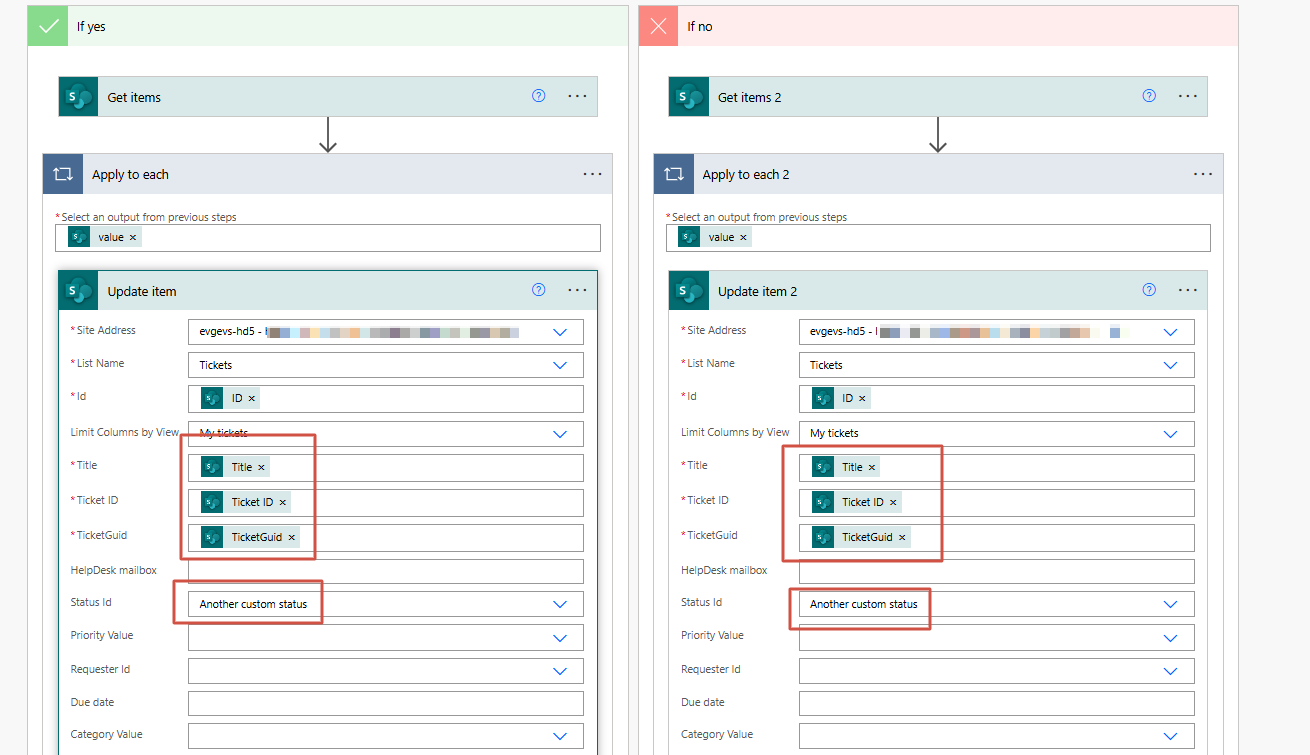
Yes, you can use the approach with another custom status 'Resolved'. If you wish to stick to solution with the Power Automate flow, the instruction is below.
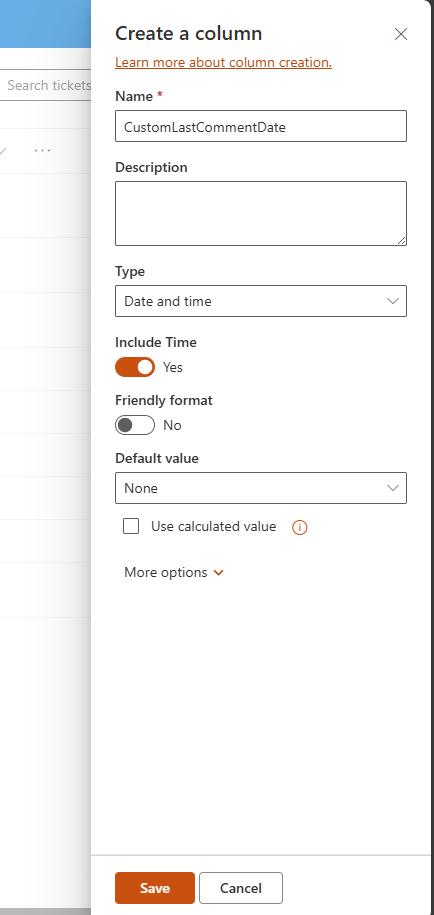
Create a custom column to store the last comment date:
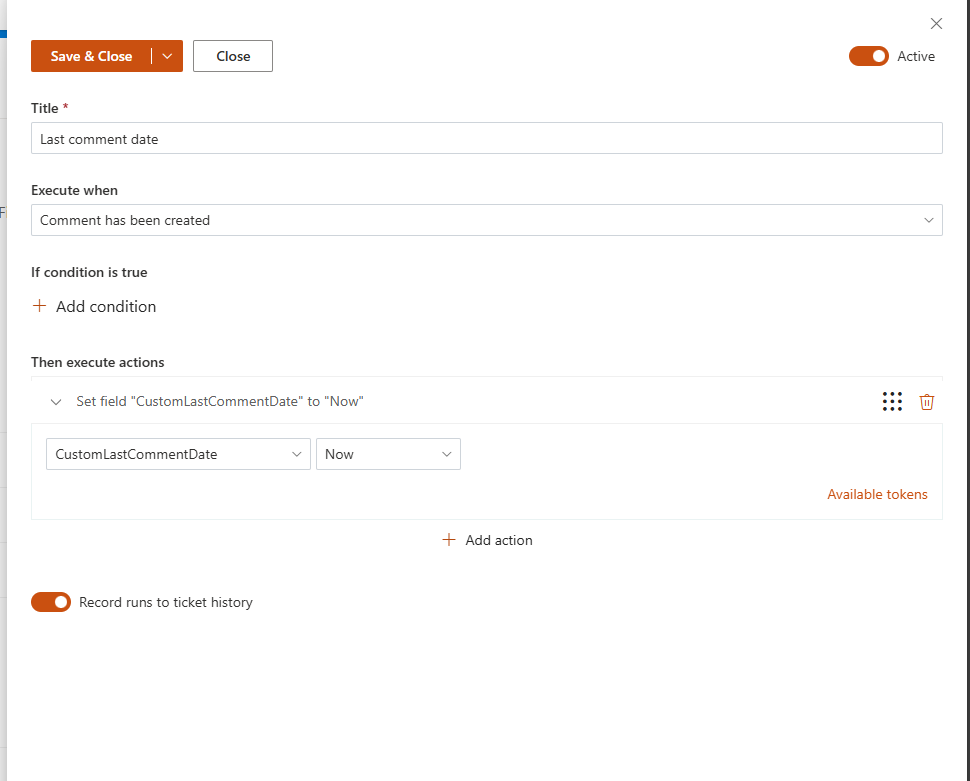
Configure a trigger that will set a value in it on each comment creation:
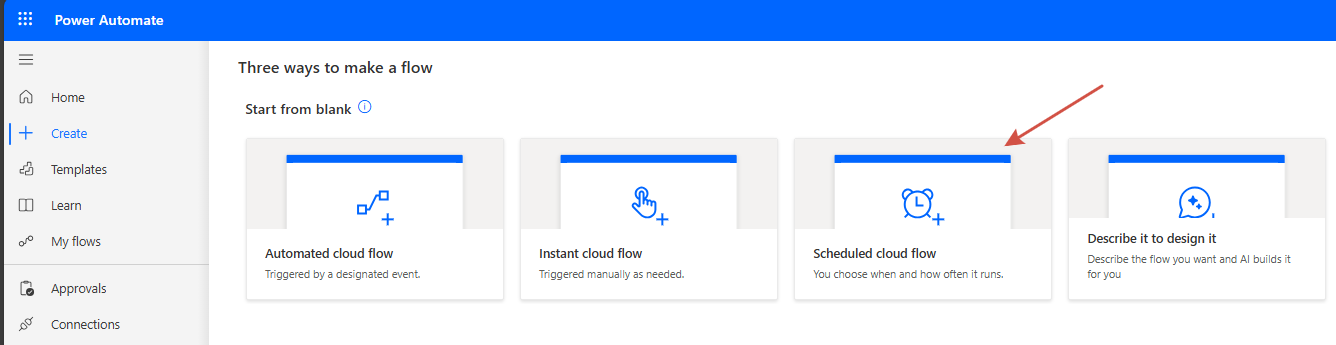
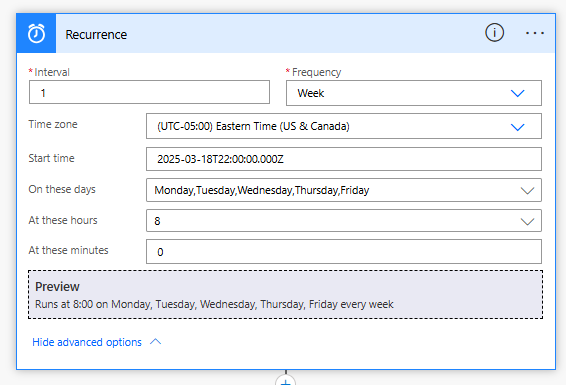
Start the flow every business day at its beginning
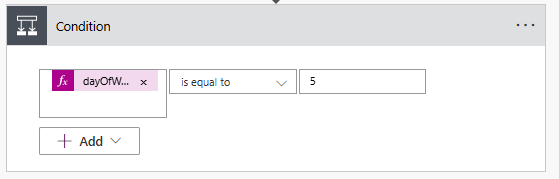
Add a condition and check whether the current day is Friday. Use the expression below to get the current day in a certain time zone (change it if required):
dayOfWeek(convertTimeZone(utcNow(), 'UTC', 'Eastern Standard Time'))
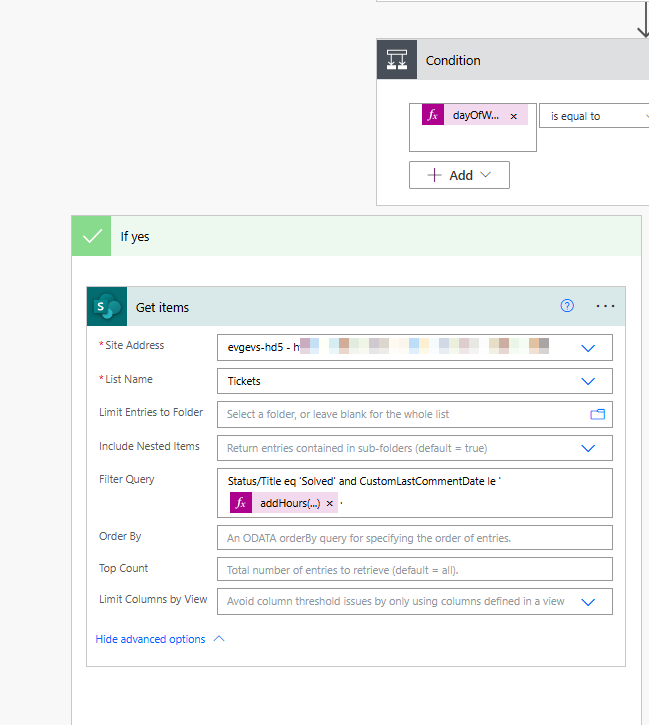
If it is Friday, retrieve solved tickets with the last comment date earlier or equal to the four days ago. I got a day start and then added 8 hours to get the exact point of the business day beginning.
addHours(startOfDay(convertTimeZone(getPastTime(4, 'Day'), 'UTC', 'Eastern Standard Time')), 8)
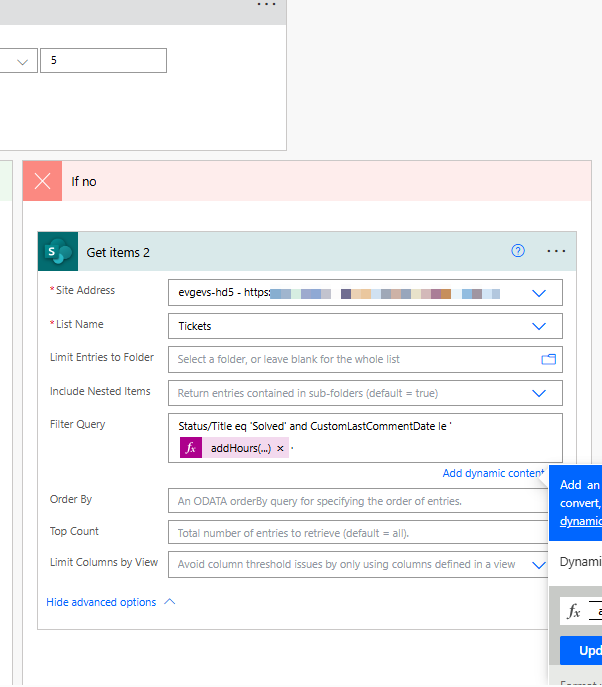
If it is not Friday, go back for 6 days to skip Sunday and Saturday:
addHours(startOfDay(convertTimeZone(getPastTime(6, 'Day'), 'UTC', 'Eastern Standard Time')), 8)
Finally, update each of the retrieved tickets: change the status to the required and re-assign the existing required values.