@Margo - I always appreciate your wisdom and insight. Thank you warmly and I apologize for perhaps sounding less than thankful - I was frustrated and certainly no fault of you or plumsail. The product has helped people like me deliver functional software while multitasking in other roles (not developing full time). Again, my deepest thanks for everything you offer.
At this moment, the form works as desired but I can share screenshots in this state too, for a comparison. I see many "spserviceworker.js" and "spform.js" references in the developer tools console. When searching against these terms within the community, I found another common console reference of "[Uncaught (in promise)](Populating user profile properties (Sharepoint 2019) - #11 by Marcin)" that looks to be related to undefined fields. I read this as JavaScript that maybe was written for an intended purpose but abandoned later and not commented out. Does that sound right?
The "spserviceworker.js", "spform.js", and "[Uncaught (in promise)" errors are not preventing the page from load and behaving correctly but I suspect is can slow processes.
The first step when I see an overload of errors is to comment out recent code and check again, then I also look at the browser version to ensure I have the latest update in place.
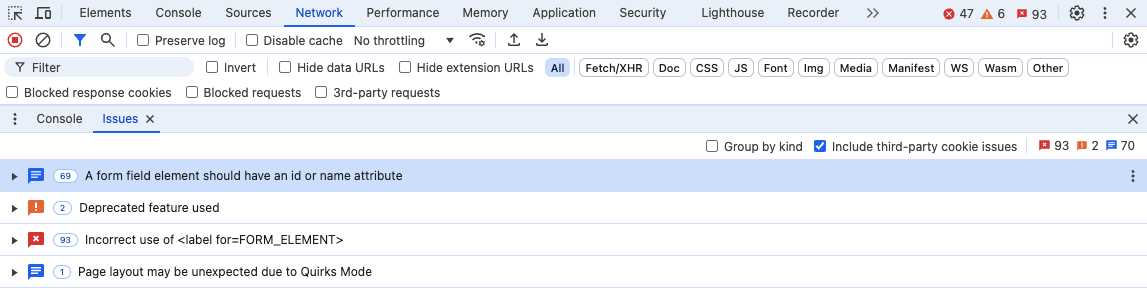
Something that is very helpful is the Debugger link that jumps directly into the code from the plumsail JS panel and I can see exactly where my code may be faulting.
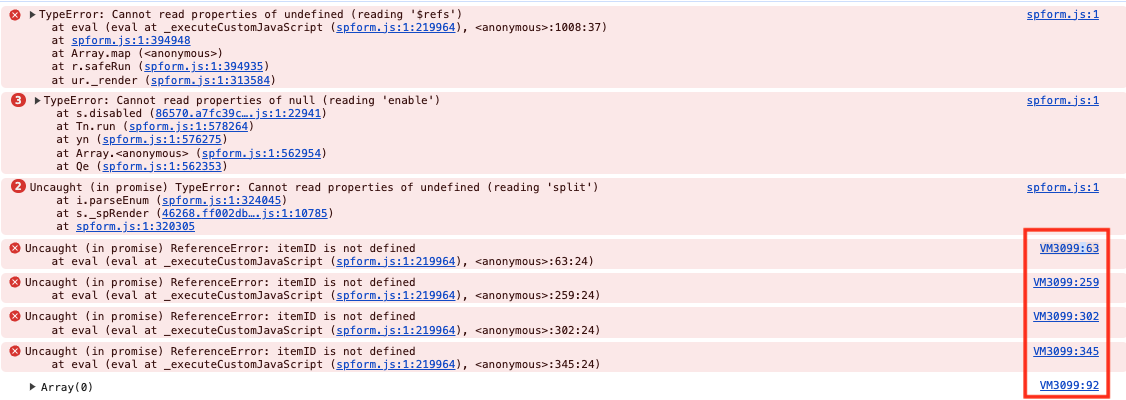
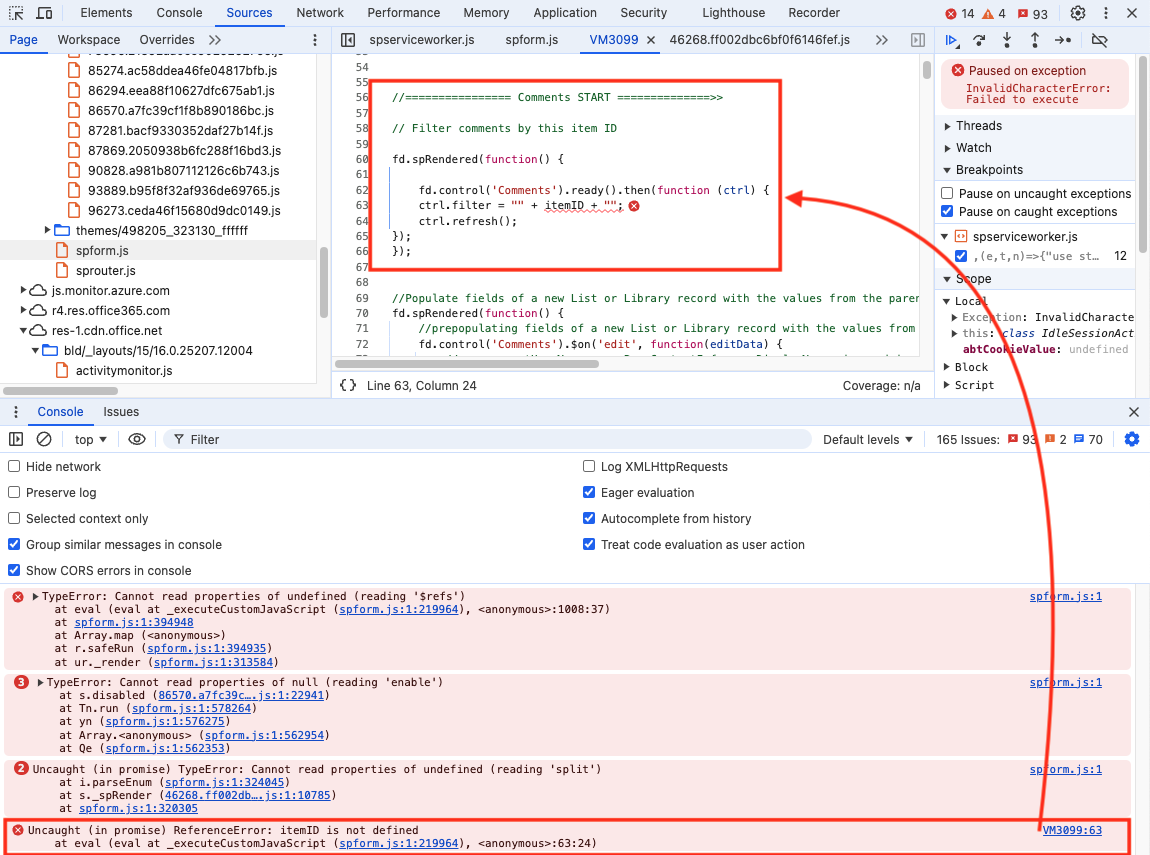
A nice example of this is shown in the illustration below. When I click on the VM3099:63 hyperlink, the block of code I have in Plumsail Designer is shown and I can see that on Line 63, I have a field that is referenced but not defined. That's what the browser sees anyway. This helps me get right to the location and test.