A new version of Vacancies is now available in Org Chart! You can use vacancies to plan future hires, propose new roles, or highlight positions that need to be filled before an employee leaves.
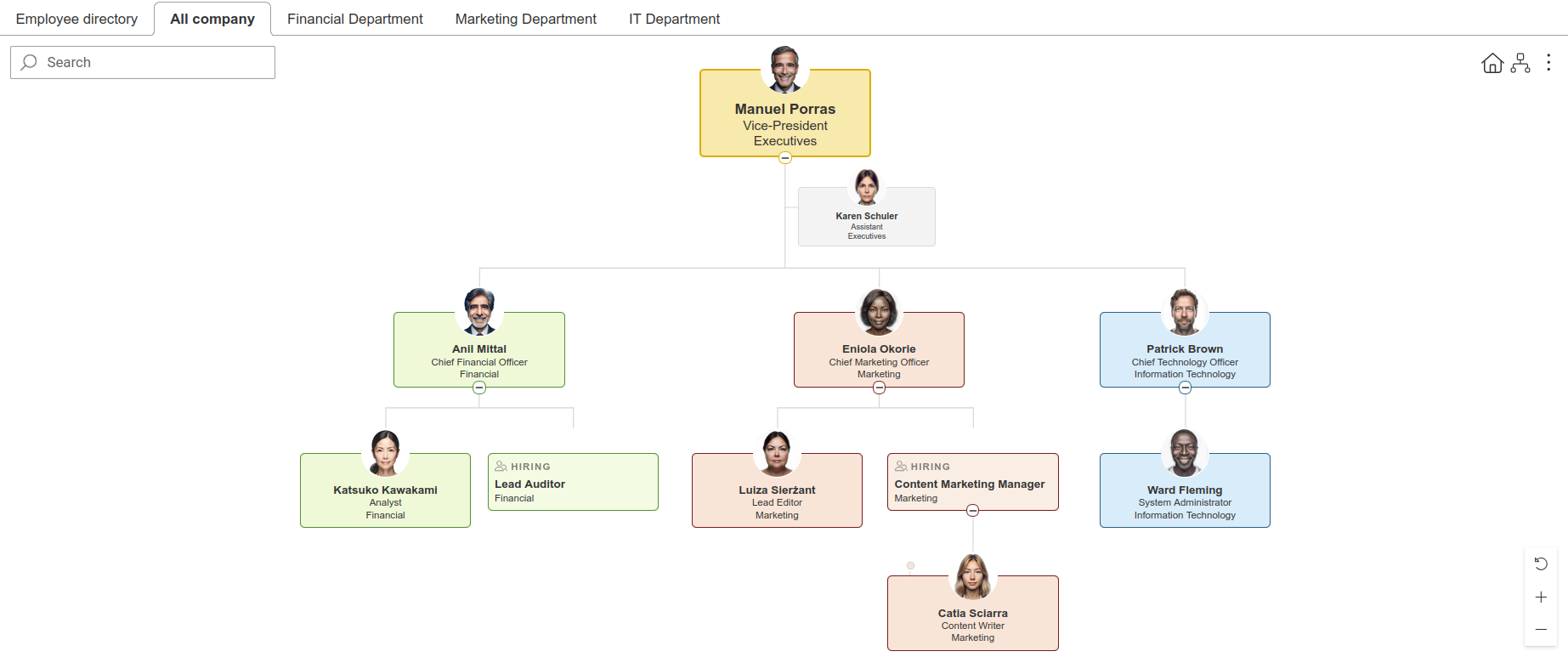
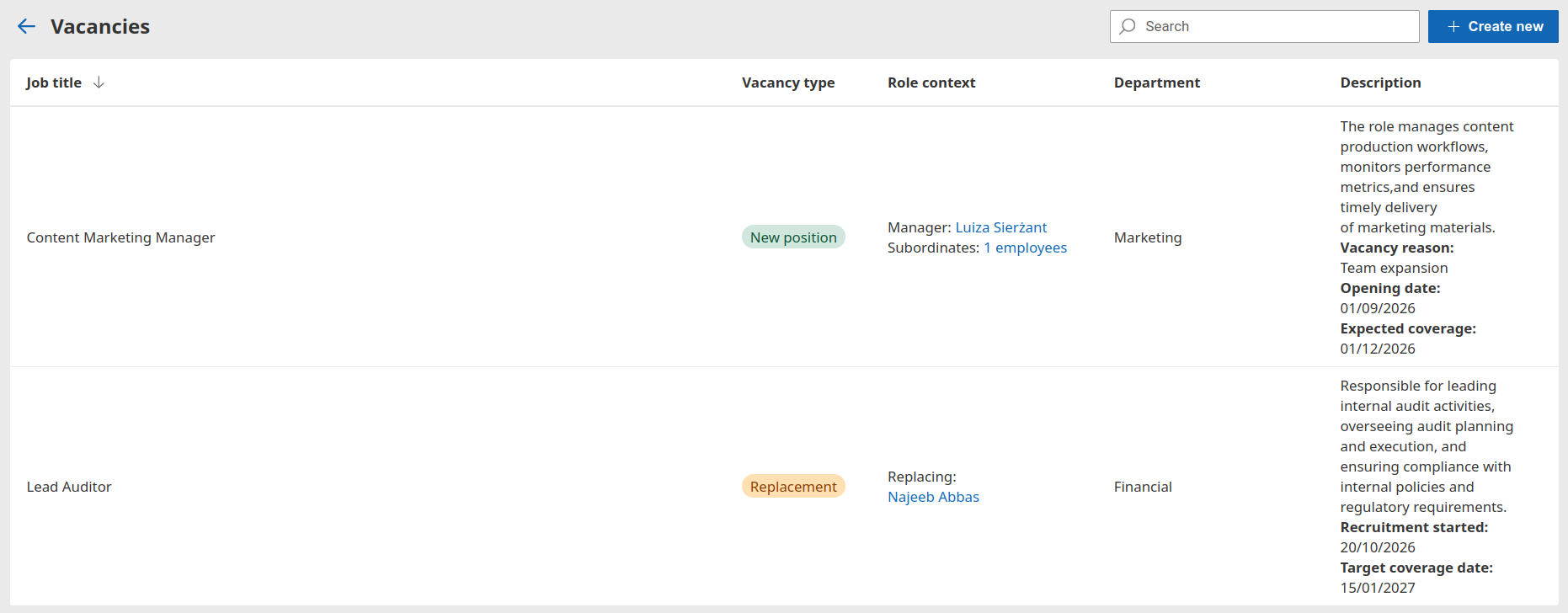
Vacancy types are introduced to better match your organization's needs:
- New position: Represents a newly created role in your organization. You can assign a manager and add subordinates to it.
- Replacement: Represents a position currently occupied by an employee who is expected to leave or be replaced. Once created, the vacancy substitutes the employee in the chart, indicating that the position will need to be filled.
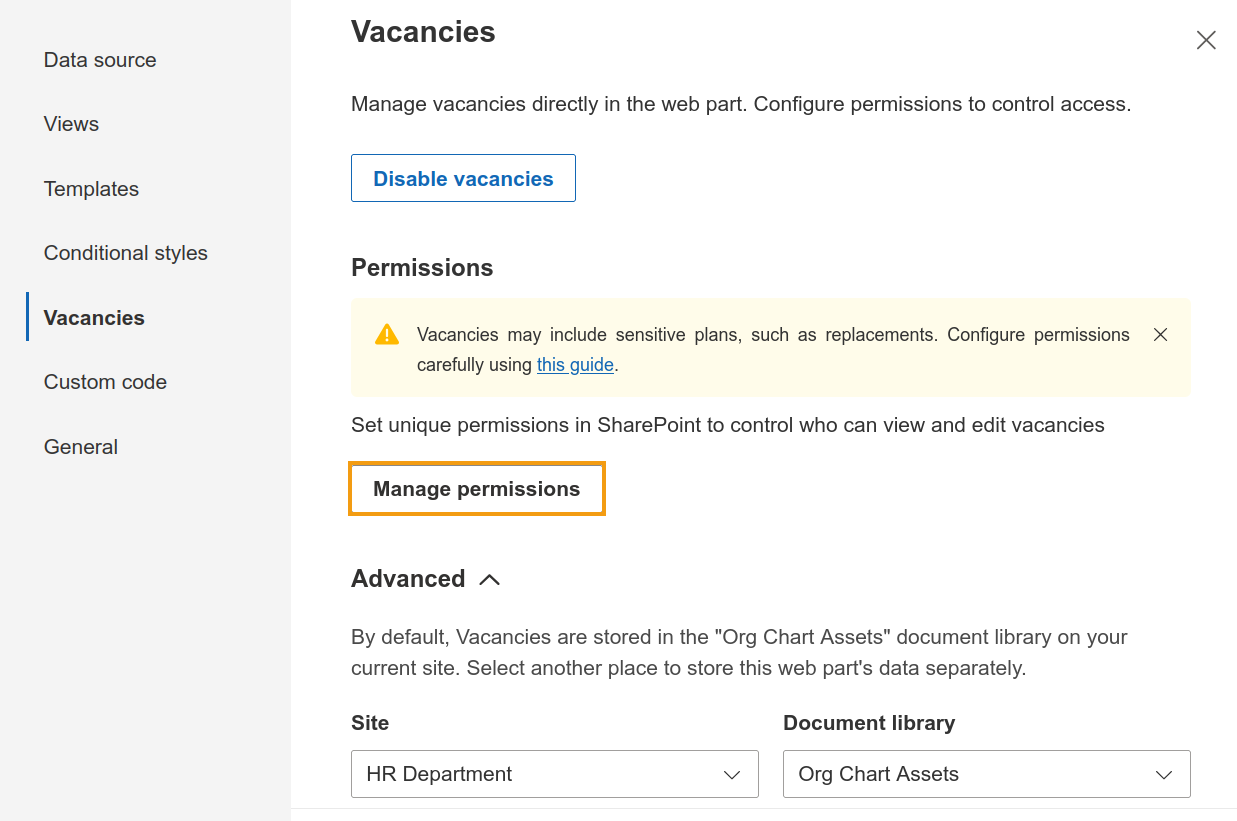
We've also made it easier to get started. You can enable vacancies directly in the configuration wizard and quickly open the permissions page to manage who can access the document library where your vacancies are stored.
Already using the previous version? If your vacancies are stored in a SharePoint list, you can migrate them to the new version in just a few steps.
Check out the full documentation to explore vacancies and learn how to get started.