Hello,
I like to translate “Specify your own value:”
What is the best way / code for that?
Thank you,
Daniël
Hello,
I like to translate “Specify your own value:”
What is the best way / code for that?
Thank you,
Daniël
Dear Daniel,
Please try to add this code in your “spRendered” event handler:
$(fd.field('Choice').$el).find('label').text('Yout text');
‘Choice’ is the internal name of your Choice field.
Hi, can share full script for this?
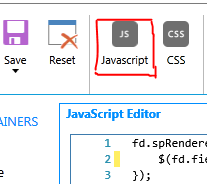
Please paste the following code in Javascript editor. It will perform on form load.
fd.spRendered(function() {
    $(fd.field('Choice').$el).find('label').last().text('Yout text');
});Hello, which variant is correct?
$(fd.field('Choice').$el).find('label').text('Yout text');
or
$(fd.field('Choice').$el).find('label').last().text('Yout text');
Unfortunately, I did not manage to translate the expression “Specify your own value:”
Please see my code:
fd.rendered(function () {
//traduc optiunea de motiv propriu
$(fd.field('Motiv1').$el).find('label').last().text('Specifica un alt motiv');
$(fd.field('Motiv2').$el).find('label').text('Specifica un alt motiv');
});
Thank you!
Dear @Cumatale,
Which version of SharePoint are you using? And what's the version of the app package? I don't think that the latest version even has "Specify your own value" text anywhere, it just allows adding values directly in the text box - can you post a screenshot of where you see it?
SharePoint 2019 on prem
Plumsail Forms 1.4.8

I see it in list item opened with a form designed in Plumsai Forms 1.4.8.
In Sharepoint list, the field has Choice Type, with Multiple Selection and Manual insertion options are allowed
Dear @Cumatale,
Okay, I see! The code mentioned in this topic should work, just make sure to use the correct event spRendered instead of rendered:
fd.spRendered(function () {
  //traduc optiunea de motiv propriu
  $(fd.field('Motiv1').$el).find('label').last().text('Specifica un alt motiv');
  $(fd.field('Motiv2').$el).find('label').last().text('Specifica un alt motiv');
});