I have an airtbale Plumsail integration.
In my Airtable, where the Plumsail is triggered, I have a single-select field called “NO COST SWITCH”; if it has any value, there should be no prices shown in the exported documents.
Then this field is looked up in the child table, and finally looked up again in my lines table, here it’s called “LU_TAKE OUT COST“
In the attached, I’ve highlighted in yellow the field I ideally want to disappear. I have the feeling that hiding the blocks will sceewe my layout? So first and foremost, I’m just trying not to show the values.
I’ve made 3 tests to see if I could get anything to disappear, however when I do the whole thing disappears in ways I don’t understand.
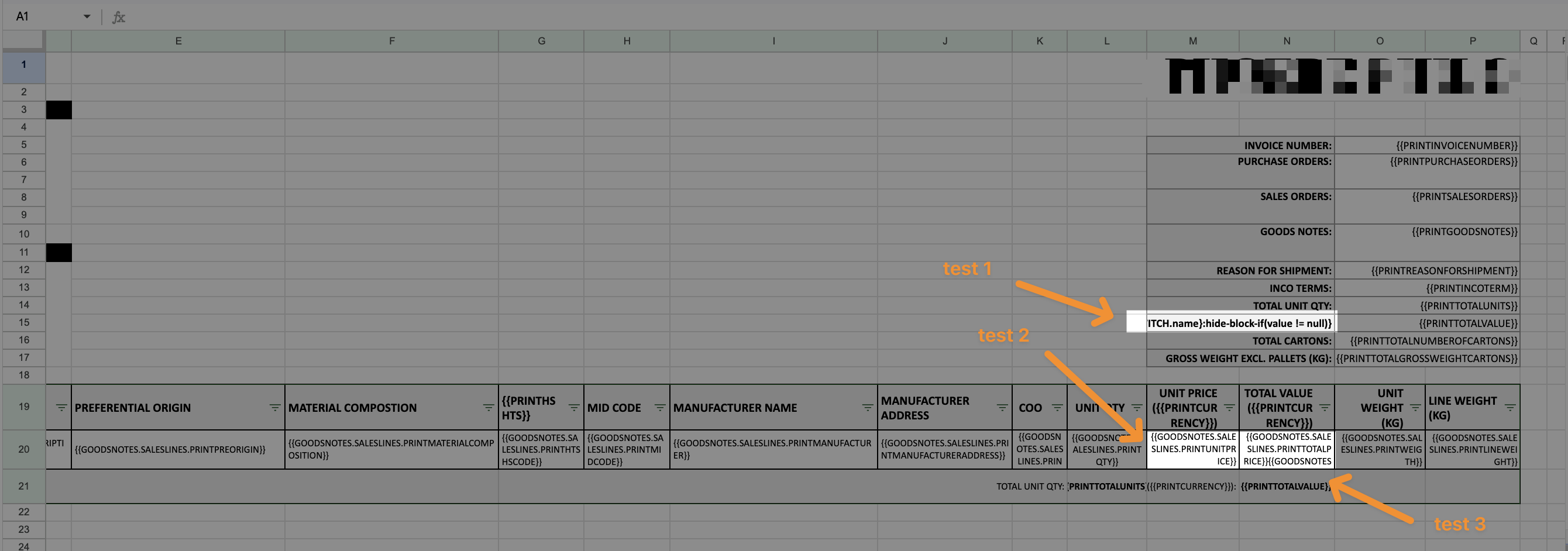
My Test 1 formula is this - how to hide TOTAL VALUE?
TOTAL VALUE ({{PRINTCURRENCY}}): {{NOCOSTSWITCH.name}:hide-block-if(value != null)}
My Test 2 formular is how to hide the values in line items. I tried first with this
{{GOODSNOTES.SALESLINES.PRINTUNITPRICE}} {{NOCOSTSWITCH.name}:hide-block-if(value != null)}
Then I tried with a Test 3 trying to use the “NO COST SWITCH” value on line level
{{GOODSNOTES.SALESLINES.PRINTTOTALPRICE}}{{GOODSNOTES.LUTAKEOUTCOST.value}:hide-block-if(value != null)}
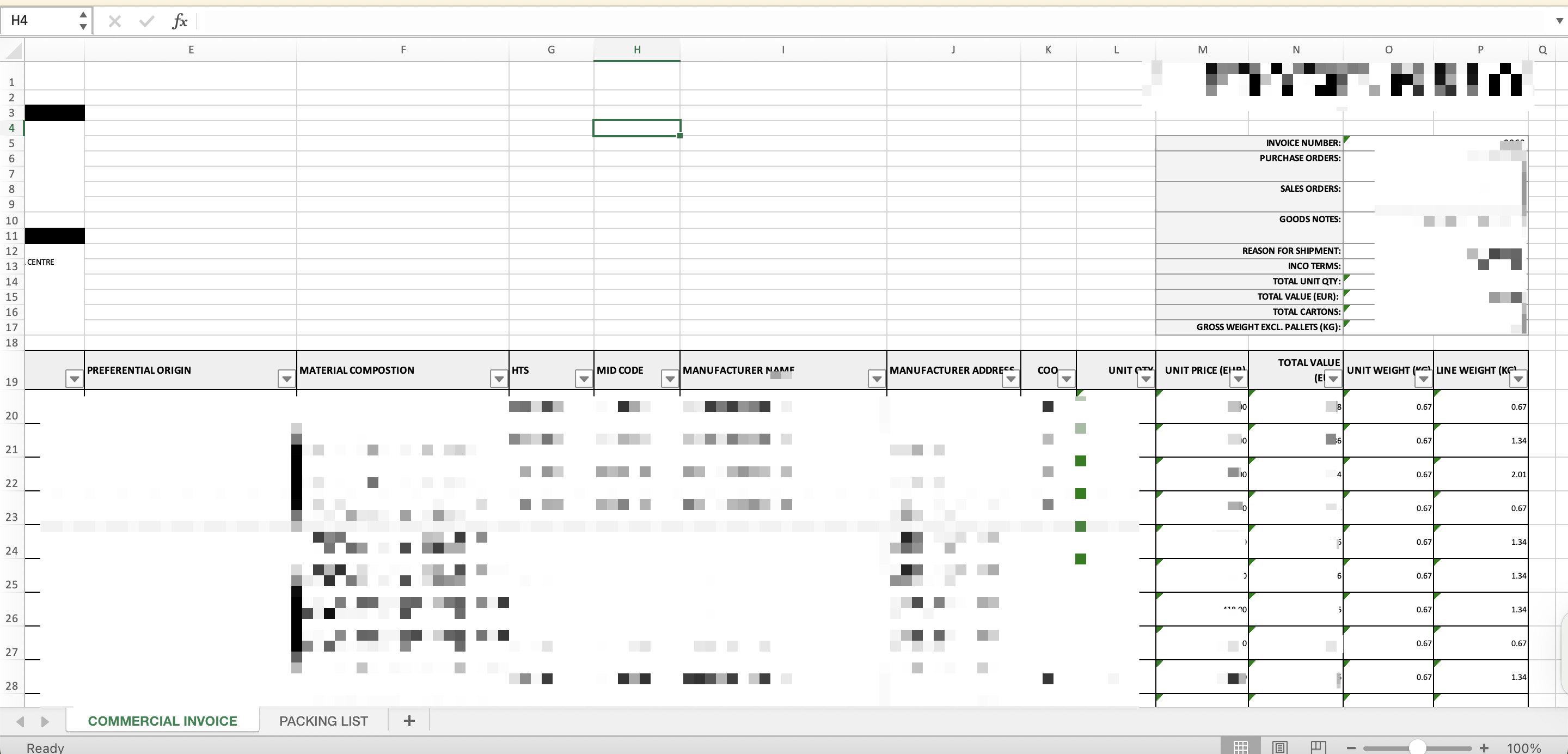
When I don’t switch on the “NO COST SWITCH” the document looks as it should like this:
However once I switch on the cost switch it completely takeout whole chunks of my document like this:
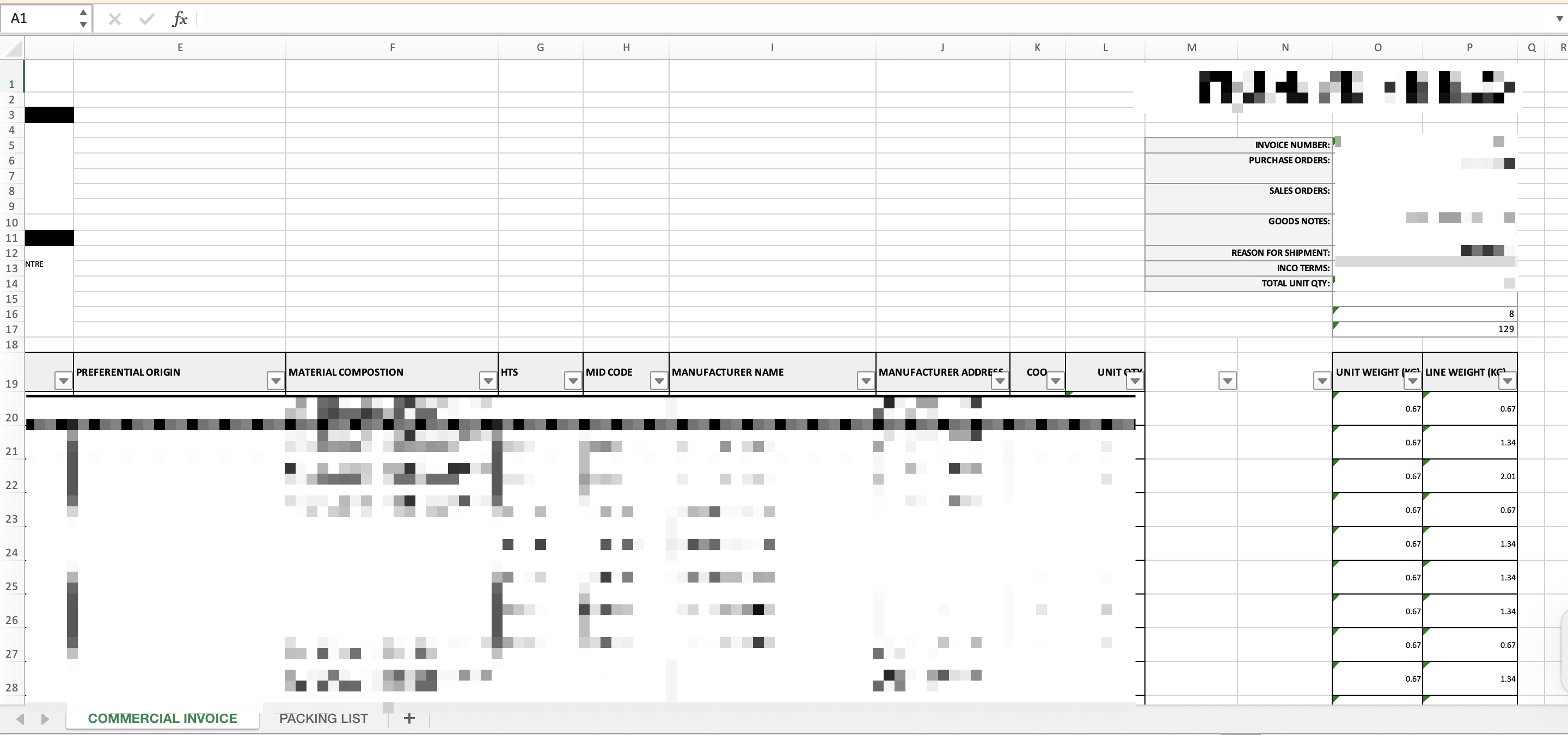
is there a way to do this a little more subtle as I literally just want to either have empty rows/values or put “-“..?