How do I change the background color a selected choice to white? Currently, it is gray which looks like a disabled field. Users are confused.

2 Likes
Dear @tnewton,
Is this a SharePoint Choice field? You should be able to select its background in SharePoint list:
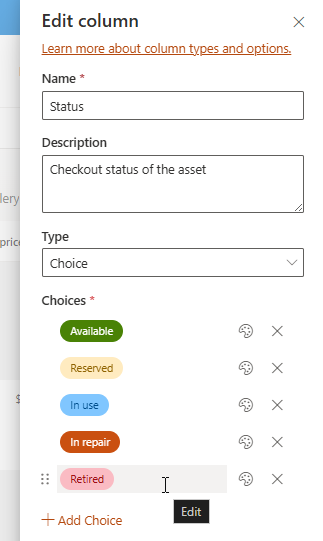
It should be reflected on the form:

Thank you.
It is a SharePoint choice field. There is no style applied to it. Even when I apply a color to it and refresh a bunch of times, it still shows up with a light gray background.
Dear @tnewton,
You might be using an outdated version of the app package, make sure you delete the old one and install the latest one - Installation of Plumsail Forms for SP Online (Microsoft 365) — Plumsail SharePoint Forms Documentation
Then, re-save the form with the latest version of the editor you can download here - Plumsail Account
@Nikita_Kurguzov - to refresh my (and the Community’s) memory, this “delete” is accomplished via the Classic Experience in MS365 Apps here: “https://your-tenant-here.sharepoint.com/sites/appcat/_layouts/15/tenantAppCatalog.aspx/manageApps?source=classicAppCatalog”
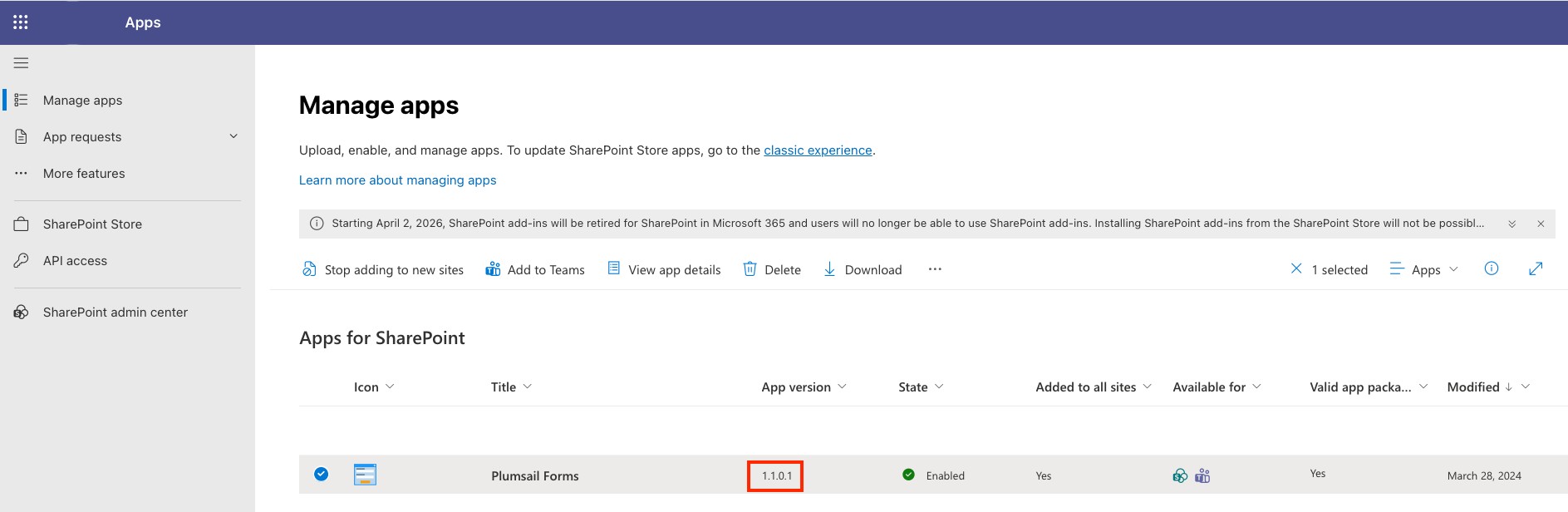
Side note: Related to the mandate in this banner: “Starting April 2, 2026, SharePoint add-ins will be retired for SharePoint in Microsoft 365 and users will no longer be able to use SharePoint add-ins. Installing SharePoint add-ins from the SharePoint Store will not be possible as of July 1, 2024.” Microsoft announcement about add-ins - #5 by shedev
When I visit this location and click “Get it now”, it terminates with this screen suggesting I have version 1.1.0.5 already Added with a note “Good news — all sites in your organization can use this app now” but as shown above, it is 1.1.0.1. If I delete the Plumsail Forms above (1.1.0.1), will it automatically update with 1.1.0.5? I have this documented but now not sure of my notes.
Dear @shedev,
Just delete the old version and install the new one from the App Source, it should be 1.1.0.5 - Plumsail Forms
“Starting April 2, 2026, SharePoint add-ins will be retired for SharePoint in Microsoft 365 and users will no longer be able to use SharePoint add-ins. Installing SharePoint add-ins from the SharePoint Store will not be possible as of July 1, 2024.”
This is not related to our modern UI Forms as we’re using the App Source, which will remain available.
1 Like
Thank you @Nikita_Kurguzov - that part always trips me up; it is counter intuitive to delete. to update. I am now at webpart v 1.1.0.5 - thank you. I have two follow-up questions:
- Where would I find documentation on the release notes for webparts to see what has been changed. I can see the designer notes but is there a different location for webparts?
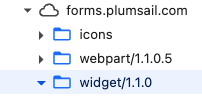
- The widgets - does this version update at the same time or is this a separate, unrelated version?
Dear @shedev,
We only have one version history, so all major changes are there, and both the widget and the web part are updated at the same time from the app package, when you re-save the form.
All you need to make sure that you have the latest version is to re-save the form in the latest version of the editor app once you have the app package updated, and you may need to clear browser’s cache.
1 Like