On the same page, if I add a basic Plumsail forms webpart:
the plumsail form does not show up
on my console, I get following error:
Uncaught Error: Multiple anonymous defines in module https://component-id.invalid/5571c98c-07f8-4738-b0dc-a58895d89c90_1.0.8/UserFormWebPartStrings
    at l.eval [as reduceRegister_] (eval at <anonymous> (sp-classic-page-assembly.js?uniqueId=GFcOm:691:66376), <anonymous>:5:14395)
    at HTMLScriptElement.m (eval at <anonymous> (sp-classic-page-assembly.js?uniqueId=GFcOm:691:66376), <anonymous>:5:72)
eval @ VM16934:5
m @ VM16934:5
So my question is:
How can I use the Chart.js framework together with Plumsail forms on the same SharePoint 2019 web page
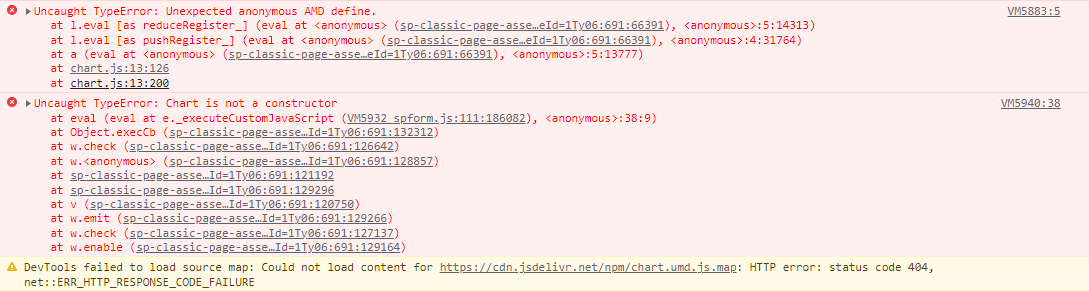
than the "Chart" function is NOT defined and I got following error
Uncaught TypeError: Unexpected anonymous AMD define.
    at l.eval [as reduceRegister_] (eval at <anonymous> (sp-classic-page-assembly.js?uniqueId=GFcOm:691:66376), <anonymous>:5:14313)
    at l.eval [as pushRegister_] (eval at <anonymous> (sp-classic-page-assembly.js?uniqueId=GFcOm:691:66376), <anonymous>:4:31764)
    at a (eval at <anonymous> (sp-classic-page-assembly.js?uniqueId=GFcOm:691:66376), <anonymous>:5:13777)
    at chart.umd.js:7:126
    at chart.umd.js:7:200
There is a bug in SystemJS library that is used in SharePoint on-premises, that is why the code doesn't work in a full screen mode. Please try this code, it should work in both panel and full screen:
Maybe another question
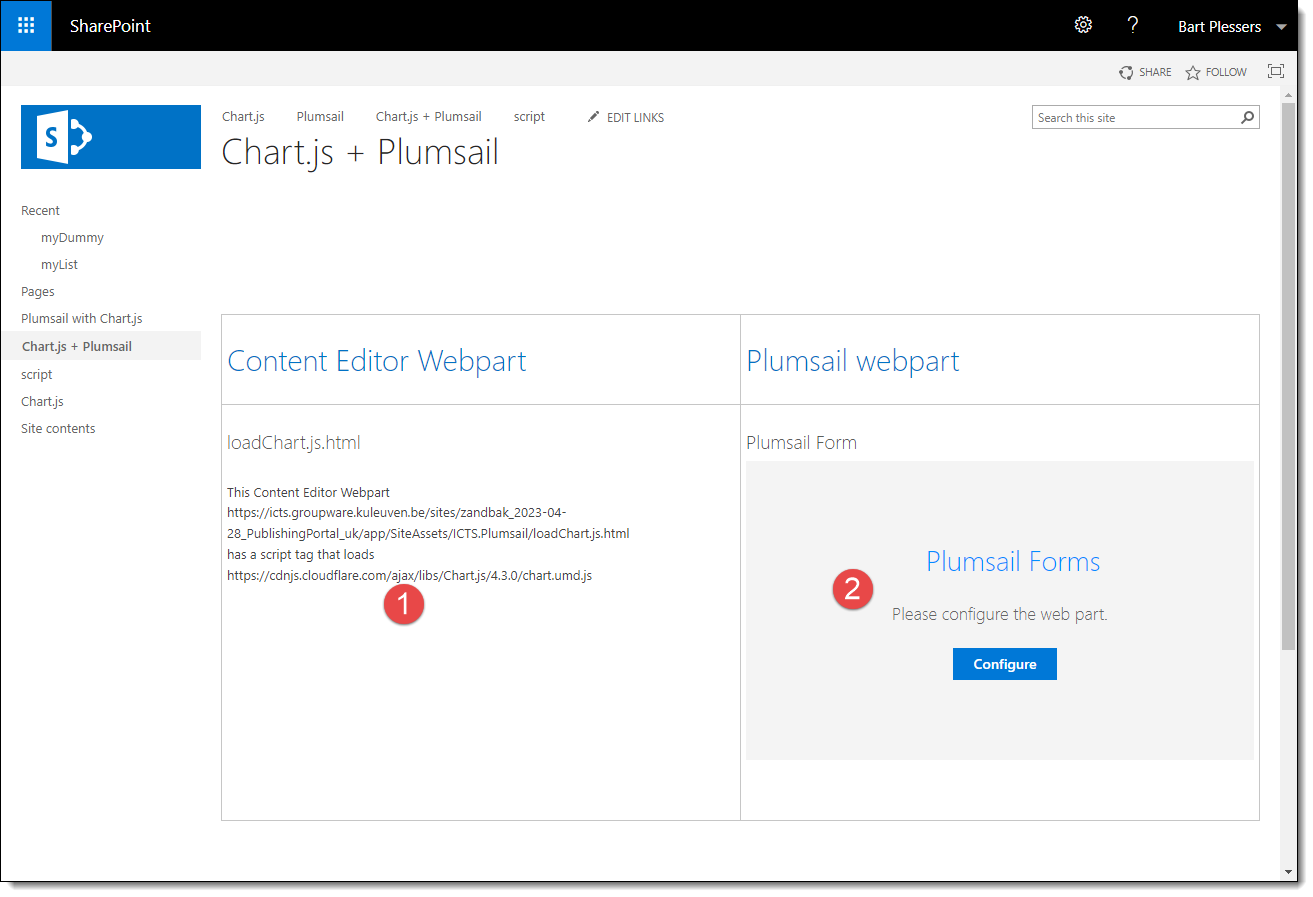
I have a page with a Content Editor webpart (1) and a Plumsail Forms webpart (2)
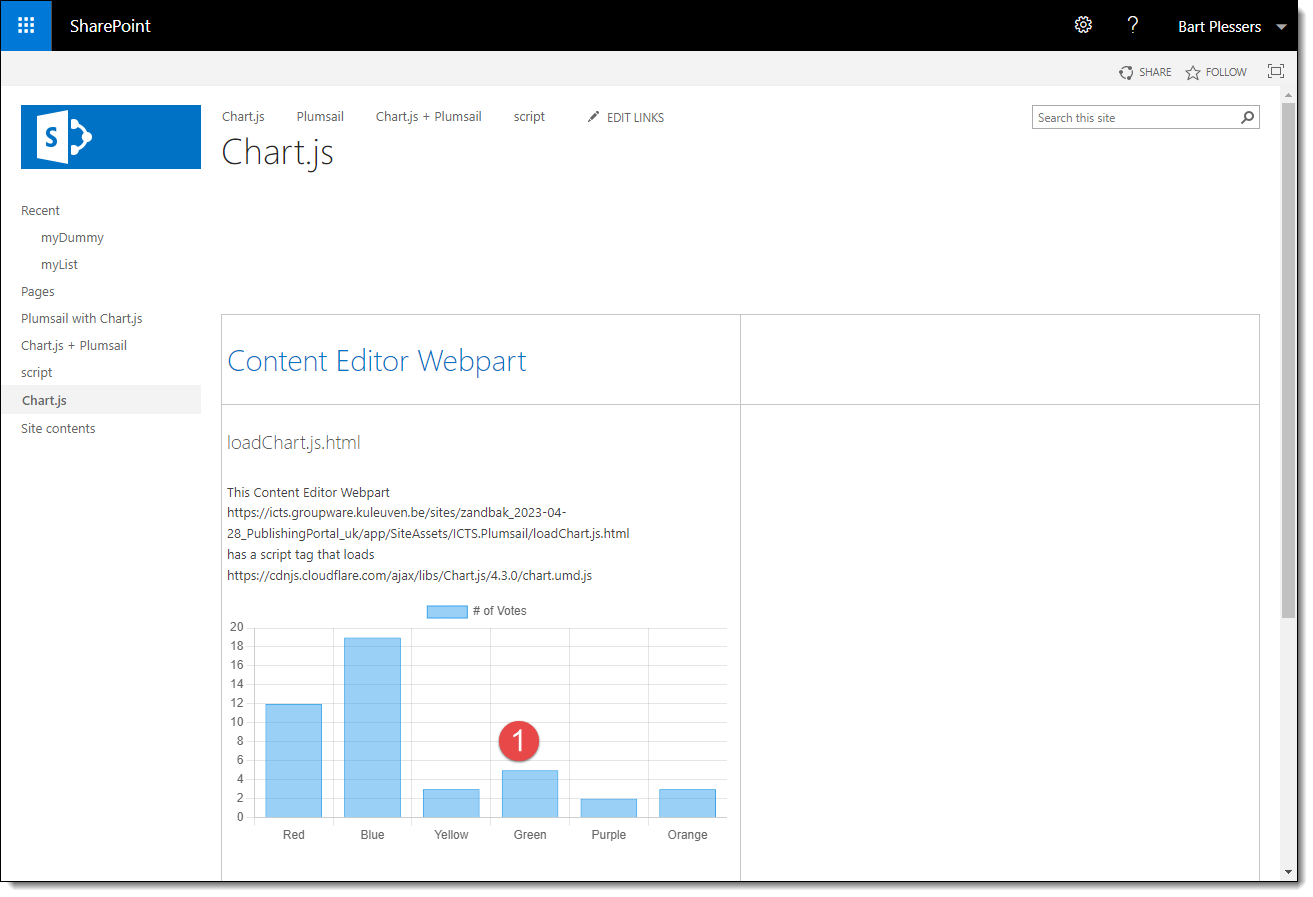
The CEWP points to a html-file, containing code that loads the chart.js and displays a chart.
The PFWP shows an out-of-the box Plumsail display form of a list item. No code/css added
I have an existing Sharepoint page with Chart.js loaded
I want to add a Plumsail Form webpart on the same page. The form has nothing to do with the chart displayed.
Just by adding (2) to (1), my webpage is broken and the chart is not loaded anymore.
I can load the Chart.js framework via Plumsail form, but that is not desirable here.
You where mentioning that "There is a bug in SystemJS library that is used in SharePoint on-premises", but for me it feels that there is maybe a bug in Plumsail in that way that it interferes with out-of-the box Chart.js and/or SharePoint pages.
But maybe I should log another ticket for this use case?
RequireJS module is built into Plumsail Forms. ChartJS is designed as a module and cannot be imported this way when a page contains SystemJS/requires. So, the only workaround is to load the script via the form.
Also, we don't recommend using Plumsail Forms on classic pages, as it is designed specifically for modern pages. For classic pages, you can try Forms Designer.