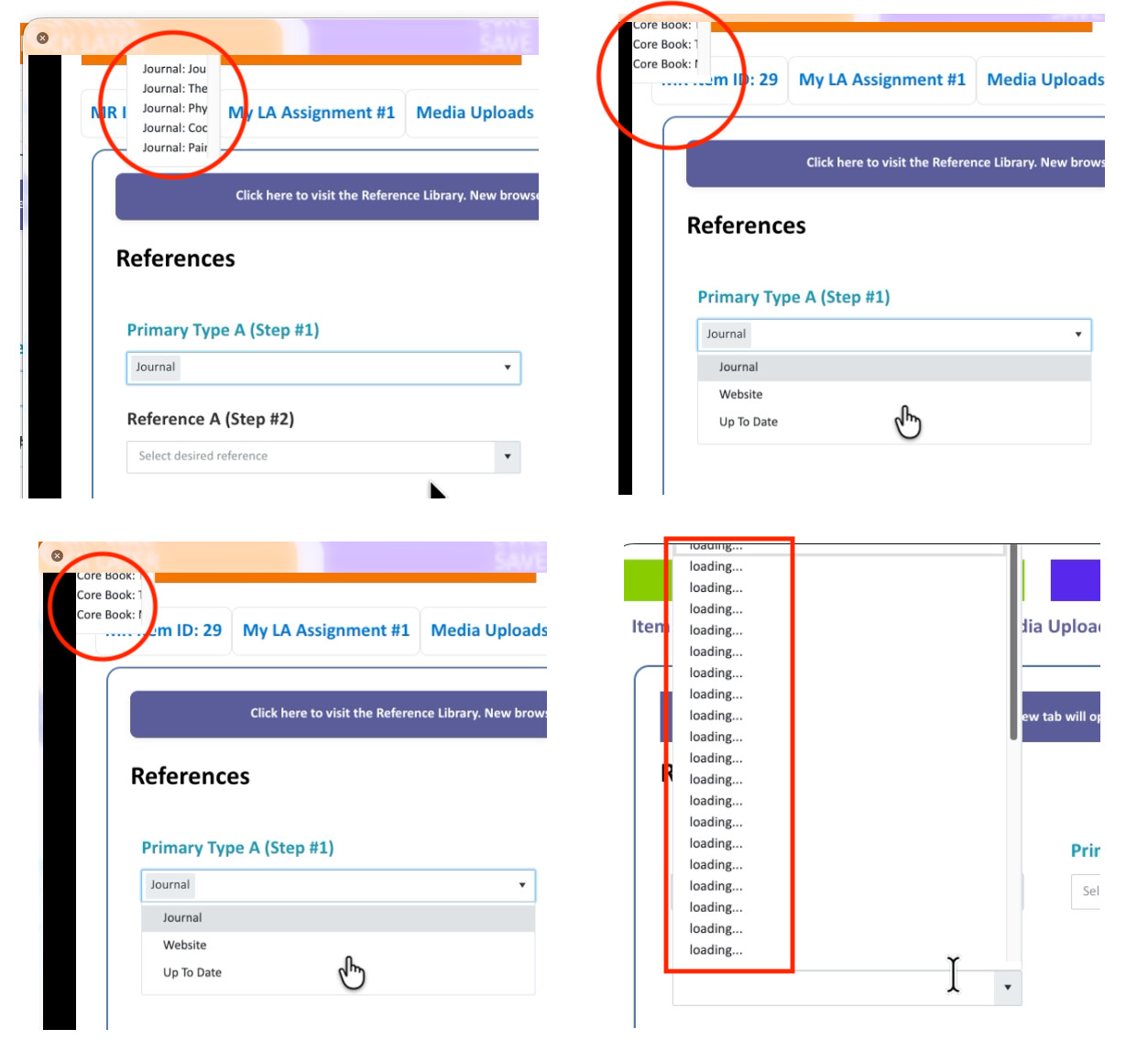
Steps to Reproduce:
- Edit list item
- Click on Cite References tab (using a tabbed EDIT form)
- In Step #1: Select value from Sharepoint Choice column (DropDown type)
- Flash of a drop menu briefly appears/disappears in the far upper left of the browser
- In Step #2: Select value from Sharepoint Lookup column (Lookup type)
- Lookup list supplies the values for Step #2
- All expected choices appear in drop menu in Step #2
The behavior happens when selecting any type even though my examples are Journal-heavy, it's all of the four options that trigger this outcome. And it's all over the place on what wall it throws. Erratic I'd say - and the loading wall flashes so quickly that I can only first capture a video and then slow down the frames to get a screenshot. I can't seem to get rid of the loading wall and maintain filtering. The backend list is supposed to show only values relating to the Primary Type (Core Books show only Core Books, Journals show only Journals, etc.)
In full disclosure, I have around 6K lines of JS in this application so there's a lot going on. But if anyone else has general experience with the loading wall appearing, I welcome a conversation or suggestions on things I might try!