Is there a way to determine if a Form is opened within the Sharepoint Environment versus Teams? My end objective is to have Project Teams work within Microsoft Teams. The channels would be related to a specific list item, so I would create a tab linked to the EditForm of the item. I have the save button set to not close the form. However, the Close button will create some confusion in the Teams environment because it will bring the user back to the list. An option for a workaround would be to create another form set and hide the close button for the Teams form but this will require additional work as I am still developing and improving the forms based on user input. This is all still fresh for my company. Ideally I would like to code it into the default form.
Dear @cwalter2,
Not sure, but maybe you can check window.location.href to get the URL of the current page?
Thanks you it worked perfectly. I added the following code:
var envTest = window.location.href;
if (envTest.includes('env=TeamsPageWebView')) {
fd.toolbar.buttons[1].style = "display: none;";
$('.checkTeams').hide();
}
Has anyone else dealt with this issue more recently? We prefer to view certain Microsoft Lists from a tab within Teams rather than from Sharepoint. The Plumsail form redirects to Sharepoint in a new window. We want the same dialogue form experience that we currently have within Teams, wwhere the form opens as a dialogue from the List within Teams and the user remains in the list within Teams when the form is closed.
Hello @gg1,
Unfortunately, due to Microsoft updates, some funcunality in SharePoint lists within Teams have stopped working that affects how custom forms open. We can't do much about it.
As an alternative, you can add the Plumsail List web part to a Teams tab. This way, the forms will open in a dialog.
Hi Margo! Thanks for responding. I was able to add the Plumsail list web part to a Teams tab and open items in dialogue. However, the tab does not allow a user to switch among Views. The top part of the list where the Views are when using a Teams tab for a default MS List form or SP for a list is not there. A work-around is adding multiple Plumsail Teams tabs for each View, but this is not workable. Another solution would be to just use column filtering, but this also is not good. Finally, the Views could be switched by going into the settings of the Plumsail Teams Tab, but this also isn’t good. What do you suggest? Is there JS that could be input into the Plumsail Teams tab to get the Views switcher?
@gg1,
The first that comes to mind is adding a button to the toolbar to switch the list view. You can even add multiple buttons for different views.
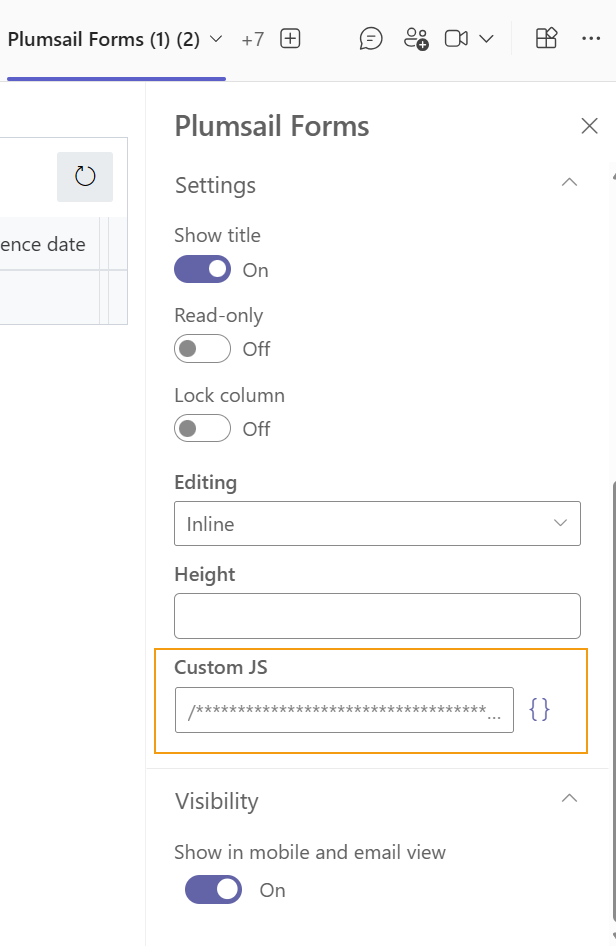
You can add a code to the Custom JS property of the control:
    // new button
    let button = {
        text: 'Change view',
        class: 'btn-secondary',
        visible: true,
        icon: 'LightningBolt',
        iconType: 0,
        click: () => {
            list.viewName = 'All Items';
        }
    };

    list.buttons.push(button);