We’ve rolled out several important updates to improve your document generation experience in Documents:
All premade templates switched to the Modern engine
All built-in templates in Templates Manager now use the Modern engine by default.
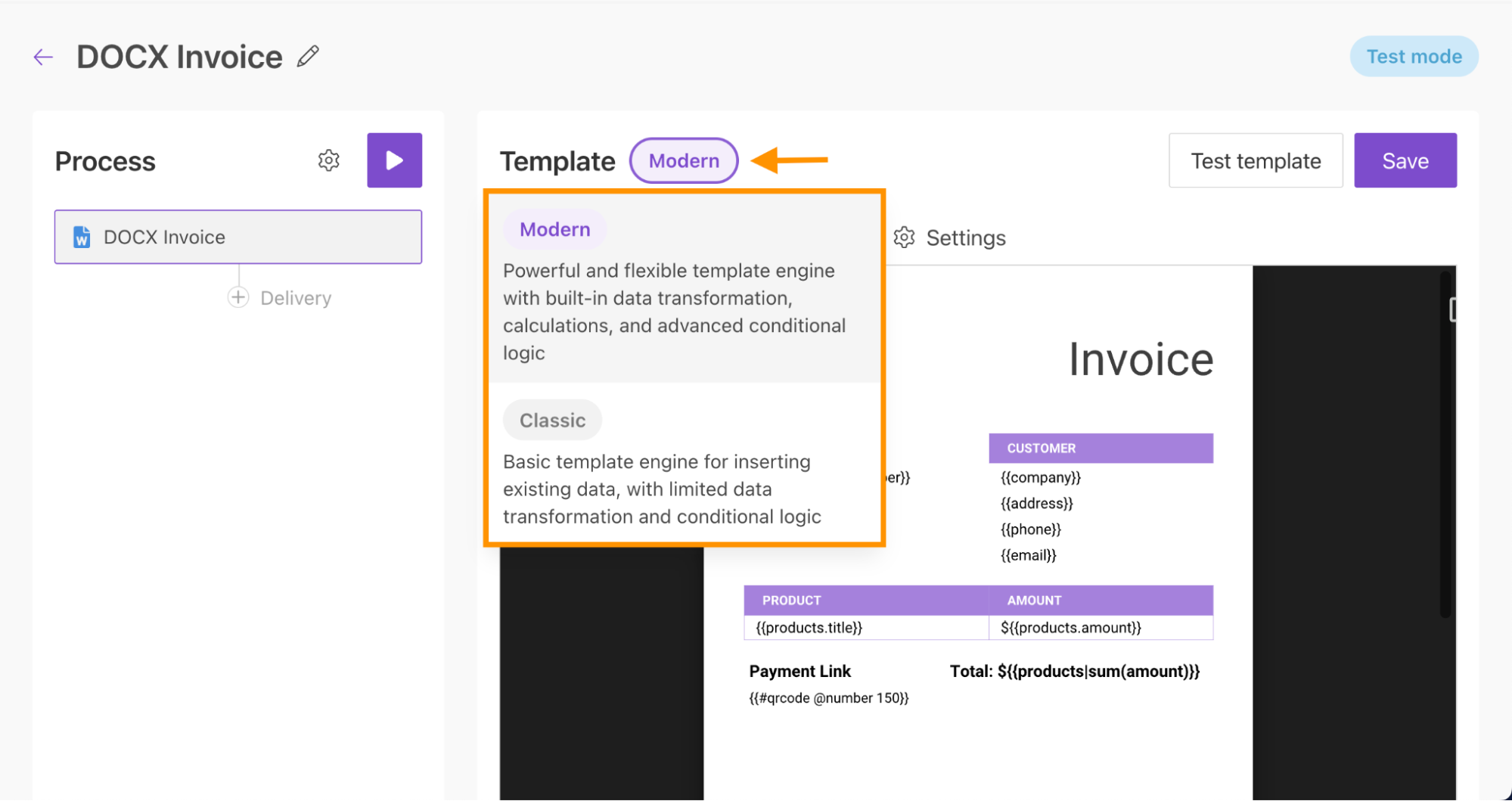
Engine selection in “Create document from DOCX template”
The action now supports engine selection, allowing you to choose between Classic and Modern directly in the action settings.
Engine selection is available in:
These updates give you more flexibility when working with existing templates and transitioning to Modern.
Learn more about the differences between the Modern and Classic DOCX engines in our documentation.
Template engine consistency alerts
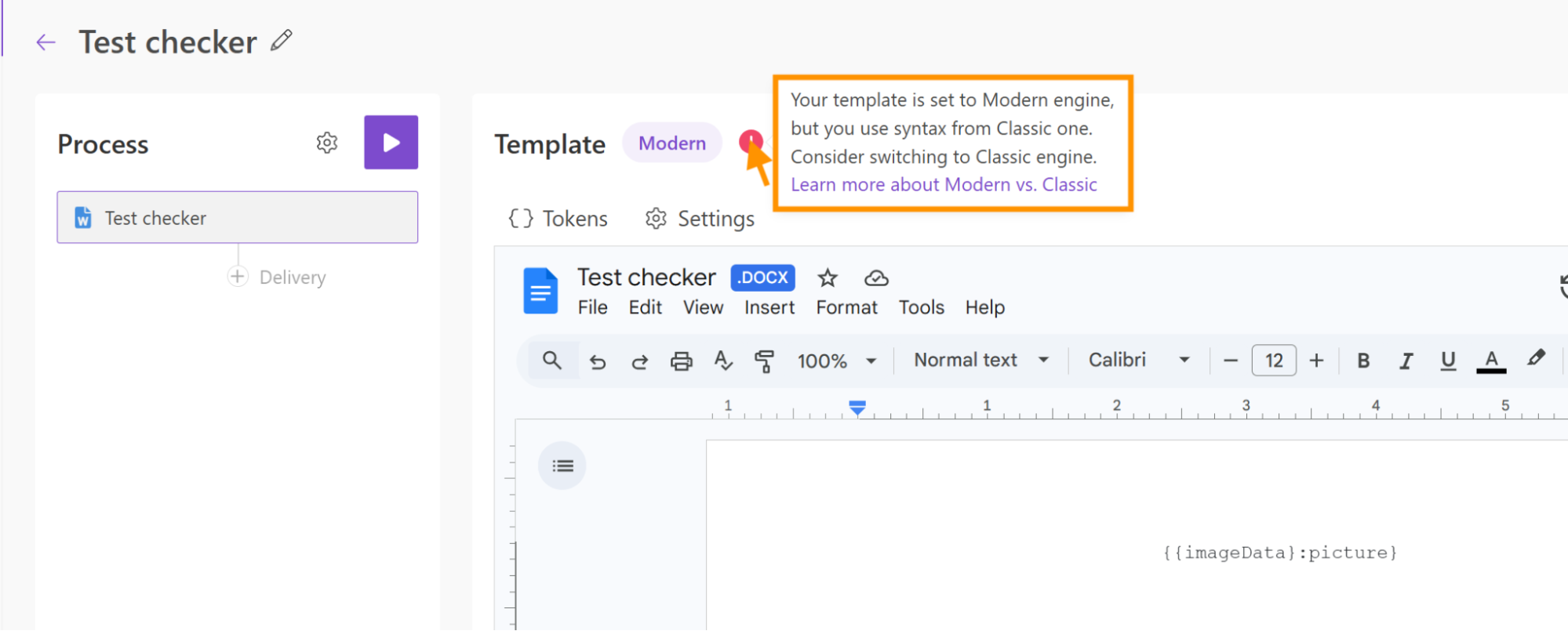
New alerting feature notifies you if the template engine does not match the engine selected in settings, helping prevent errors and ensuring smooth document generation.
Process error notifications
Stay informed about issues in your document workflows with the new Process error notifications feature.
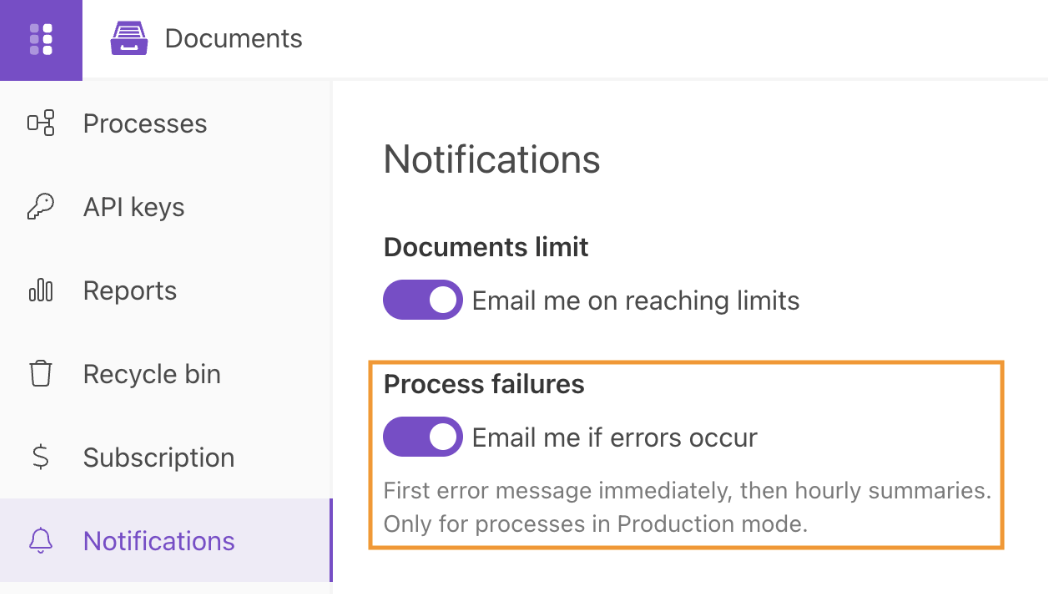
Enable the Process failures option to receive email alerts whenever an error occurs during document processing.
- The first notification is sent immediately after a failure.
- If additional errors occur, you’ll receive hourly summary emails.
- Notifications are sent only for processes running in Production mode.
This helps you quickly detect and resolve issues without constantly monitoring your processes.