Your document processes just got a fresh new look, and more flexibility, too!
New design
Creating a process starts with whichever option works best for you: a pre-made template, a blank document, or an uploaded file.
From there, everything comes together in a new, unified screen. Instead of moving through separate steps, you can now access all the main options from one place.
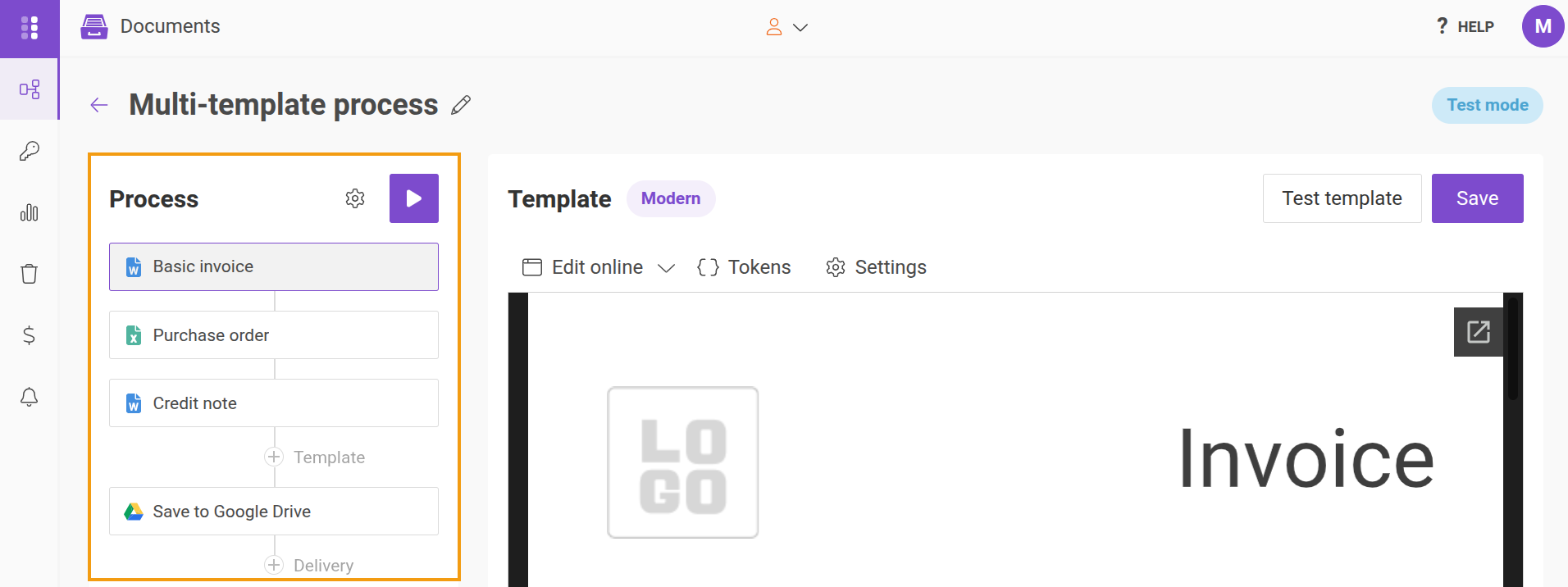
On the right, the Process panel lists your templates and deliveries in order. Next to it, you’ll find the preview and editor, while process settings are available behind the gear icons, on top of the template list.
You’ll also see a Run process option in the header. With this button, you can test all your templates, conditions, and outputs together, making it easier to check everything before putting your process into action.
Learn more in our process guide.
Document sets
Need more than one template? Each process can now include multiple templates, allowing a single run to generate several documents from the same data, and even merge them together at the end.
Mix different formats and engines within the same process, including DOCX, XLSX, PPTX, fillable PDF, and HTML. You can also set conditions to control when each template runs and choose how the results are delivered: as separate files, a single merged PDF, or one ZIP file.
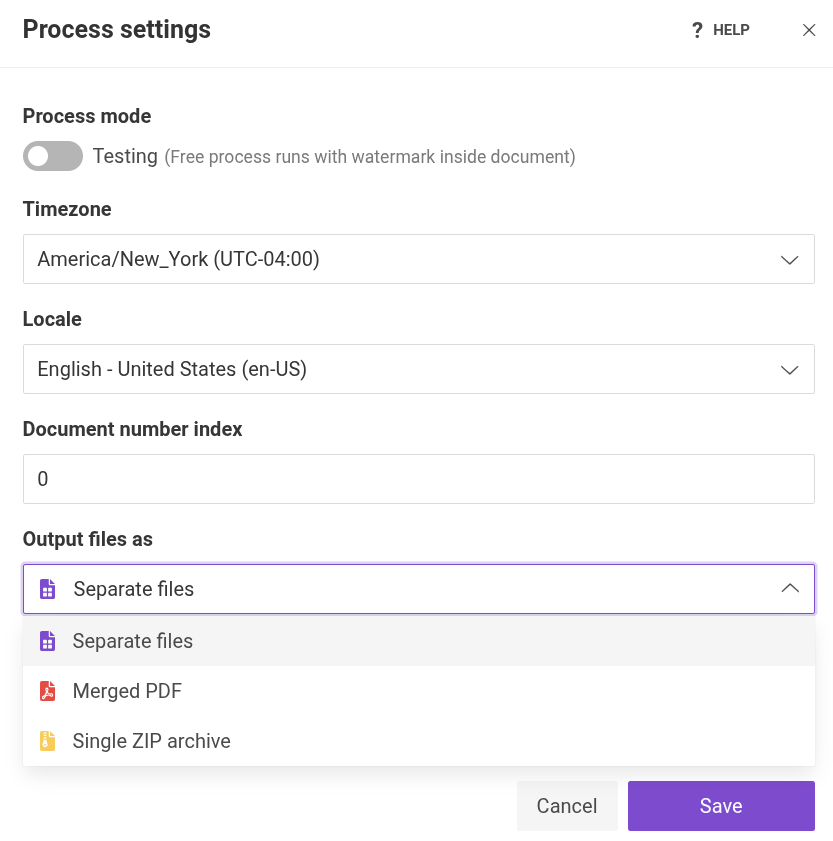
Our document sets documentation covers all these details to help you get started.