Good day, i have a problem.,
An user try to create a new item, but appears an error that it' s now modified by another user..
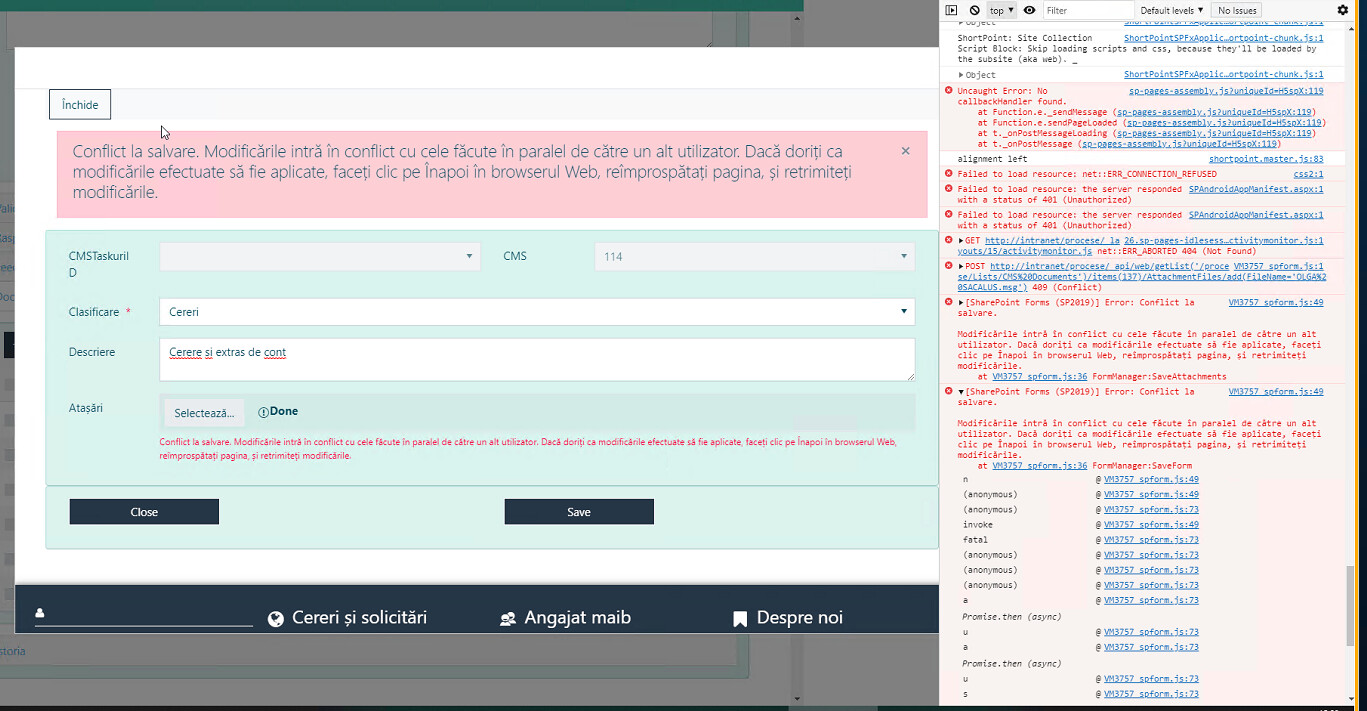
it is a new item ,how it can conflict with another user ...
@Margo
hi, Can you help me please?
Dear @ixxxl,
Are you running any SharePoint 2013 or SharePoint 2010 workflows at the same time?
@Nikita_Kurguzov
Hello,
Yes i am running an 2010 workflow, but the item cannot save.and the problem is with 1-2 items. othe in the list over 100 items works ok .
Dear @ixxxl,
The issue might come from Attachments, uploading files is a separate action, and if they're large, then the Workflow might finish before the upload is complete, and you have a conflict.
@Nikita_Kurguzov
Thank you, i will try to put some pause after starting workflow
Dear @ixxxl,
Alternatively, if you know that there have to be attachments, you can run the Workflow on item edit, and check for the attachments, as uploading attachments counts as an edit.
@Nikita_Kurguzov
Thanks, i will try. For this i must make attachment required, and then can put an edit workflow.
@Nikita_Kurguzov
Good day!
Is it a way to save attachments firstly? i have an issue in new another form on saving files.
i must update some field , and delete\grant permissions, al of this goes me to the conflict error.
Dear @ixxxl,
I can only recommend to remove the Attachments field and use List or Library control to upload documents instead - List or Library control setup instructions — SharePoint forms
@Nikita_Kurguzov
Thank you
One thing that on new item there is no item ID and list library control can't have link. i must to save on open, redirect to edit.
Dear @ixxxl,
Yes, there is no item ID on New Form, but it should auto-populate on save. Not sure if it will cause any conflicts with your setup though.
Hi,
I ran into the same problem. I have a (SharePoint Designer) 2013 workflow that starts when an item is created or edited. It updates its status to the current stage name as well, so almost immediately modifies the list item, so even pausing it for some time does not work. Your proposed solution to use library control does not work for us. Is there a way to stop plumsail form to check whether the list item was edited (version match) and/or upload attachments anyway?
Hello @Janos_Nagy,
I can suggest adding a condition to the flow so it doesn't make any changes before the form is submitted.
The condition can check if the fields are not blank or if a specific value has been entered.