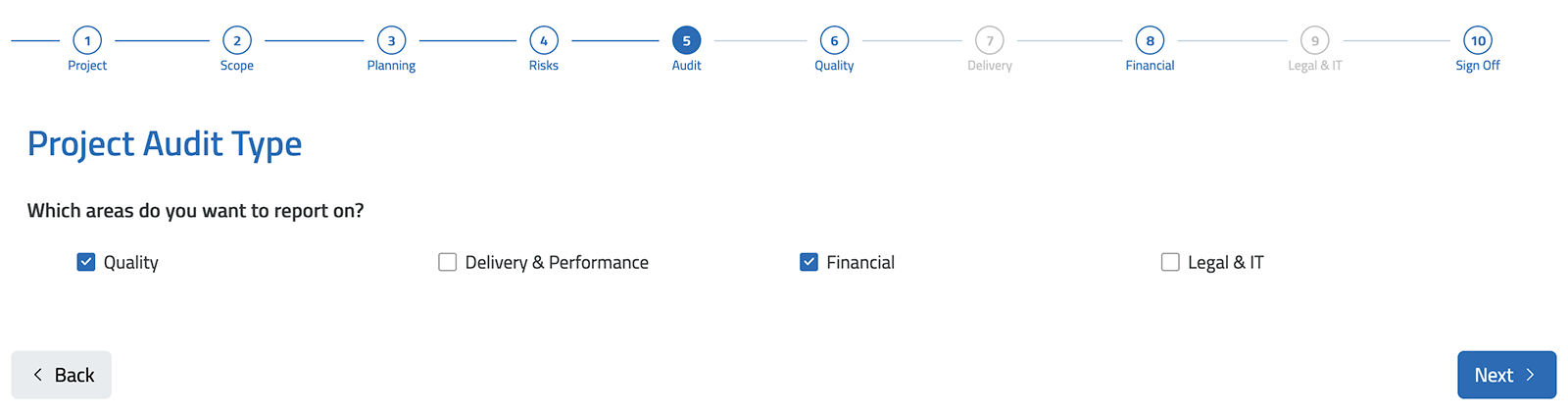
Im building a form where a number of sections should only be completed when the corresponding check box is ticked on the audit stage (step 5). If a section, for example ‘Delivery & Performance’ is not checked, the corresponding section/step (7) is skipped when moving through the form via the navigation buttons. Any fields within this skipped step would obviously be no longer be ‘required’ or produce an error when trying to submit the form. How could I achieve this?
Also regarding the formatting, ideally the skipped steps would be represented as greyed out on the process, but I believe from reading other forum posts this is not possible at this stage?