No-code rules to hide or disable elements
Plumsail Forms has near limitless capabilities for custom logic thanks to its custom JavaScript support. But it can be daunting to learn programming just to hide or disable a field based on a simple condition. This is why we are introducing no-code Rules in the new update!
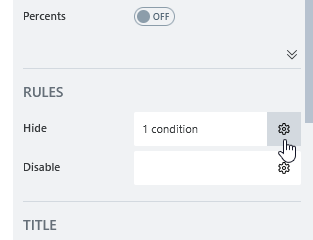
Rules give you a simple way to hide or disable form elements based on one or multiple conditions. To add or edit a rule, select the element this rule applies to, and find the RULES section on the right:
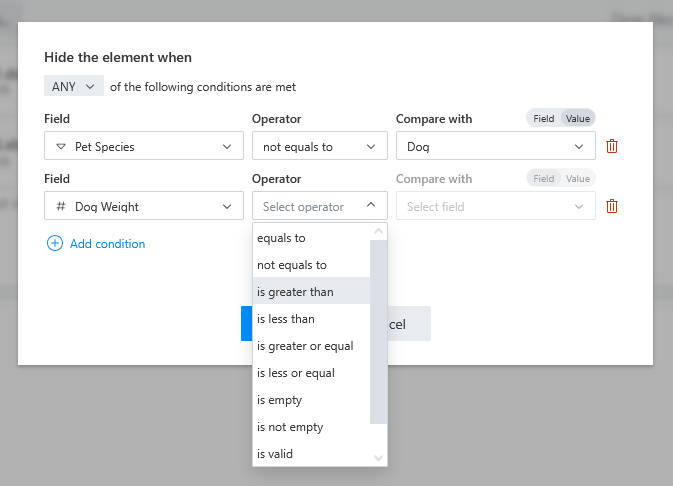
The edit dialog allows you to combine several conditions, checking if ANY or ALL of the conditions are true. These conditions are versatile:
- You can choose any field and check if it's empty or valid
- You can compare any two fields, or compare a field against a fixed value
- You can check if a field matches any of the given values
With this, you can make deeply interactive forms without ever touching the JavaScript editor. We invite you to try this feature out, and will be happy to receive your feedback!