Hi, I'm trialing the software but don't have any experience with Javascript and would like some help on a crucial requirement we have.
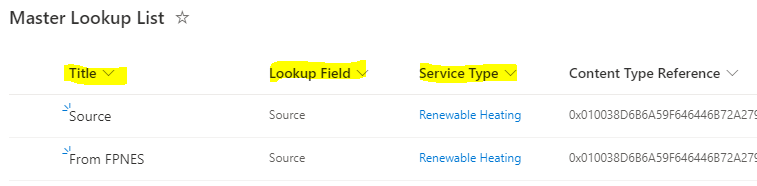
We have one big SharePoint List called Master Lookup List and we currently refer to this for all lookup values.
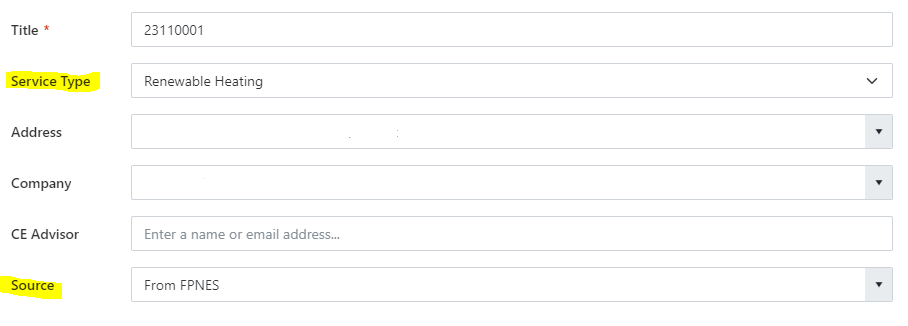
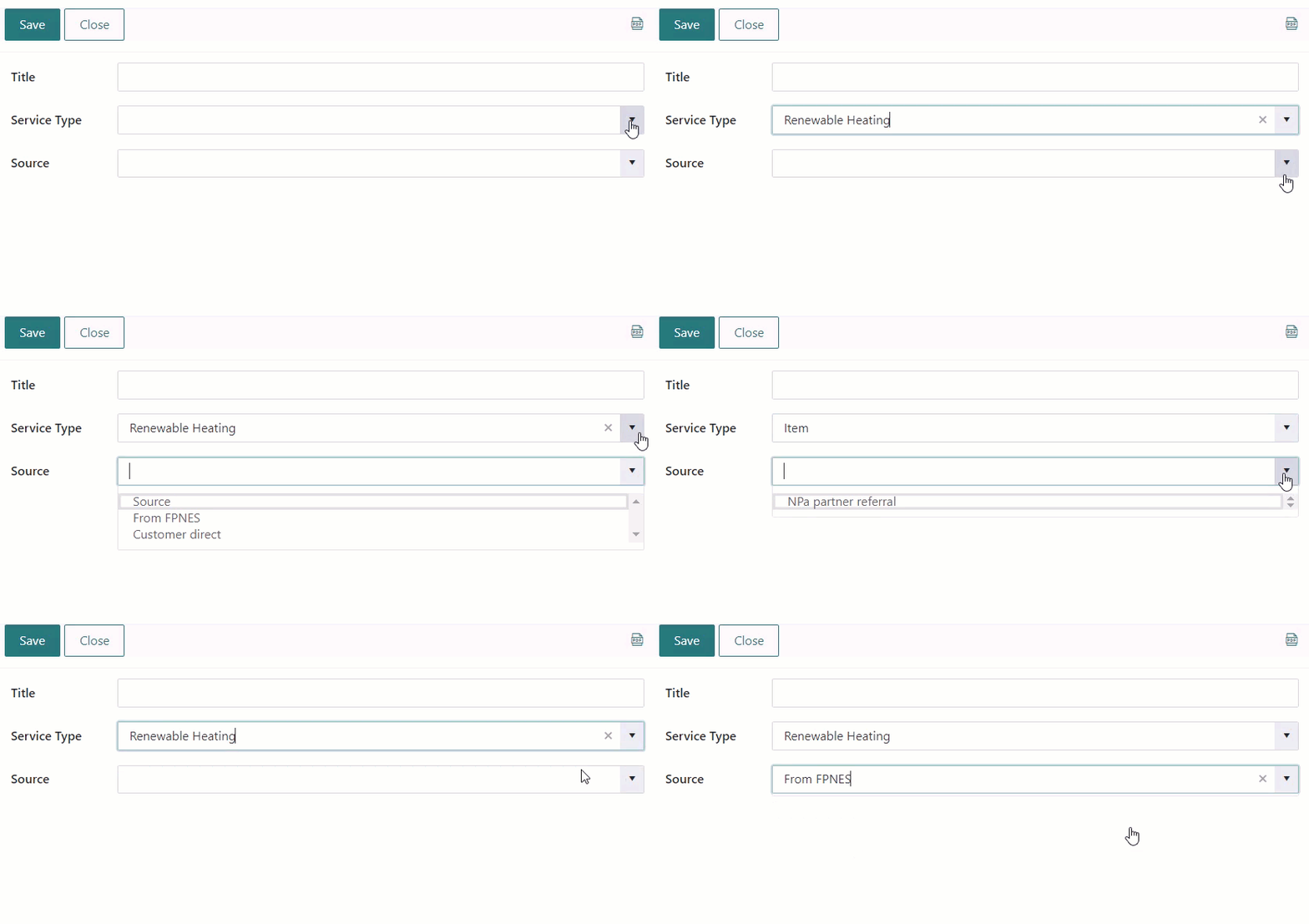
With Plumsail SharePoint 365 Forms, we want to filter returned values based on the following two variables for a Lookup called "Source"
Filter on the value selected from a lookup in the Plumsail form called "Service Type" (its retrieving this value from the Master Pick List in a field also called "Service Type").
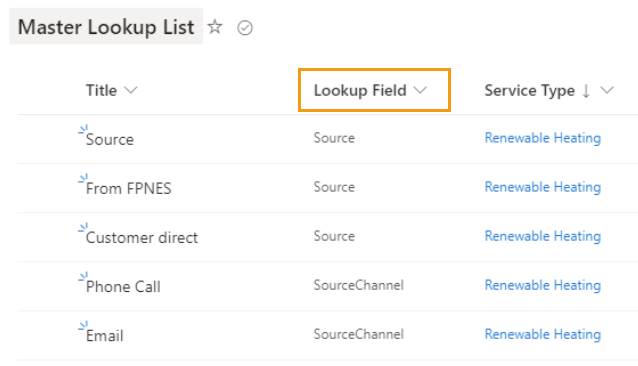
The Current Lookup we are completing in this example is called Source, along with the above already filtered requirement we want to choose a value called "Title" from the Master Pick List for this lookup field that is only returning values that are filtered to a field called "Lookup Type" in the Master Pick List that equals the word "Source".
You want to filter the Source lookup by two columns: a static filter based on the Lookup Field column equal to Source, and a dynamic filter based on the value selected in the Service Type field, correct?
What is the type of the Service Type column in the Master Lookup List? Is it a lookup column?
Yes you are correct with your first statement.
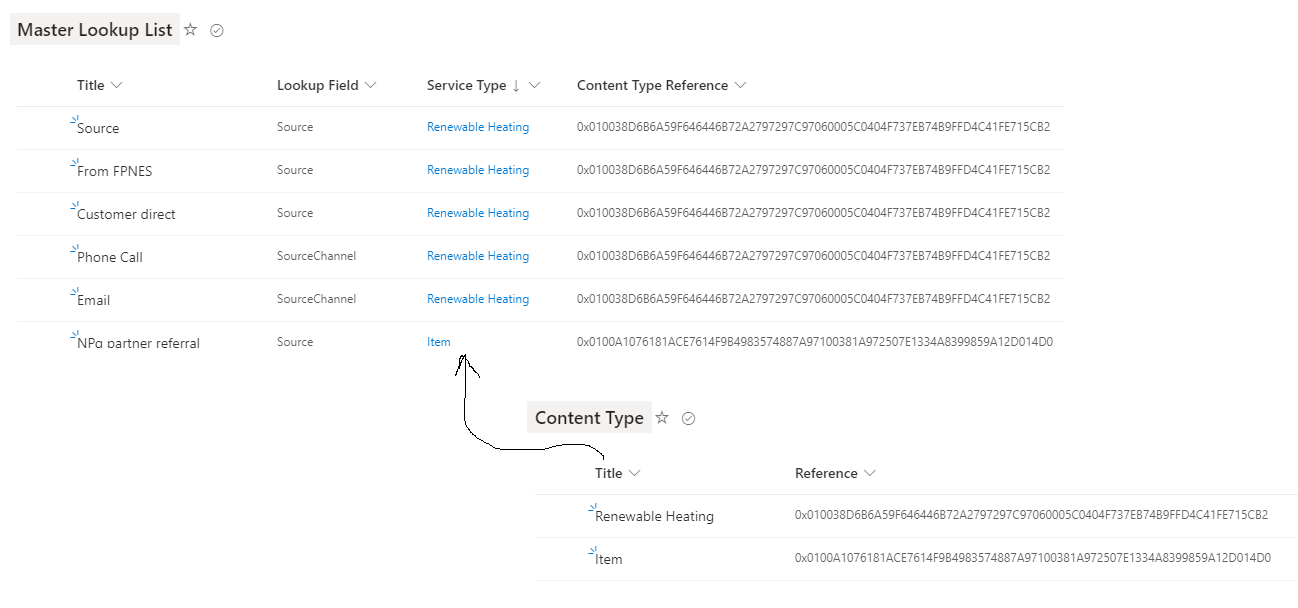
The "Service Type" column is a lookup from the Content Type List in the Master Lookup List.
The Plumsail Form will have more lookups eventually, all using the same technique of filtering the Service Type and replacing Source with the next relavent Lookup Field name, for example SourceChannel as in attached image.
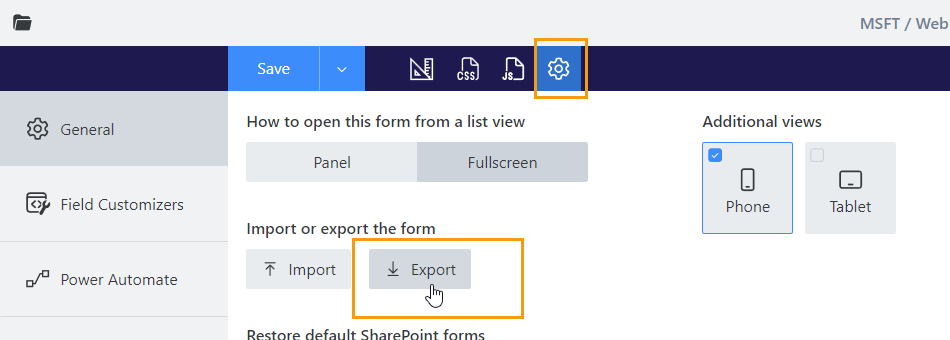
Please share a screenshot of the form open in the browser with the console (F12) open. I want to see if there are any errors. And please export the form and share it with me. I will test it on my side.