How can I display an employee under an assistant in Plumsail Org Chart?

Hi everyone,

I have an employee who is configured as an assistant in the hierarchy. Now I would like to display another employee underneath that assistant, similar to how a normal subordinate would appear under a manager.

Is there any supported or recommended way to visually display an employee under an assistant, even if it requires custom JavaScript or CSS? I just want to manually position one specific employee under a specific assistant in the rendered Org Chart.

Thanks in advance!— Daniel

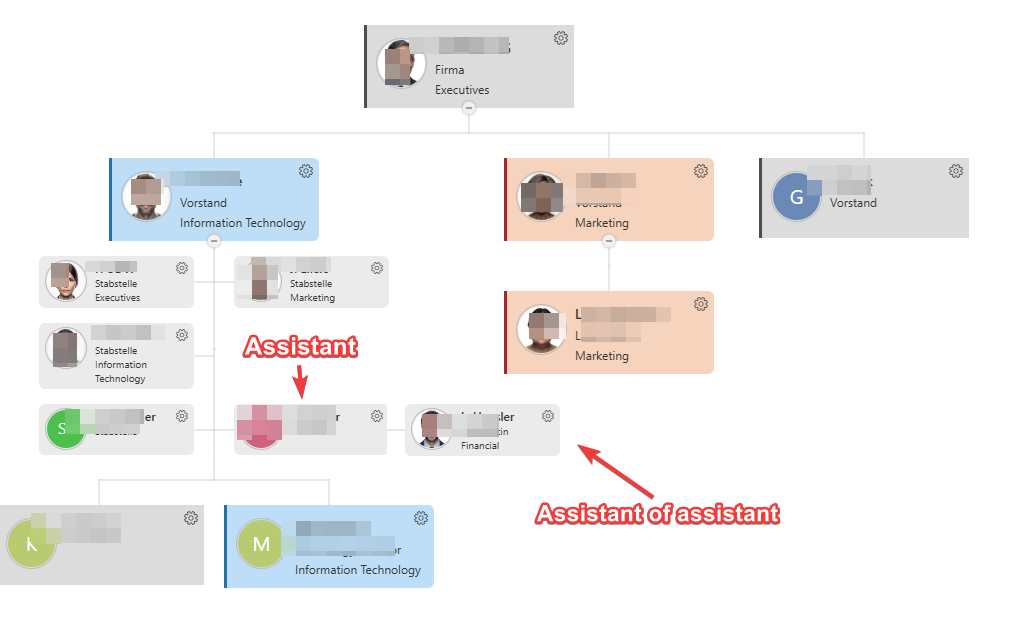
I added an assistant to an assistant in active directory attribute. When I navigate directly to the first assistant by search, the assistant assigned to them is displayed. However, in the main view of the organizational chart, only the first assistant is shown.

Hi @dan!

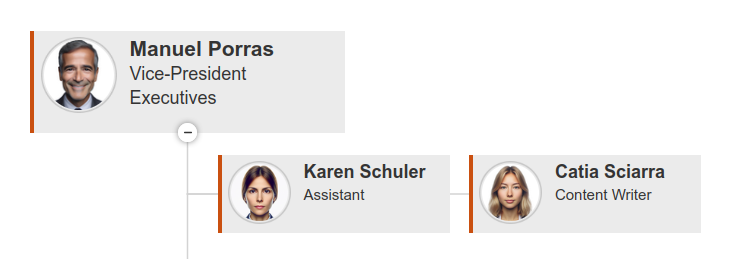
We actually included an example in our documentation on how to achieve this look.

Please keep in mind that this change is only at the frontend (visual) level, since both assistants will be subordinates to the same employee at data level.

Give it a go and let me know if it works for you, or if you need any assistance customizing it.

Best regards,
Milagros
Plumsail team

Hi Milagros,

how does it work with multiple assistents?
How does it work with the CSS?

.poch-group-item_assistant_right{
position: absolute;
left: 50%;
}

.poch-group-item_assistant_left{
float:right !important;
clear:right !important;
background-color: red;
left: 48%;
}

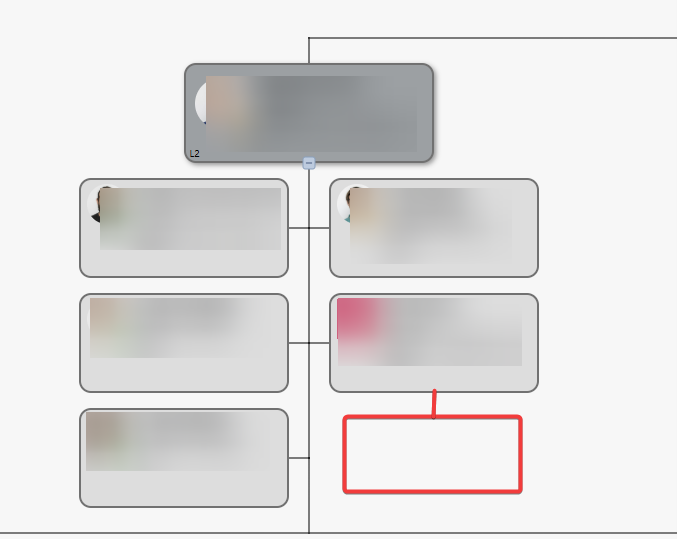
I need to explicitly specify which employee should be assigned to which assistent unit next to it.
It should be look like this:

Best Regards
Dan

Hi @dan!

Do you wish to have multiple sub-assistants associated with a single one, or do you mean you have multiple assistants and want to select which one to assign a subordinate employee to?

Please clarify this scenario for me so we can explore the best options for its implementation.

Best regards,
Milagros
Plumsail team

Hi Milagros,

i mean that i have multiple assistants and i want to select which one to assign a subordinate employee to.

Thank you

Best Regards

Dan

@dan,

Keep in mind that while a 100% dynamic scenario would need a few additional adjustments, the following example should serve as a solid foundation for further customizations.

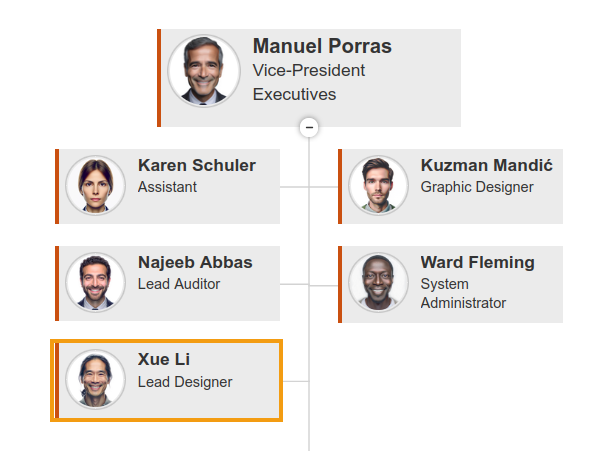
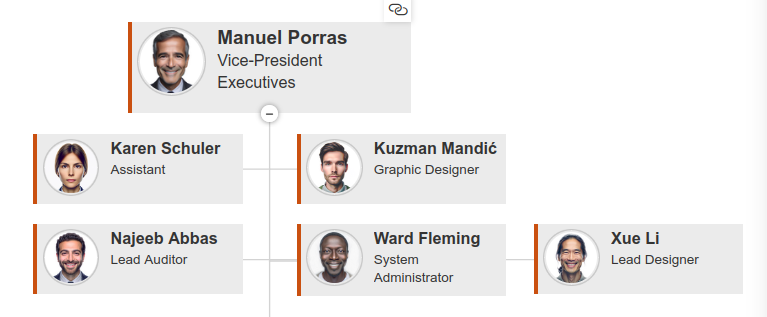
Let's look at a starting scenario where we want to reposition Xue:
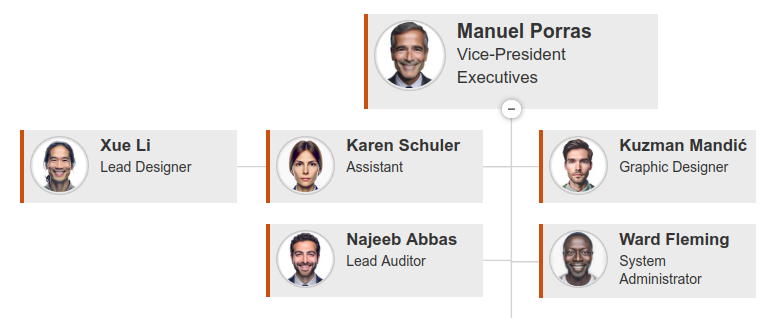
If we want to display him as a subordinate assistant to Karen, the code would look like this:

JavaScript

// Replace these values with your specific details
const subordinateAssistant = 'x.li@plumsail.com'
const managerAssistant = 'k.schuler@plumsail.com'

api.onBoxRendered((box, itemData) => {
    var isSubordinateAssistant = (itemData["WorkEmail"] == subordinateAssistant);
    var isManagerAssistant = (itemData["WorkEmail"] == managerAssistant);

    // Subordinate logic
    if (isSubordinateAssistant) {
        var $card = $(box.elem);
        $card.addClass("poch_subordinateAssistant");
    }

    // Manager logic
    if (isManagerAssistant) {
        var $card = $(box.elem);
        $card.addClass("poch_managerAssistant");
    }

});

CSS

/* Case: Position assistant on the left */

.poch_managerAssistant{
    anchor-name: --manager;
}

.poch_subordinateAssistant{
    position: absolute;
    top: anchor(--manager top) ; 
    right: anchor(--manager center);
    margin-right: 10%;
    margin-top: 0px;
}

The result would look like this:

On the other hand, if we want to display him as a subordinate to Ward, the implementation would change slightly to move him to the right:

JavaScript

// Replace these values with your specific details
const subordinateAssistant = 'x.li@plumsail.com' 
const managerAssistant = 'w.leming@plumsail.com'

api.onBoxRendered((box, itemData) => {
    var isSubordinateAssistant = (itemData["WorkEmail"] == subordinateAssistant);
    var isManagerAssistant = (itemData["WorkEmail"] == managerAssistant);

    // Subordinate logic
    if (isSubordinateAssistant) {
        var $card = $(box.elem);
        $card.addClass("poch_subordinateAssistant");
    }

    // Manager logic
    if (isManagerAssistant) {
        var $card = $(box.elem);
        $card.addClass("poch_managerAssistant");
    }

});

CSS

/* Case: Position assistant on the right */

.poch_managerAssistant{
    anchor-name: --manager;
}

.poch_subordinateAssistant{
    position: absolute;
    top: anchor(--manager top) ; 
    left: anchor(--manager center);
    margin-left: 10%;
    margin-top: 0px;
}

The result would look like this:

Feel free to test it out and let me know if you need any additional assistance with this use case.

Best regards,
Milagros
Plumsail team

Many thanks!

After adjusting it to use Azure AD also as the data source, it worked flawlessly for me:

//################################

// Assistant-Assistant (Azure AD / SharePoint)

//################################

// Change UPN / Mail

const subordinateAssistant = 'mail/upn@domain.de';

const managerAssistant     = 'mail/upn@domain.de';

// retrieve the email address

function resolveEmail(itemData) {

const candidates = \[

    itemData\["WorkEmail"\],

    itemData\["Email"\],

    itemData\["EMail"\],

    itemData\["mail"\],

    itemData\["userPrincipalName"\],

    itemData\["UserPrincipalName"\]

\].filter(Boolean);


if (candidates.length === 0) return null;

return String(candidates\[0\]).trim().toLowerCase();

}

api.onBoxRendered((box, itemData) => {

const email = resolveEmail(itemData);

if (!email) return; // kein passendes Feld gefunden


const isSubordinateAssistant = (email === subordinateAssistant.toLowerCase());

const isManagerAssistant     = (email === managerAssistant.toLowerCase());


// Subordinate logic

if (isSubordinateAssistant) {

    $(box.elem).addClass("poch_subordinateAssistant");

}


// Manager logic

if (isManagerAssistant) {

    $(box.elem).addClass("poch_managerAssistant");

}

});
1 Like