Hi!
I am wondering if its at all possible to just hide assistants? currently I have one page where it does require to show them but in another page is not necessary. any ideas?
thank you in advanced
Hi!
I am wondering if its at all possible to just hide assistants? currently I have one page where it does require to show them but in another page is not necessary. any ideas?
thank you in advanced
Hi @Jeniffer_Rivera,
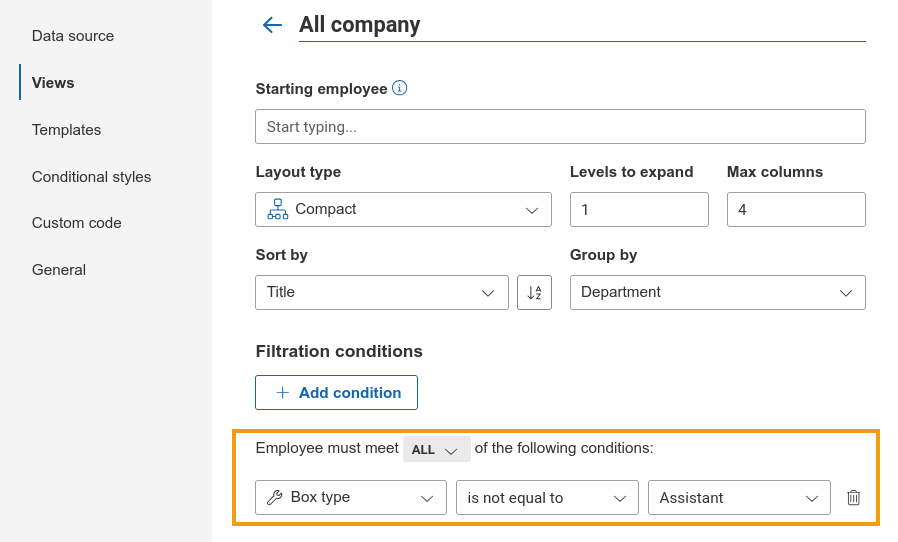
You can hide assistants from a specific view by using the filters available in the view settings.
Simply add a condition where Box type is not equal to Assistant. Once applied, employees assigned that box type will be excluded from the view.
It should look like this:
Give it a try and let me know how it goes.
Best regards,
Milagros
Plumsail team
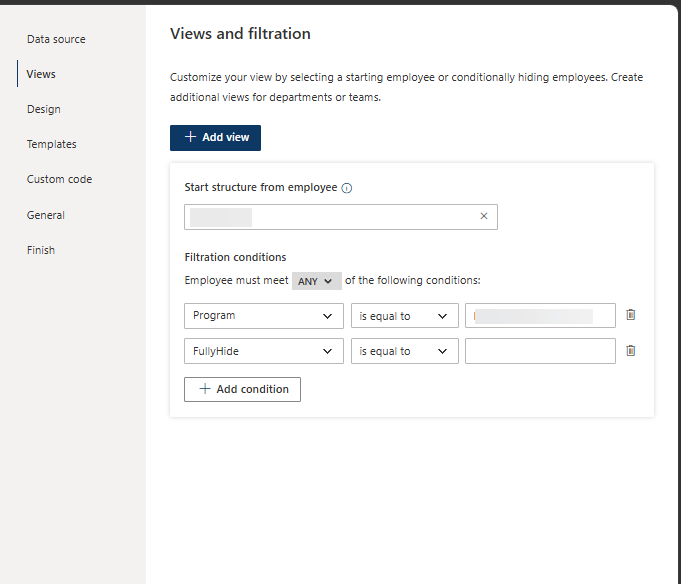
Thank you! i didn't know this was possible. aside from my layout looking a bit different than your screenshot.
I did have another question regarding the Assistant of the Assistant. I did go through this: Popular customization examples — Plumsail OrgChart 1.0 documentation
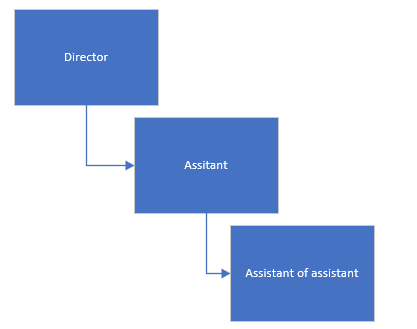
but is there a way to display them like this:
instead of beside each other?
Based on the screenshot, it looks like you are running an older version. I would recommend reviewing our version history and instructions to upgrade to the latest release and take advantage of the newest improvements and fixes.
Regarding the assistant-to-assistant scenario, unfortunately there is no native option to support that at the moment. Connection lines are always based on the manager relationship, and the assistant-to-assistant example is purely visual.
That said, I will keep your case in mind and share it with the team as feedback for future improvements.
Best regards,
Milagros
Plumsail team