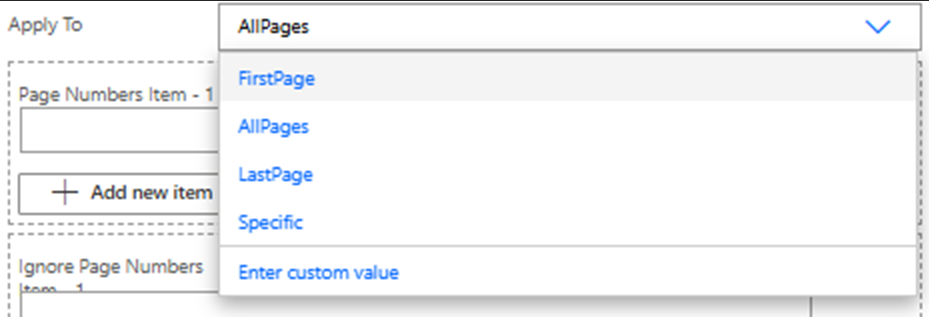
Hi
I would like to select the last pdf page in Page filed with the Action “Add a watermark to PDF”
I try to enter “last” but doesn’t work
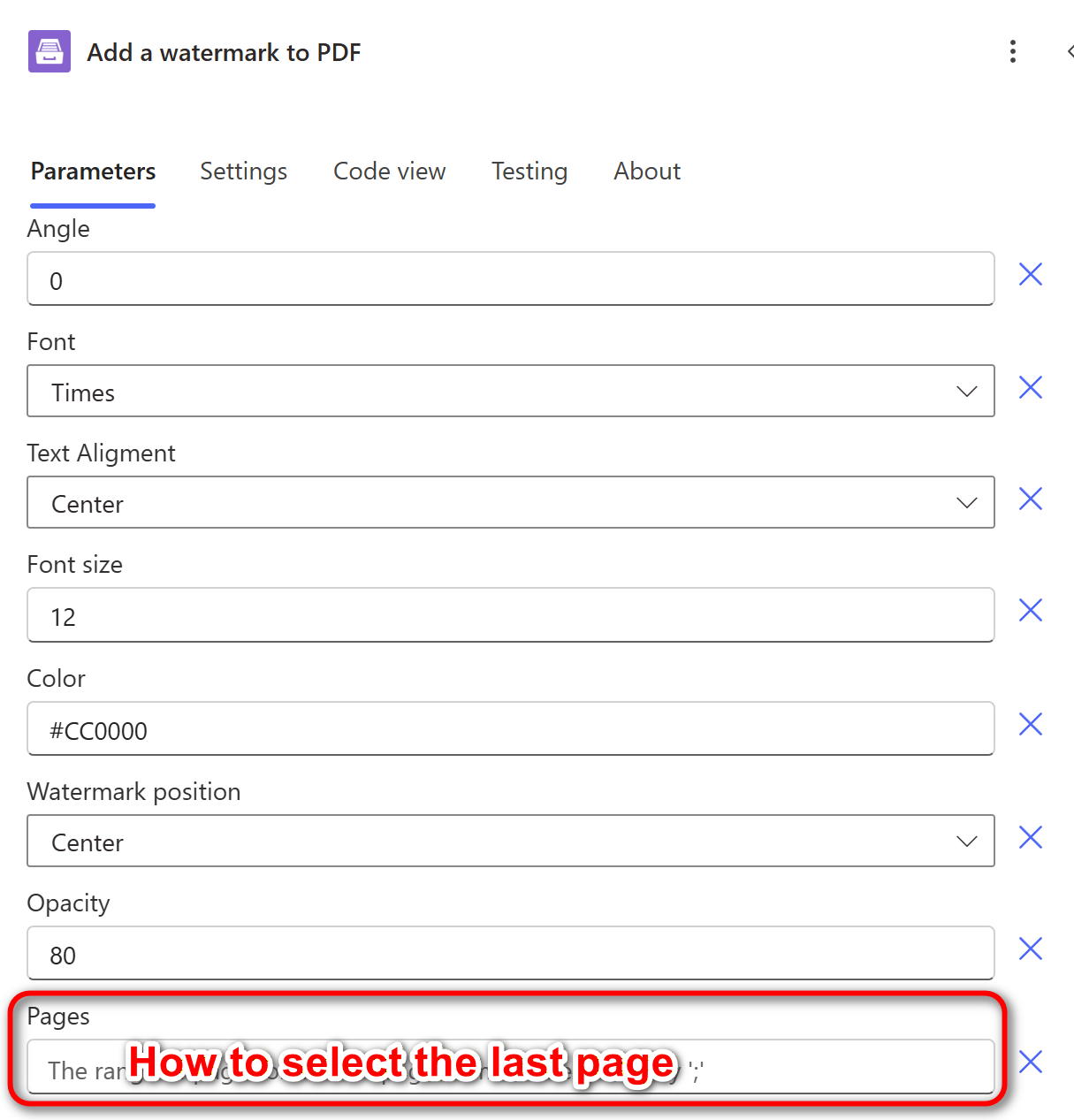
Is there anyone see this issue before?
Thank you
Hi
I would like to select the last pdf page in Page filed with the Action “Add a watermark to PDF”
I try to enter “last” but doesn’t work
Is there anyone see this issue before?
Thank you
Hello @oscar ,
In the “Pages” field, you should specify either a page range or a list of page numbers separated by ‘;’. For example:
In your case, you should enter the number of the last page.
Please follow our article to learn how to use the “Add a watermark to PDF” action in Power Automate: Add a watermark to PDF.
Please let me know if you have any additional questions.
Best regards,
Aleksandra
Plumsail team
Hi @Aleksandra ,
Thank you
I also check the Plumsail guide before make new post.
With my case, the document changes the page number. It’s not fixed.
So, I would like to find the solution to get the last page because my company want to set watermark on last page.
Do you have any other solution?
Best regards,
Oscar
Hello @oscar ,
Thanks for the clarification.
I’ll discuss this with our development team to see whether it’s possible or if there are any workarounds, and I’ll get back to you soon.
Thanks for waiting!
Best regards,
Aleksandra
Plumsail team
Hello @Aleksandra ,
Thank you for checking.
I used Plumsail to test my automation process. This is the final step before I officially launch it.
If Plumsail can update this feature, then I won't need to spend extra time starting over with another service.
Other services have this feature that can be adjusted more flexibly.
Best regards,
Oscar
Hello @oscar ,
Thank you for your feedback.
Our developers have added a task to the backlog for a similar solution. However, we do not have an exact timeline for when this feature will be released.
For now, as a possible workaround, you can use the following approach:
Please refer to this discussion on how to find the last page of a document:
I’ll let you know as soon as we have any updates regarding this feature.
Please let me know if you need more details about this flow or if you need help setting it up. I’ll be happy to assist you.
Best regards,
Aleksandra
Plumsail team