We created a process in Plumsail that contains a series of text boxes that we want to populate with strings in HTML.
To do this, we use a Power Automate flow, passing the values formatted in the following way to the "Start Document Generation Process" action:
[
    {
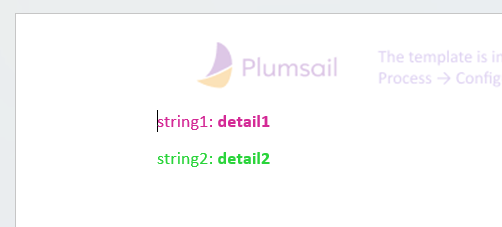
        "testo7": "<font color=\"#ffffff\">string1:<b> detail1</b></font>",
        "testo8": "<font color=\"#ffffff\">string2:<b> detail2</b></font>"
    }
]
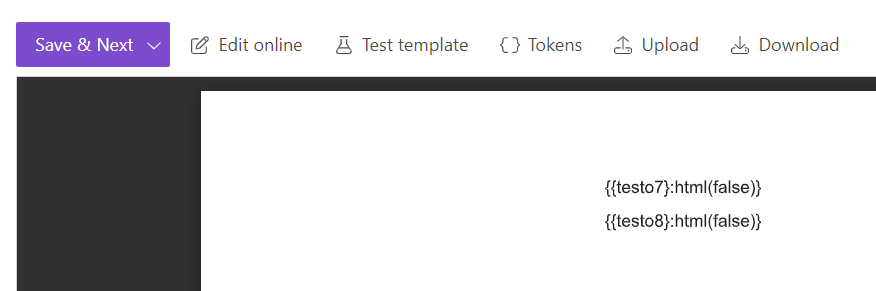
In the Plumsail process, we inserted the tokens {{testo7}:html(false)} and {{testo8}:html(false)}.
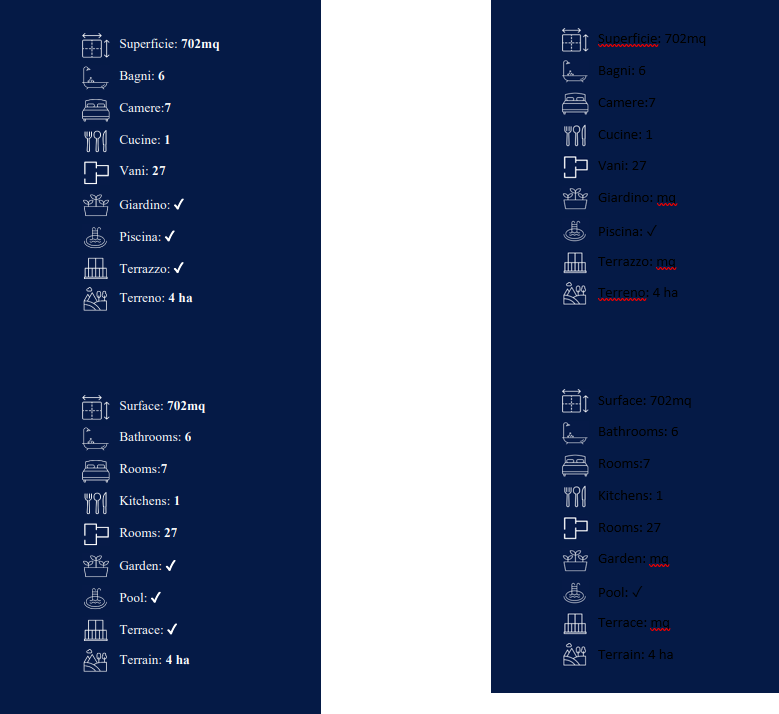
However, the font color does not change, even though the bold part is formatted correctly.
What are we doing wrong?
Thank you in advance for your answers.
Regards
Update
I believe something has changed in the last few weeks because we retrieved some documents created at the beginning of August, and the colors were handled correctly back then, but now they are not. See this screenshot with the result from early August on the left and the current result on the right.