Hi,
Im looking to remove the hyperlink values in the datatables. The user names link to their delve profile and lookup drop downs link to their lists. How can i make all the values in the datatable plain text?
Hello @David_Conroy,
You can remove links by customizing the list or library column view. For example, to remove a lookup column link, use the following code:
 fd.control('SPDataTable1').templates = {
        // LookupColumn is the column name
        LookupColumn: function(ctx) {
            var value = ctx.row.LookupColumn;
            if (!value) {
                return '';
            }
            return value.map(function(v) {
                    return v.lookupValue;
                })
        }
    }
Please find more code examples in the How to customize view of columns in List or Library control article.
Hi @Margo
Thanks for the response. Ive pasted that code into the JS editor on the display form. I replaced 'LookupColumn' with the column name 'Spec Section' but it still loads as a hyperlink.
I was wrong in my first post, im using the control 'list or library' not datatable
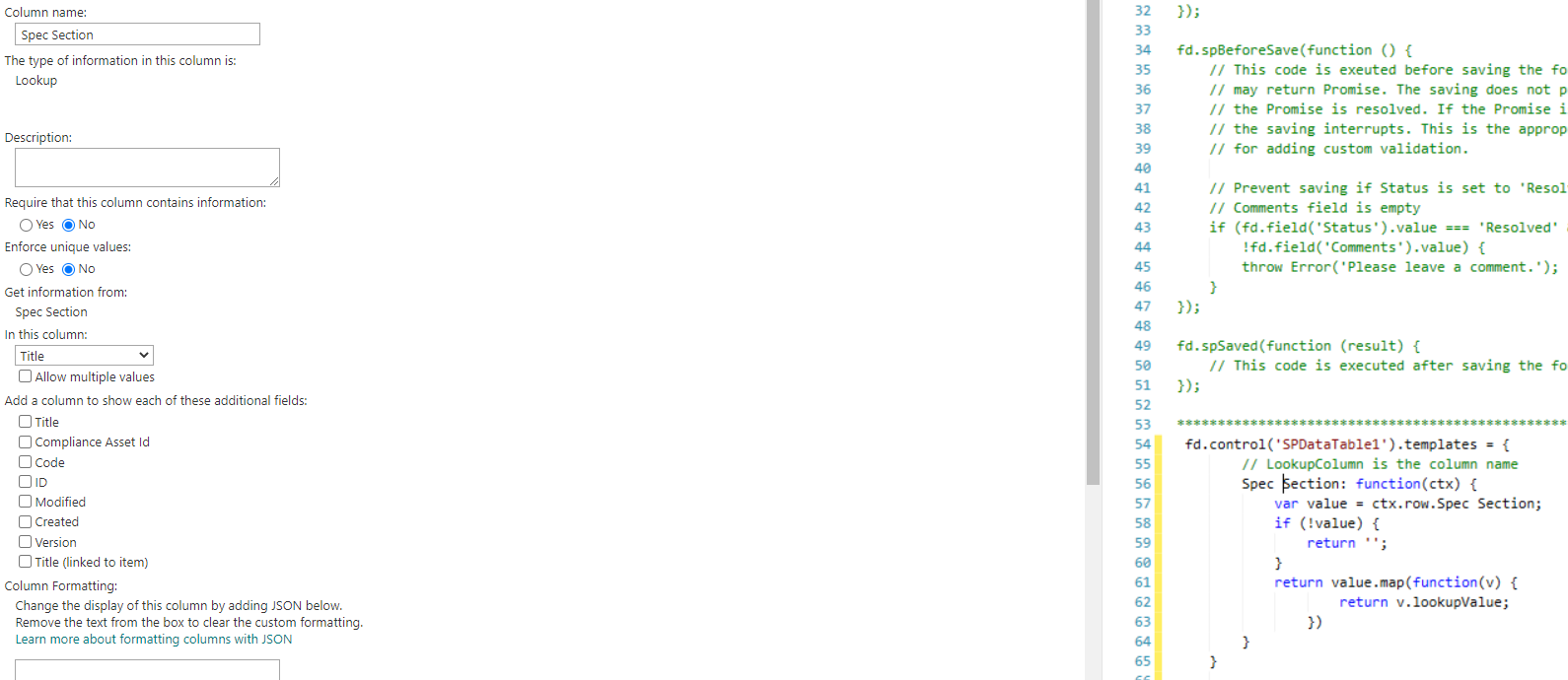
Below is screenshot of column name and code used.
Hello @David_Conroy,
Spec Section is not valid column name. You can find the column internal name in the URL of the column settings page:
Hi @Margo
Thanks for the reply, ive found the true name for spec section and have pasted into the code like below. After saving and reloading i still get the hyperlinks in the table for some reason. Could you review the code please. Am I correct in pasting it in the JavaScript editor 'Current Form' for the display form where the SPDataTable1 is located?
fd.control('SPDataTable1').templates = {
// LookupColumn is the column name
Spec_x0020_Section: function(ctx) {
var value = ctx.row.Spec_x0020_Section;
if (!value) {
return '';
}
return value.map(function(v) {
return v.lookupValue;
})
}
}
Hello @David_Conroy,
Yes, you need to add the code to the JavaScript editor, within the spRendered event handler like this:
fd.spRendered(function(){
 fd.control('SPDataTable1').templates = {
        Spec_x0020_Section: function(ctx) {
            var value = ctx.row.Spec_x0020_Section;
            if (!value) {
                return '';
            }
            return value.map(function(v) {
                    return v.lookupValue;
                })
        }
    }
});
Make sure that you are using control's internal name in the code.
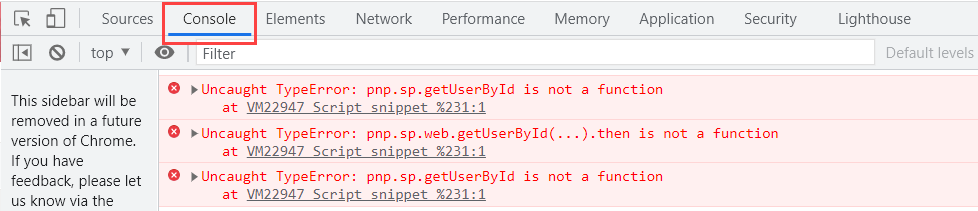
If the code doesn't work, please check the browser's console (F12) for the errors:
Please share screenshots of the errors, if any.