JSON Formatting Example

I'd like to know if anyone could share a sample JSON Format that includes not just single line properties but also how to format the JSON for inputs for Bulleted and MultiLevel lists, HTML Calculated properties and etc. When I tried entering a repeating list item into the JSON for testing I get an error saying incorrect JSON format. Please see success criteria insertion below.

{
  "RS": [
    {
      "ProjectRole": "value1",
      "ResourcingRole": "value2",
      "HR_Rate": "value3",
      "HRs": "value4",
      "LineTotal": "value5"
    }
  ],
  "FV": [
    {
      "FundingSource": "value1",
      "FundAmt": "value2",
      "FundSubTotal": "value3"
    }
  ],
  [
    {
        "SuccessCriteria": "Testing 1"
    },
    {
        "SuccessCriteria": "Testing 2"
    },
    {
        "SuccessCriteria": "Testing 3"
    }
],
  "CustomerName": "value1",
  "PublishDate": "5/29/2025",
  "EngagementName": "value3",
  "DeliveryFormat": "value4",
  "DeliveryAllocation": 0,
  "WeeksOfDelivery": "value6",
  "CurrentSituation": "value7",
  "CustomerNeed": "value8",
  "ProposedSolution": "value9",
  "Scope": "value11",
  "TotalTMCost": "value12",
  "TotalCost": "value13"
}

Hello @RDurb,

  1. You can find examples of JSON with arrays on the Demos for DOCX templates page.

  2. I corrected your JSON and it's valid now.

{
"RS": [
{
"ProjectRole": "value1",
"ResourcingRole": "value2",
"HR_Rate": "value3",
"HRs": "value4",
"LineTotal": "value5"
}
],
"FV": [
{
"FundingSource": "value1",
"FundAmt": "value2",
"FundSubTotal": "value3"
}
],
"SC": [
{
"SuccessCriteria": "Testing 1"
},
{
"SuccessCriteria": "Testing 2"
},
{
"SuccessCriteria": "Testing 3"
}
],
"CustomerName": "value1",
"PublishDate": "5/29/2025",
"EngagementName": "value3",
"DeliveryFormat": "value4",
"DeliveryAllocation": 0,
"WeeksOfDelivery": "value6",
"CurrentSituation": "value7",
"CustomerNeed": "value8",
"ProposedSolution": "value9",
"Scope": "value11",
"TotalTMCost": "value12",
"TotalCost": "value13"
}

If you share your template, I can also help to adjust the JSON to get the result you need.

Best regards,
Petr
Plumsail team

Thanks Petr, that helped with the Success Criteria single level list but what I am struggling with at this point is the multi-level list JSON formatting. Could you please assist in cleaning up this JSON?

My interpretation is giving me errors of improper JSON and that my structure should be simplified in the tokens screen.

Here is the token set I'm trying to insert

  1. {{cSCO.sPhase_L1}}
    1. {{cSCO.sPhase_L1.csI_L2.sScopeItem}}
    1. {{cSCO.sPhase_L1.csI_L2.sScopeItem.cTI_L3.sTaskItem}}

Here is the JSON I am attempting to test:

{
 
"RS": [
{
"ProjectRole": "Project Management",
"ResourcingRole": "Project Manager",
"HR_Rate": "$215.00",
"HRs": "10",
"LineTotal": "$2,150.00"
},
{
"ProjectRole": "Technical Oversight",
"ResourcingRole": "Principal Consultant",
"HR_Rate": "$250.00",
"HRs": "10",
"LineTotal": "$2,500.00"
},
{
"ProjectRole": "Delivery Consultant",
"ResourcingRole": "Principal Consultant",
"HR_Rate": "$250.00",
"HRs": "100",
"LineTotal": "$25,000.00"
}
],
 
"FV": [
{
"FundingSource": "Microsoft ECIF",
"FundAmt": "$10,000.00",
"FundSubTotal": "$28,650.00"
}
],
 
"SC": [
{
"SuccessCriteria": "Success Criteria 1"
},
{
"SuccessCriteria": "Success Criteria 2"
},
{
"SuccessCriteria": "Success Criteria 3"
}
],
"cSCO": [
    {
        "sPhase_L1": "1. Initialization",
        "cSI_L2": [
            {
            "sScopeItem" : "1. Pre-Engagement Call"
            }, 
			{
            "sScopeItem" : "2. Engagement Walk-through"
            }, 
			{
            "sScopeItem" : "3. Schedule sessions"
            }, 
			{
            "sScopeItem" : "4. Run through pre-requisites (permissions)"
            }, 
			{
            "sScopeItem" : "5. Review Project Plan"
            } 
        ]
    }, 
    {
        "sPhase_L1": "2. Planning and Rationalization",
        "cSI_L2": [
            {
            "sScopeItem" : "1. Project Kickoff"
            }, 
			{
            "sScopeItem" : "2. Review Engagement Readiness Pre-Requisites"
            }, 
			{
            "sScopeItem" : "3. Review Scope of Work"
            }, 
			{
            "sScopeItem" : "4. Prepare and Send Questionnaire"
            } 
        ]
    }, 
    {
        "sPhase_L1": "3. Execution",
        "cSI_L2": [
            {
            "sScopeItem" : "1. Copilot Optimization Assessment"
            }, 
			{
            "sScopeItem" : "2. Setup and Configure Data Source Discovery for Mandatory Modules"
			"cTI_L3": [
				{
				"sTaskItem" : "1. Gen AI"
				},
				{
				"sTaskItem" : "2. Exchange Online"
				},
				{
				"sTaskItem" : "3. SharePoint Online"
				},
				{
				"sTaskItem" : "4. Microsoft Teams"
				}
			]
            }, 
            {
            "sScopeItem" : "3. Copilot Demo - a day in the life of Invoke roles"
            }, 
            {
            "sScopeItem" : "4. Copilot Data Security, Governance, and Access Discussion"
            }, 
            {
            "sScopeItem" : "5. Department scenario preparation meeting with Champion"
            }, 
			{
            "sScopeItem" : "6. Setup and Configure Data Source Discovery for Mandatory Modules"
			"cTI_L3": [
				{
				"sTaskItem" : "1. Monitor Data Discovery Collection"
				},
				{
				"sTaskItem" : "2. Review actions and report, if necessary"
				}
			]
            }, 
            {
            "sScopeItem" : "7. Copilot Studio/Agents Overview"
            }, 
			{
            "sScopeItem" : "8. Data Discovery Documentation"
			"cTI_L3": [
				{
				"sTaskItem" : "1. Exchange Online"
				},
				{
				"sTaskItem" : "2. SharePoint Online"
				},
				{
				"sTaskItem" : "3. Teams"
				},
				{
				"sTaskItem" : "4. Gen AI"
				}
			]
            }, 
            {
            "sScopeItem" : "9. Copilot Demo - a day in the life of customer roles (up to one (1) department)"
            }, 
			{
            "sScopeItem" : "10. Create Customer Deliverables(s)"
			"cTI_L3": [
				{
				"sTaskItem" : "Findings and Recommendations – Data Risk Assessment"
				},
				{
				"sTaskItem" : "Findings and Recommendations – Copilot Scenarios"
				},
				{
				"sTaskItem" : "Technical & Business Overview"
				}
			]
            } 
        ]
    }, 
    {
        "sPhase_L1": "4. Closeout",
        "cSI_L2": [
            {
            "sScopeItem" : "1. Final Review & Next Steps / Closeout"
            }, 
			{
            "sScopeItem" : "2. Engagement Decommissioning"
            }
        ]
    }, 
],
"CustomerName": "Contoso's Inc",
"PublishDate": "5/29/2025",
"EngagementName": "Azure AD B2C",
"DeliveryFormat": "Traditional",
"DeliveryAllocation": 20,
"WeeksOfDelivery": "20",
"CurrentSituation": "I cannot generate SOW Automatically from Estimation App, I cannot generate SOW Automatically from Estimation App",
"CustomerNeed": "I cannot generate SOW Automatically from Estimation App",
"ProposedSolution": "I cannot generate SOW Automatically from Estimation App",
"Scope": "I cannot generate SOW Automatically from Estimation App",
"TotalTMCost": "$29,650.00",
"TotalCost": "$28,650.00"
}
Hi @RDurb,

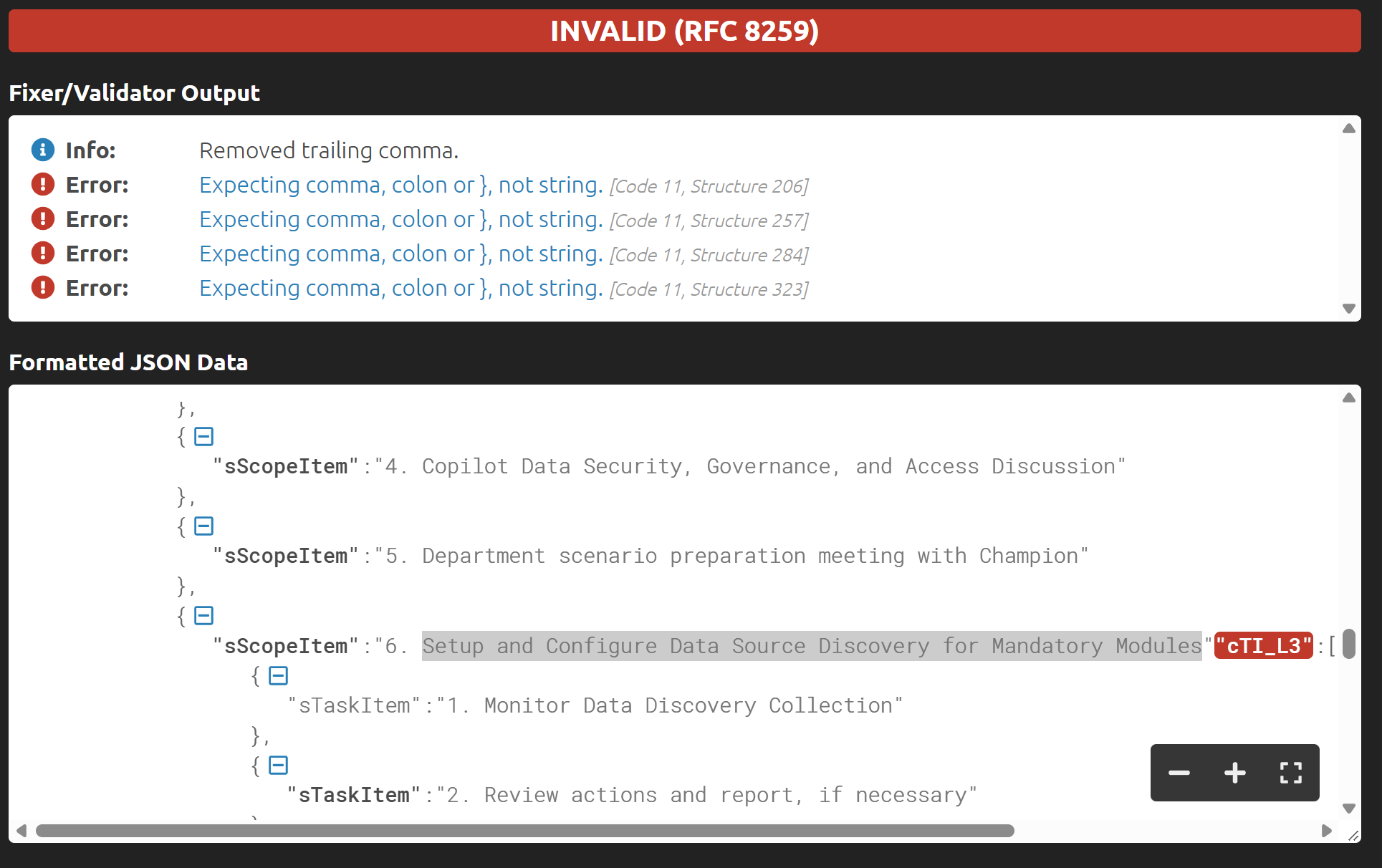
You can try any third-party JSON online validator to check and adjust the JSON.

For example, I found this one:

It shows the errors

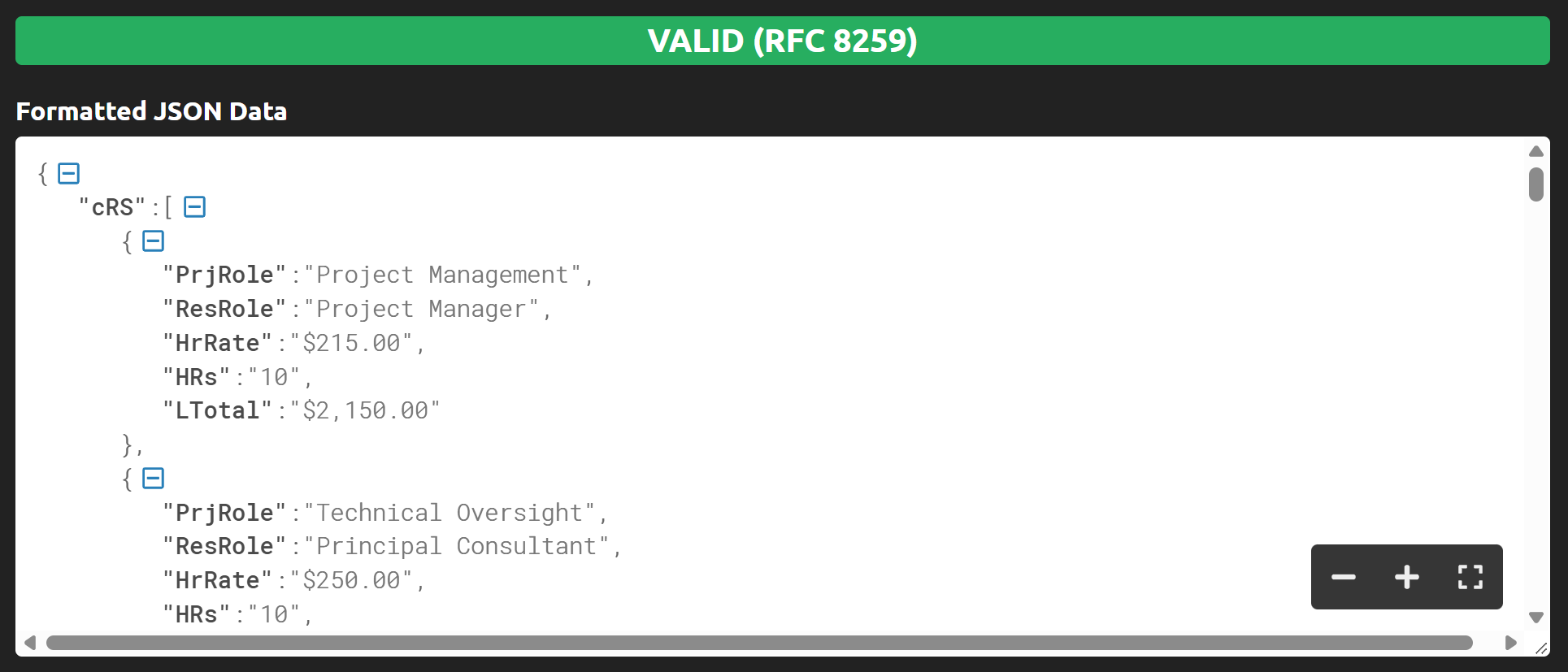
I corrected the JSON and now it's valid:

{
  "cRS": [
    {
      "PrjRole": "Project Management",
      "ResRole": "Project Manager",
      "HrRate": "$215.00",
      "HRs": "10",
      "LTotal": "$2,150.00"
    },
    {
      "PrjRole": "Technical Oversight",
      "ResRole": "Principal Consultant",
      "HrRate": "$250.00",
      "HRs": "10",
      "LTotal": "$2,500.00"
    },
    {
      "PrjRole": "Delivery Consultant",
      "ResRole": "Principal Consultant",
      "HrRate": "$250.00",
      "HRs": "100",
      "LTotal": "$25,000.00"
    }
  ],
  "cFV": [
    {
      "FundSrc": "Microsoft ECIF",
      "FundAmt": "$10,000.00"
    }
  ],
  "cSCR": [
    {
      "sSucCrit": "Success Criteria 1"
    },
    {
      "sSucCrit": "Success Criteria 2"
    },
    {
      "sSucCrit": "Success Criteria 3"
    }
  ],
  "cSCO": [
    {
      "sPhase_L1": "Initialization",
      "csI_L2": [
        { "sScopeItem": "Pre-Engagement Call" },
        { "sScopeItem": "Engagement Walk-through" },
        { "sScopeItem": "Schedule sessions" },
        { "sScopeItem": "Run through pre-requisites (permissions)" },
        { "sScopeItem": "Review Project Plan" }
      ]
    },
    {
      "sPhase_L1": "Planning and Rationalization",
      "csI_L2": [
        { "sScopeItem": "Project Kickoff" },
        { "sScopeItem": "Review Engagement Readiness Pre-Requisites" },
        { "sScopeItem": "Review Scope of Work" },
        { "sScopeItem": "Prepare and Send Questionnaire" }
      ]
    },
    {
      "sPhase_L1": "Execution",
      "csI_L2": [
        { "sScopeItem": "Copilot Optimization Assessment" },
        {
          "sScopeItem": "Setup and Configure Data Source Discovery for Mandatory Modules",
          "cTI_L3": [
            { "sTaskItem": "Gen AI" },
            { "sTaskItem": "Exchange Online" },
            { "sTaskItem": "SharePoint Online" },
            { "sTaskItem": "Microsoft Teams" }
          ]
        },
        { "sScopeItem": "Copilot Demo - a day in the life of Invoke roles" },
        { "sScopeItem": "Copilot Data Security, Governance, and Access Discussion" },
        { "sScopeItem": "Department scenario preparation meeting with Champion" },
        {
          "sScopeItem": "Setup and Configure Data Source Discovery for Mandatory Modules",
          "cTI_L3": [
            { "sTaskItem": "Monitor Data Discovery Collection" },
            { "sTaskItem": "Review actions and report, if necessary" }
          ]
        },
        { "sScopeItem": "Copilot Studio/Agents Overview" },
        {
          "sScopeItem": "Data Discovery Documentation",
          "cTI_L3": [
            { "sTaskItem": "Exchange Online" },
            { "sTaskItem": "SharePoint Online" },
            { "sTaskItem": "Teams" },
            { "sTaskItem": "Gen AI" }
          ]
        },
        { "sScopeItem": "Copilot Demo - a day in the life of customer roles (up to one (1) department)" },
        {
          "sScopeItem": "Create Customer Deliverables(s)",
          "cTI_L3": [
            { "sTaskItem": "Findings and Recommendations – Data Risk Assessment" },
            { "sTaskItem": "Findings and Recommendations – Copilot Scenarios" },
            { "sTaskItem": "Technical & Business Overview" }
          ]
        }
      ]
    },
    {
      "sPhase_L1": "Closeout",
      "csI_L2": [
        { "sScopeItem": "Final Review & Next Steps / Closeout" },
        { "sScopeItem": "Engagement Decommissioning" }
      ]
    }
  ],
  "sCName": "Contoso's Inc",
  "dPDate": "5/29/2025",
  "sEngNm": "Azure AD B2C",
  "sDelForm": "Traditional",
  "sDelAllo": "Full-Day",
  "nWeeks": 20,
  "sCustSit": "I cannot generate SOW Automatically from Estimation App",
  "sCustNeed": "I cannot generate SOW Automatically from Estimation App",
  "sPropSol": "I cannot generate SOW Automatically from Estimation App",
  "sTotTMCost": "$29,650.00",
  "sTotCost": "$28,650.00"
}

Best regards,
Petr
Plumsail team