I have a lookup in my list with two additional fields included. The main lookup and one of the additional fields appear as choices in my "SharePoint Fields" menu in forms designer, but one does not. I've refreshed but no luck.
Dear @kmayhew,
What's the type of this additional field? Can you include screenshots of your configuration?
If you Reset the form, does the field appear? Don't forget to export the form to create backup before resetting the form.
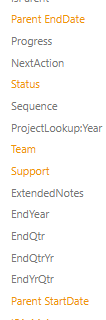
 I have two date fields pulling over in the lookup - parent enddate and parent startdate. Only startdate shows in Plumsail.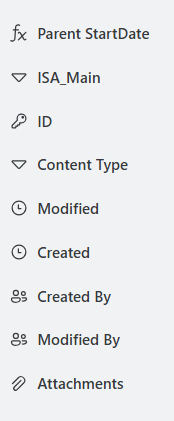
Dear @kmayhew,
You need to check two things. First of all, enable Content Types for the list and make sure both fields are accessible in the currently selected Content Type:
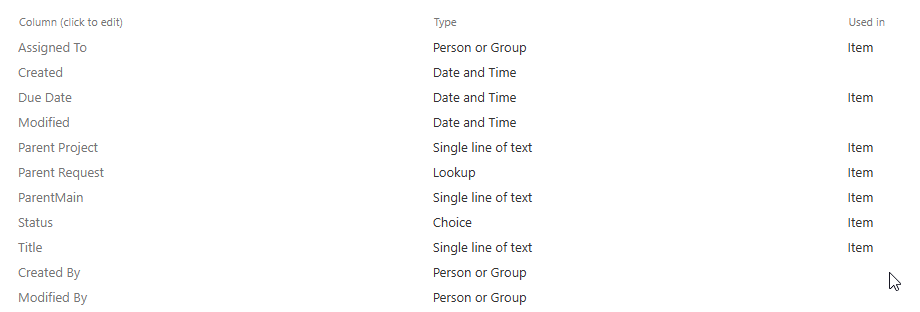
If it is, go to the List Settings > current Content Type > select Column and make sure it's not set as hidden:
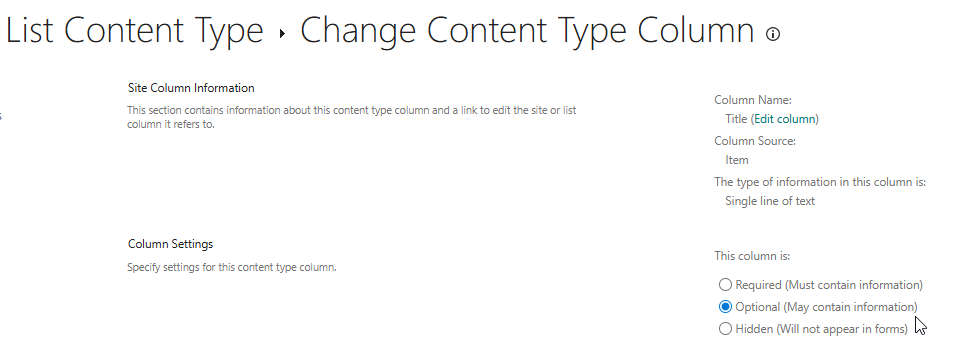
These are the setting which affect visibility on the form.
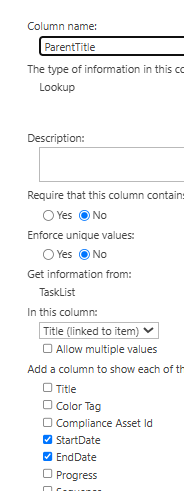
Dear @kmayhew,
I understand that:
- Check the source list (the one being looked up) and verify
EndDateis not hidden, indexed-only, or sealed there. - Try removing and re-adding the lookup column entirely, re-selecting both additional fields — sometimes the field registration gets stale.
Finally, if nothing works, you can rely on our JS framework to get these values dynamically from the lookup field and paste them on the form - Lookup field — Plumsail SharePoint Forms Documentation
This is a lookup to the same list (to create parent/child relationship). I think I'll go with the JS solution.