Hello everyone,
I'm asking if is it possible to pre-filter my lookup dropdown list (which is a sp field) BEFORE rendered the form ? and thus, choose the correct allocated data.
Let me explain.
I've got a form with lookup dropdown list that I would use(=show) only if answer to special criteria (not all item in this list, right).
So, how could I have a list with, for instance, just all budget info depending to column : "BudgetCategory" (which is a lookup dependent column of my source list) with criteria = "RD" ? 2 lines of my list out of a total of 11.
Any ideas ?
I've tried inspiration of this previous topic :
Lookup dropdown list due to special SP view? (pre filter) - Forms / SharePoint 2019 - Community
So, with those parameters below :
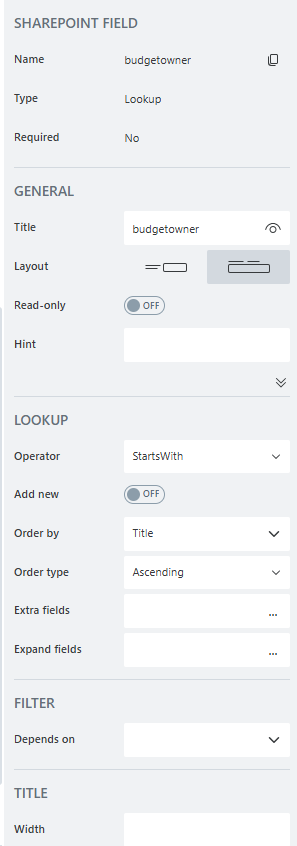
I've tried :
fd.spRendered(() => {
fd.field('budgetowner').ready(field => {
field.filter = "BudgetCategory eq 'RD'";
field.refresh();
});
});
Not working.
Read this too :
Filter Lookup by another field: Lookup, Person, Choice — Plumsail SharePoint Forms Documentation
Not sure I understand ...a thing...
What should I do?