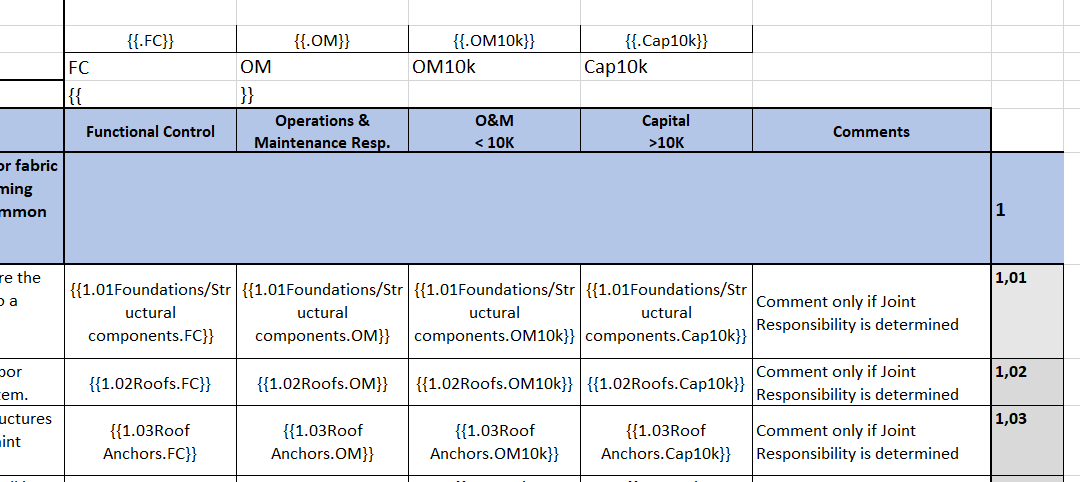
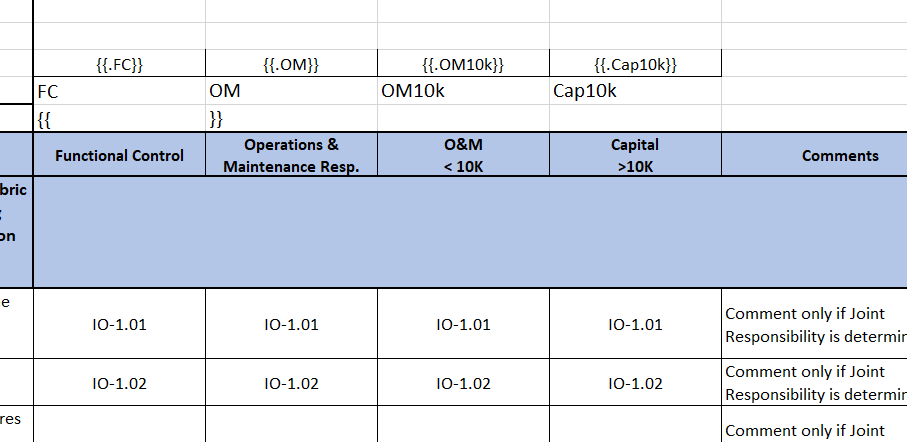
Here is an approach to restructure your array of objects to a metaobject.
-
I have parsed your sample array of objects:
-
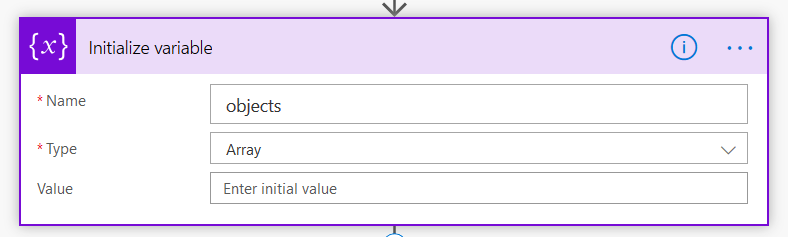
Then initialized an array variable to collect metaobject properties which will contain objects with the 4 properties:
-
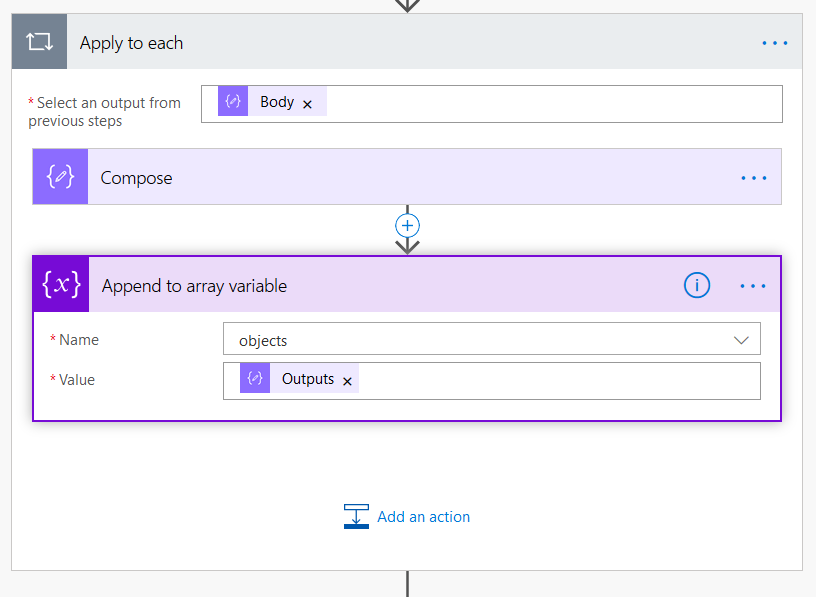
To an "Apply to each" block, I passed the output of the "Parse JSON" action (an array of objects) and compose a property of the metaobject with a value which is an object containing the 4 properties:
-
Use this expression to compose a property string as in your original Excel template:

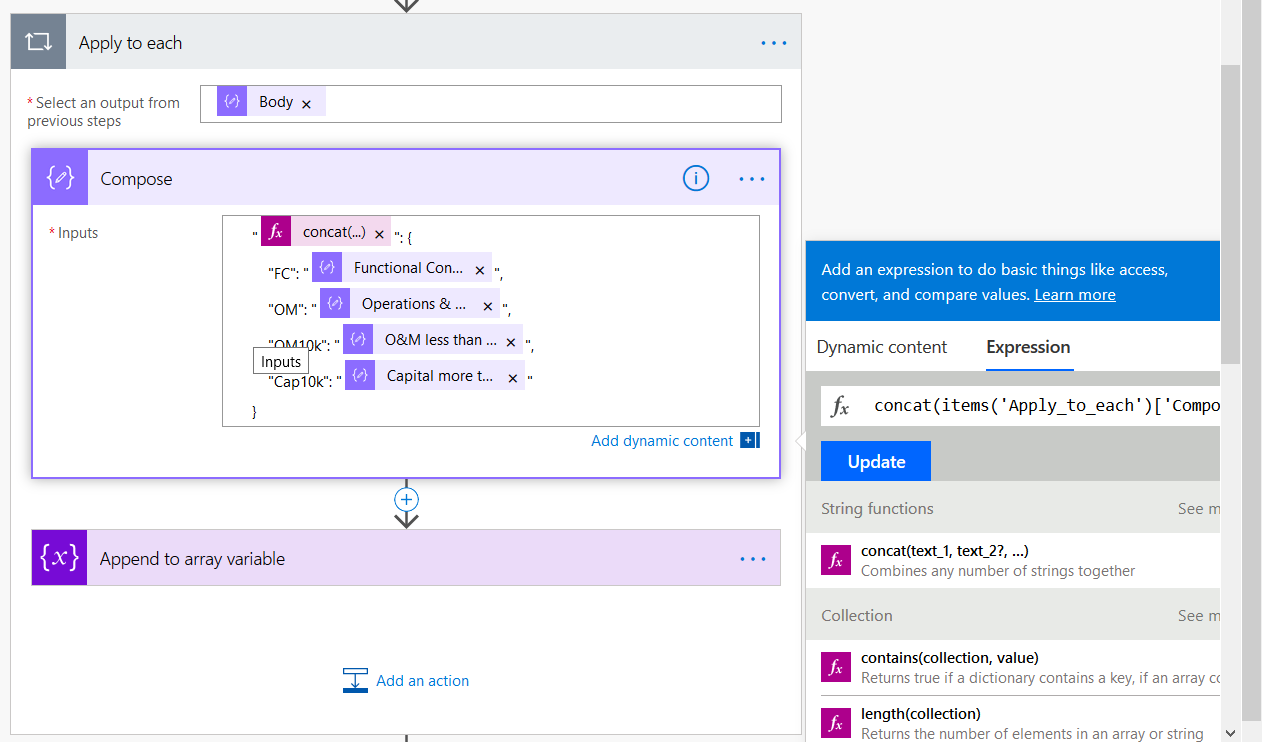
concat(items('Apply_to_each')['Component or Service Number'], items('Apply_to_each')['Component or Service'])
-
Then I appended the composed property to the array of the metaobject:
-
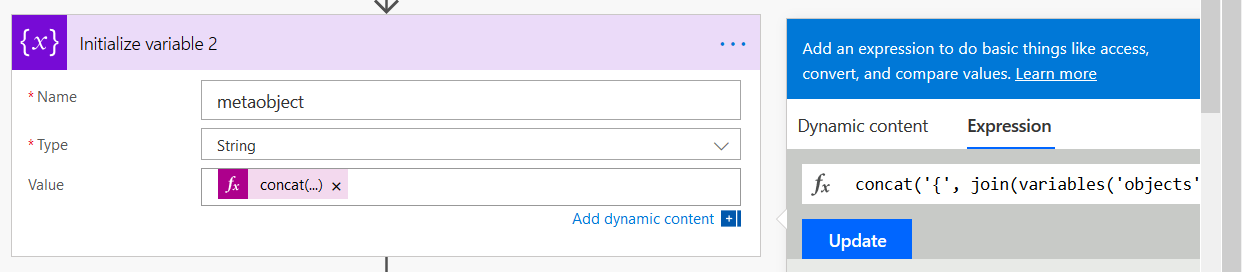
Create a metaobject string using this expression (it joins the array items into one string separating them by comas and enclosing by braces):
concat('{', join(variables('objects'), ','), '}')
- Here's the result that the variable contains:
{"1.01Foundations/Structural components": {
    "FC": "IO-1.01",
    "OM": "IO-1.01",
    "OM10k": "IO-1.01",
    "Cap10k": "IO-1.01"
},"1.02Roofs": {
    "FC": "IO-1.02",
    "OM": "IO-1.02",
    "OM10k": "IO-1.02",
    "Cap10k": "IO-1.02"
}}
- Use it with your original template.