Migrate Classic Plumsail Forms (Add-in Model) to Plumsail SPFx Modern Forms (SharePoint Framework) - What Breaks?

Maybe I am the only one that was confused or misunderstood the April 2, 2026 deadline to migrate to SPFx but since I am building a new site, this is impacting me now. I need some wisdom and guidance from the community and request feedback on what others have experienced during this process.

Classic Plumsail Forms (Add‑in Model)

  • Installed via the SharePoint Add‑in (App Catalog)

  • Lives under /SitePages/PlumsailForms/...

  • Provides fd, fd.control(), accordion controls, custom JS

  • Uses iframes and classic add‑in plumbing

  • Being retired by Microsoft by April 2026 (and your tenant is already enforcing this)

:backhand_index_pointing_right: This model cannot be added to new sites in your tenant anymore.

Plumsail SPFx Modern Forms (SharePoint Framework)

This is the new, supported, future‑proof version of Plumsail Forms.

  • Uses SPFx Extensions

  • Works fully in modern SharePoint

  • Does NOT use the classic Add‑in app model

  • Does NOT depend on classic “Add an app”

  • Deploys as an SPFx package from the tenant app catalog

  • Shows up automatically on modern lists

  • Runs client-side React components

  • Supports customized forms and automation

:backhand_index_pointing_right: This is the version you need.

Conflicting Reports

This 2022 post suggests that the classic add-in and the SPFx app package can coexist in a tenant:

However, my experience as of yesterday (1/31/2026) challenges that assumption:
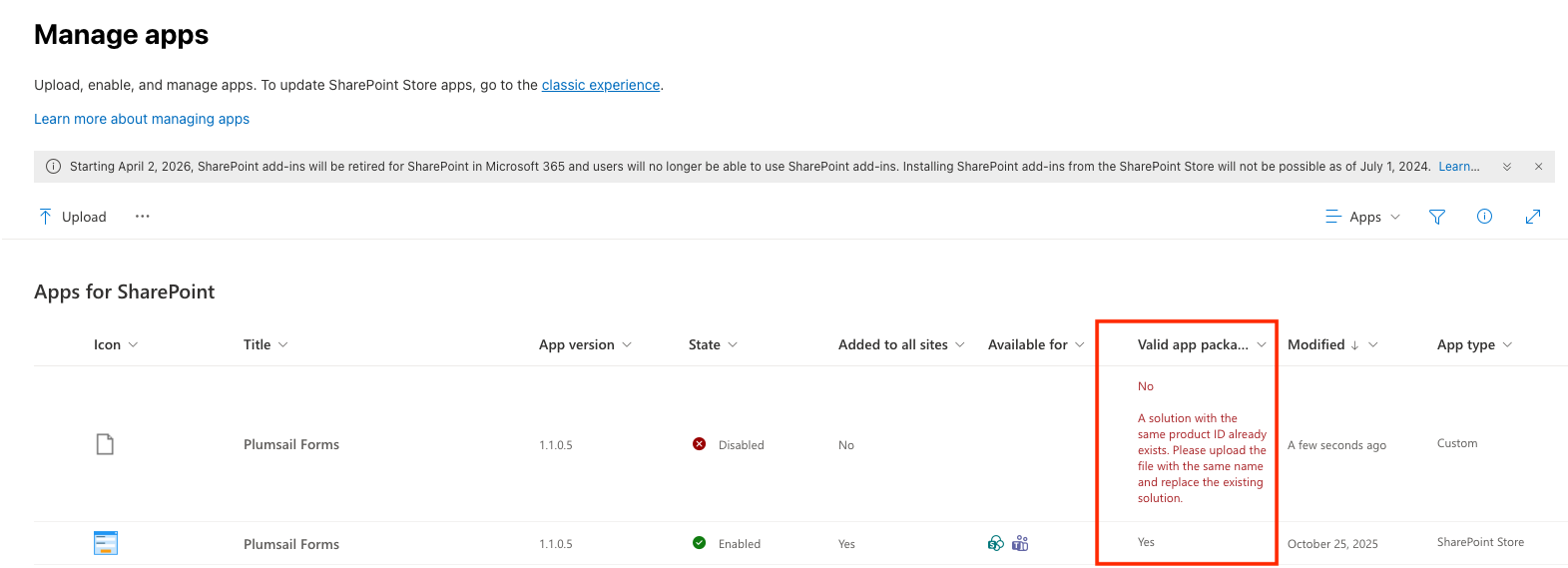
AFTER DELETING ADD-IN…WHAT BREAKS?

Existing Site Using Plumsail Forms

https://tenant.sharepoint.com/sites/site/SitePages/**PlumsailForms**/ListName/[u]EditForm.aspx?[/u]

New Site Being Built Using SharePoint Forms (can’t access the Plumsail add-in any longer)
https://tenant.sharepoint.com/sites/site/\_layouts/15/SPListForm.aspx?

The guidance (from Copilot) is to move to MS Power Apps in the interim which I strongly dislike; obviously Microsoft is going to promote a Microsoft native product but I want to stay with Plumsail.

From above (New Site Being Built Using SharePoint Forms: https://tenant.sharepoint.com/sites/site/_layouts/15/[u]SPListForm.aspx[/u]?), this site (currently under development) is working beautifully and I wanted to get more functionality with a specific checklist. I started searching and it led me to SPFx, which in turn led me to be reminded of the looming April 2, 2026 deadline and I am in panic mode as I have many forms using the classic model (https://.sharepoint.com/sites//SitePages/PlumsailForms//EditForm.aspx?)

If I delete the classic add-in (the bottom-most row in the screen capture above), will the users of the classic sites be unable to navigate?

UGH - I need some wisdom and expect a lot of long hours in coming weeks to migrate if this breaks everything.

Please ask questions if you need clarity; I need clarity too :shaking_face: so thank you in advance!

Dear @shedev,
Both app packages here are from Modern UI forms:

The old Forms Designer app for classic UI didn't have an app package in the app catalog, it was installed manually from the old SharePoint store to each site's Site Content. It will no longer be supported, but what that means - we're not sure either.

We do not plug the support on it, rather Microsoft is discontinuing old add-ins, we assume that the old store will not be available, but whether or not old forms will continue functioning - not up to us. It's a maybe, but better safe than sorry and migrate to modern Forms.

There are no conflicting reports - both apps can co-exist on the same tenant, even within the same site, or even lists - though interaction between two types of forms is not possible. But yes, you could let's say replace New, Edit, Display form one after another, while the old forms continue functioning until they are replaced.

It's just two different solutions, installed in different ways, funtioning differently, but with the same core idea - they replace default form URLs, and now that old add-ins are being retired, we recommend to replace them as soon as possible.

@Nikita_Kurguzov - ok, thank you for your quick reply. And as always, I appreciate your stellar support AND I fully understand this is not a Plumsail directive, rather it is a Microsoft mandate. :enraged_face:

So here is what is happening to me, and why I assumed the two rows were different (one add-in and one PSFx).

I can’t extend my current list to Plumsail Forms. From the Site Contents in my new site:

  • Add an App
  • Search Store
  • No Plumsail Forms to select

What am I missing?

When EDIT an item in my new site list, shouldn’t I see SitePages/PlumsailForms/ in the URL, or is this part of the classic experience?

OLDER SITE SAMPLE URL PATTERN

https://tenant.sharepoint.com/sites/site/SitePages/PlumsailForms/List/EditForm.aspx?

NEW SITE SAMPLE URL PATTERN

https://tenant.sharepoint.com/sites/site/_layouts/15/SPListForm.aspx?

I am so sorry to sound alarmist but all of this is a bit confusing and I feel the more I read, the more I fail to understand what happens on April 2, 2026. If I read your reply correctly, no one really knows.

I appreciate you so much.

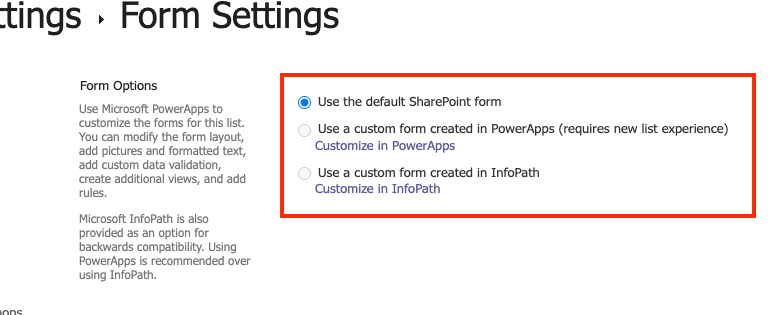
@Nikita_Kurguzov - one more piece is within the list itself. I am confused why Plumsail Forms or Designer is not an option here. Should it be? Or again is that a throwback from the legacy add-in model?

Dear @shedev,
No problem, we're here to help! I see more confusion, but that's what we can help with:

I can’t extend my current list to Plumsail Forms. From the Site Contents in my new site:

  • Add an App
  • Search Store
  • No Plumsail Forms to select

What am I missing?

That's not how Plumsail Forms are installed, they are not added in Site Contents, instead, the app is added from the AppSource and shared globally from the app catalog, that's enough, here's the full installation guide - Installation of Plumsail Forms for SP Online (Microsoft 365) — Plumsail SharePoint Forms Documentation

Regarding the URLs:

When EDIT an item in my new site list, shouldn’t I see SitePages/PlumsailForms/ in the URL, or is this part of the classic experience?

OLDER SITE SAMPLE URL PATTERN

https://tenant.sharepoint.com/sites/site/SitePages/PlumsailForms/List/EditForm.aspx?

NEW SITE SAMPLE URL PATTERN

https://tenant.sharepoint.com/sites/site/_layouts/15/SPListForm.aspx?

Both URLs are from the new Modern UI Plumsail Forms app, it's just that the first URL was created with an older version of the app when we were creating separate pages for each form. We have since switched to using dedicated forms pages provided with SharePoint to make installation process simpler and experience more native, and that's the second URL that you show, but you can still find form schemas in Site Pages > PlumsailForms folder.

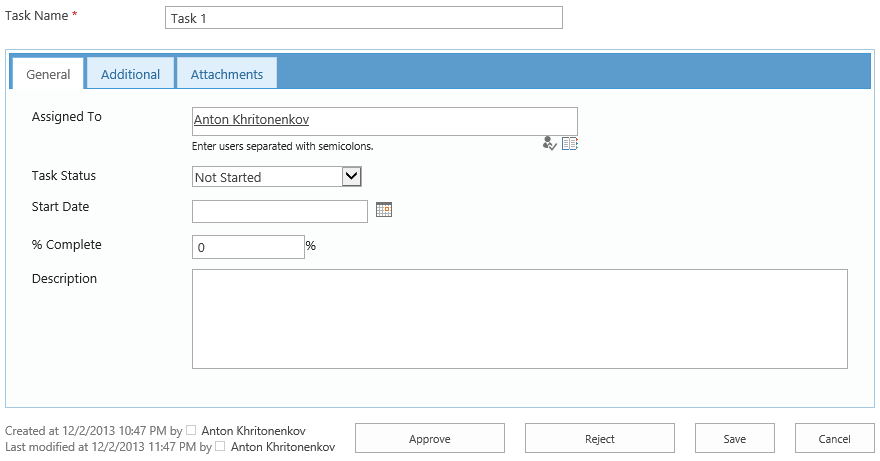
The easiest way to distinguish if form is modern or not is to look at the UI. Classic Forms Designer would always open in classic UI, see the buttons at the bottom and how the form looks:

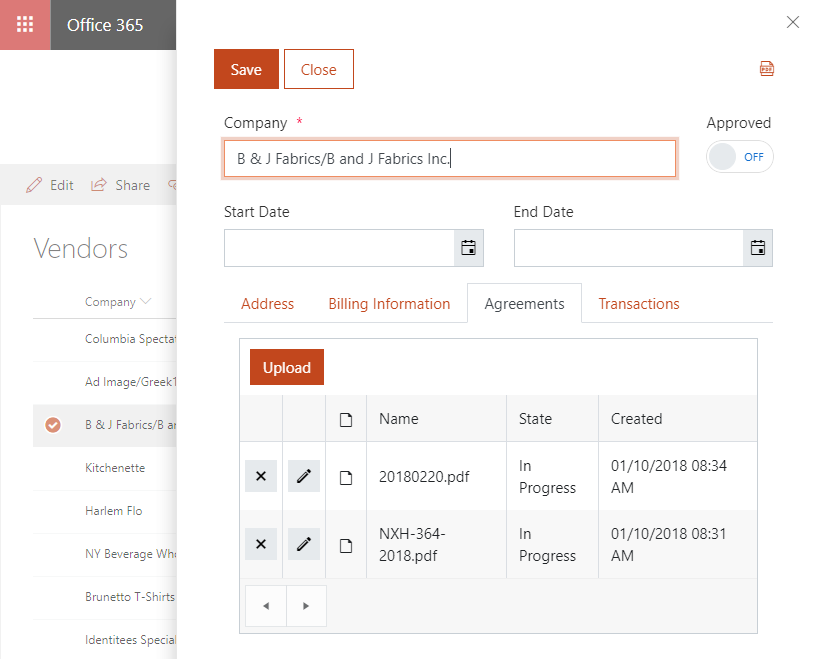
Modern Plumsail Forms open in panel, dialog or full screen modes, but always in modern UI SharePoint:

1 Like

@Nikita_Kurguzov - All of that is what I was missing and I was so confused with the two URL paths. Thank you so much. I have done a review and all of my sites are indeed modern and no Classic used so in theory I should be in a good position moving forward. I truly thank you for your patience.

1 Like