 Org Chart keeps getting better!
Our latest releases include a makeover of the configuration wizard, making it easier and more flexible than ever to build and customize your charts.
You can now create your own modern themes instead of relying only on the predefined options. The old skin system has been replaced with a more powerful and flexible approach.
Simply head over to the Templates step and start designing your look:
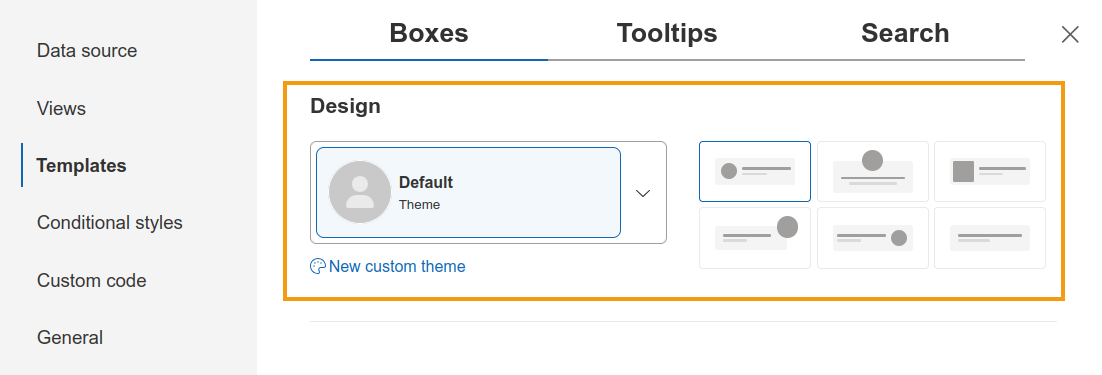
Along with custom themes, you can also:
- Choose different box shapes
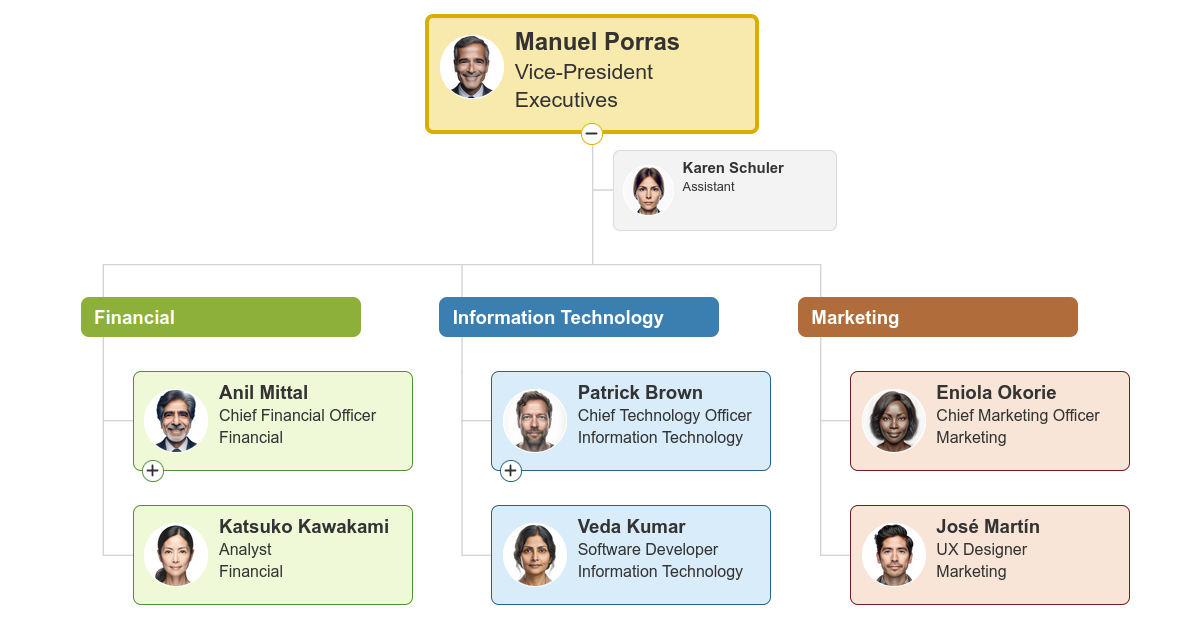
- Automatically style group labels based on the appearance of the boxes within each group
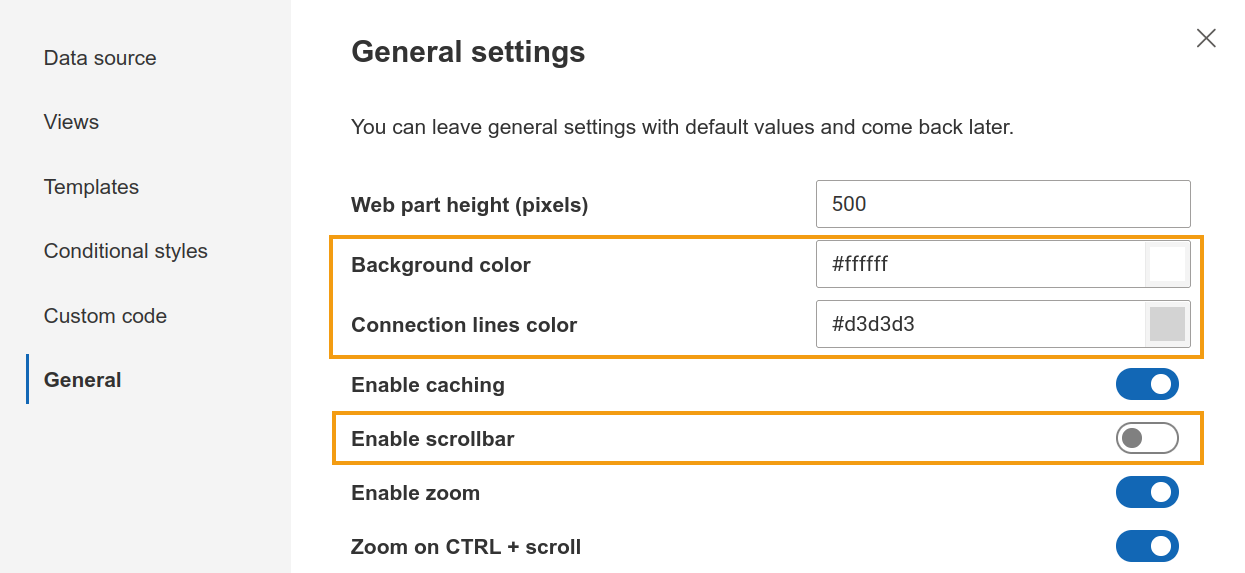
Looking for even more customization? The General step now includes quick options to customize:
- Background colors
- Connection line colors
And if dragging around large charts isn't the preferred experience for your team, you can now enable scrollbar for an alternative way to navigate your charts.
For users working with the Compact layout , there's another handy addition: you can now define a Group by criteria during view creation, making your charts easier to understand.
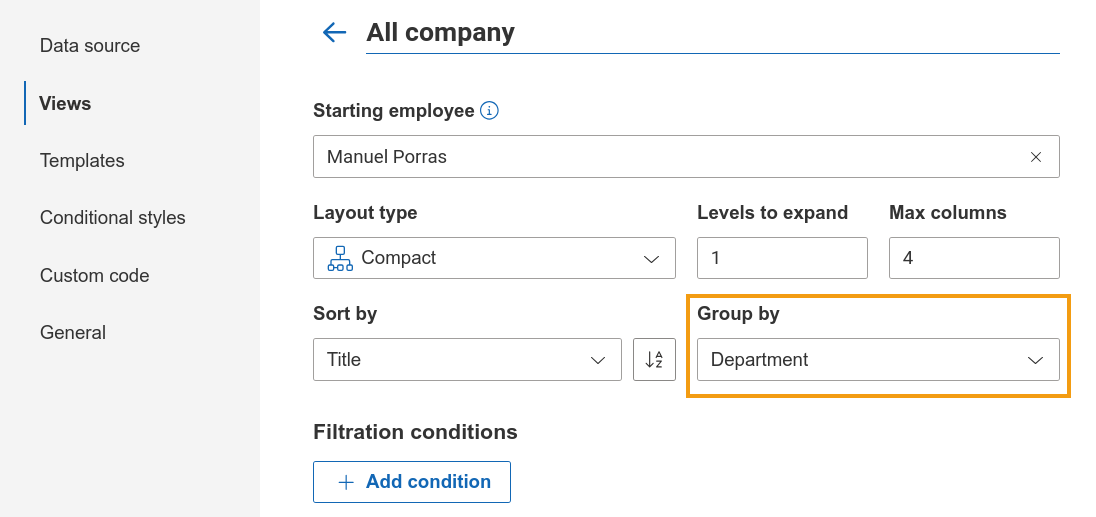
For example, you can group employees by department to get a clearer picture of how teams are organized:
And this is only the beginning. Be sure to keep an eye on our version history to stay up to date with the latest improvements and new features.