PDF Export Issue

Hello Plumsail,

I have come across a small problem when I export the form as PDF. The issue I have come across is that the the same formatting I have applied to the manual PDF Button doesn't apply to the auto-created PDF document.

This code will export the document as PDF but doesn't apply the page-break that I have added in my code:

fd.spBeforeSave(function(){
    return fd.exportToPDF('Test Form')
})


fd.pdfOptions = {
    forcePageBreak: '.break'
};

Hello @Qman,

Is that a complete code? You need to define PDF options within spRendered() event like this:

fd.spRendered(function() {
    fd.pdfOptions = {
        forcePageBreak: '.page-break'
    };
});

fd.spBeforeSave(function(){
    return fd.exportToPDF('Test Form')
})

Hi @Margo

I'm afraid that hasn't resolved my issue. I still get the same result.

Here is a screenshot of what I see on my end:

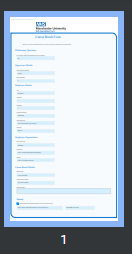
What I want to happen when I hit submit (I have to manually click on the PDF button on the SP Toolbar):
image

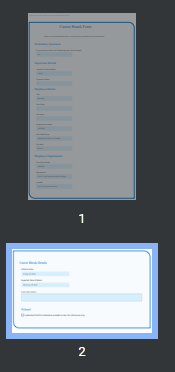
What happens when I hit submit on the form:
image

@Qman,

Have you modified the Export to PDF button code?

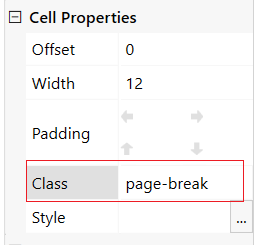
Please share the code you are suing for adjusting the PDF file outcome and for exporting form. And also, the screenshot of the element that has a CSS class for the break point:
image