I create a form where I fill the the data using power automate (Fill in PDF Form). The flow finishes successfully but there are some kind of issues.
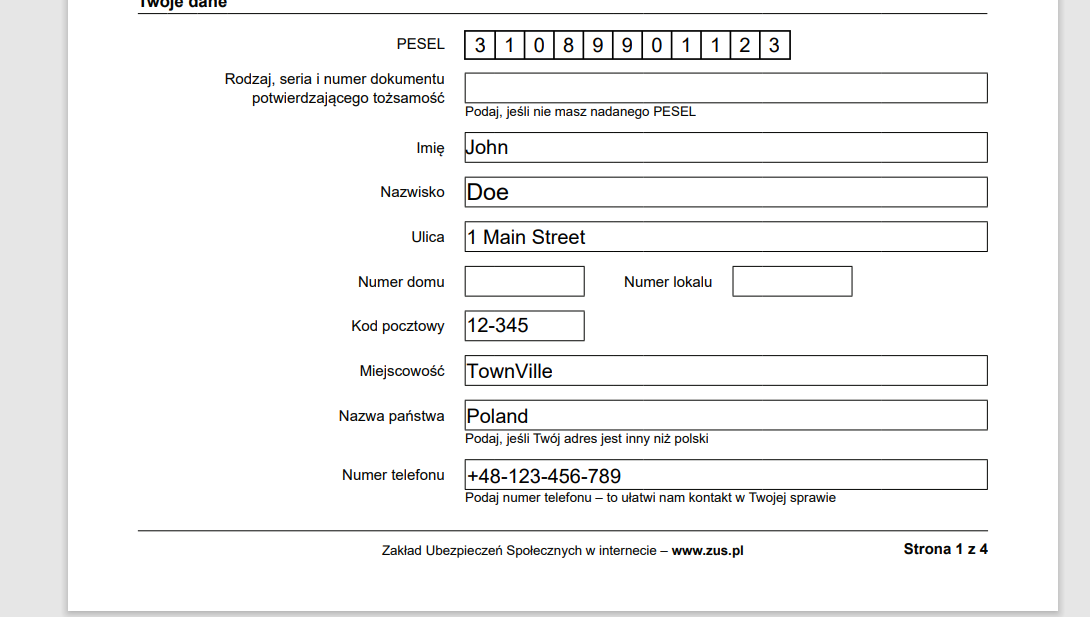
When I open the created document (PDF) in the browser (Chrome, Edge) I cannot see the data that was added to the form. In edge the Data Appears then disappear.
If I open the pdf using adobe reader (the Windows Client) I can see the data. But upon closing it I get the message "Do you want to save the changes to "Docname" before closing even though I have not made any changes. When opening the PDF the save icon is active.
I have say no, the problem in the browser remains, if I say yes I can then see the data.
The problem is that I use the pdf in a document signing service and the user cannot see the data.
Z-15A.pdf (226.5 KB) the blank form Doc - Temp - Saved Adobe.pdf (368.9 KB) - The filled form and saved via adobe. Doc - Temp.pdf (297.2 KB) - The pdf document created using plumsail (Fill in PDF Form) (The one that have a problem in the browser)
We released a fix that should improve Fill in PDF form action. I try it with your example and can see the fields data in the Chrome browser. Could you retry the action again and let me know the results?
This is correct the fields do appear when opening the file in the browser. But there still is some kind of issue. Not sure where the problem lies.
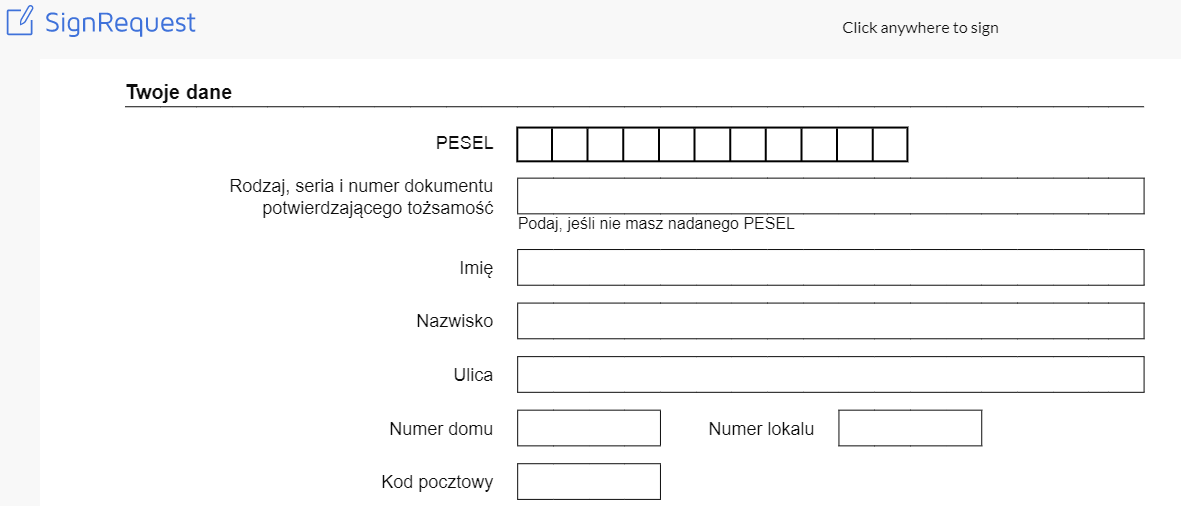
The next step is to send the pdf to be signed using a power automate action (We use sign Request) and this is where I checked. When i go to sign the doc it appears empty.
When I download the file via sign request (Or I email it via the flow) the file has the same behavior in adobe as before, it asks me to save it even though i have not made any changes.
If i click save and send the "Saved" doc for signature the fields are field in. I think they always are but for some king of reason we do not see it.
The file that is generated by Plumsail and asked to be saved when no changes are made: Temp.pdf (240.9 KB)
We checked the pdf forms with email, docusign, and teams deliveries. It works correctly there. The issue with empty fields seems to be specifically related to SignRequest. We'll test it with the Sign request and if the issue is confirmed - release a fix. I'll keep you posted about the results.
We weren't able to reproduce the issue with SignRequest, it shows the document correctly. Also, we changed the lock form fields logic a bit, does it still require saving the document in Adobe? Could you check please and let me know the results?