Pdf print - break is not working - Need a 2 page print only and mine is breaking over 4 pages

Hi @Margo @Nikita_Kurguzov

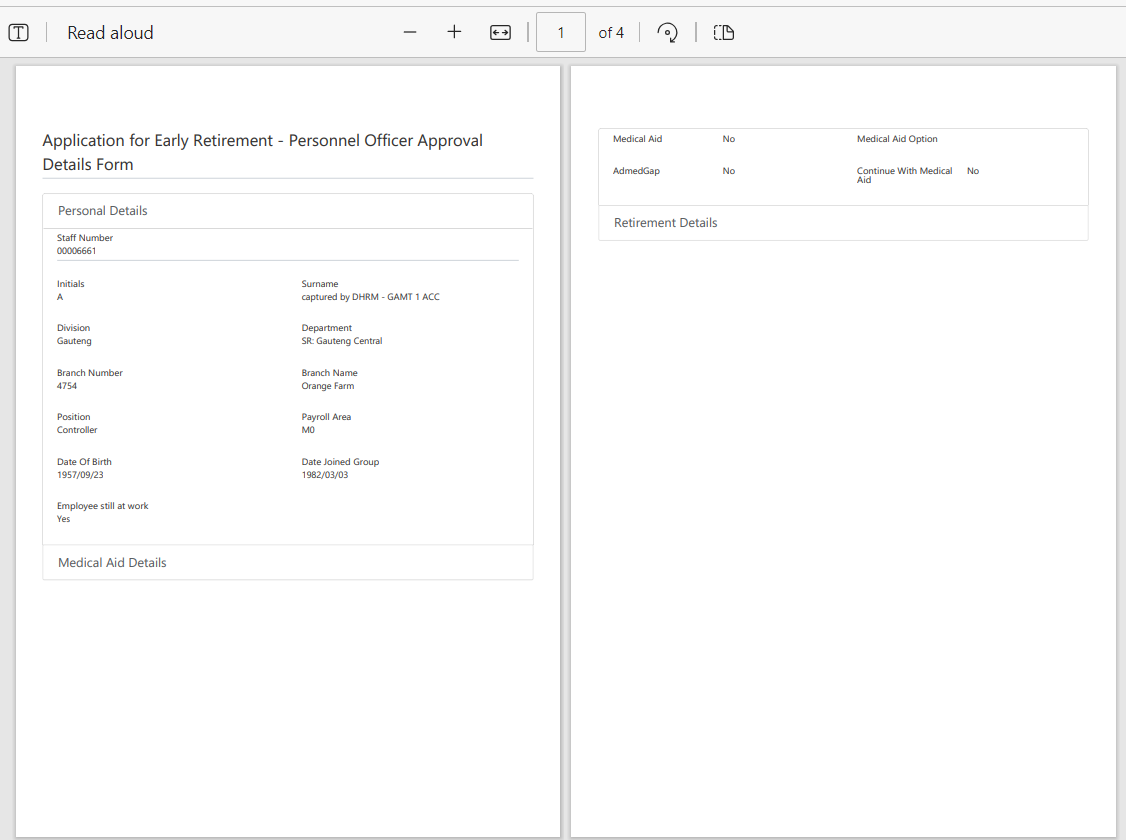
I am trying to get my pdf to print over 2 PAGES ONLY but it keeps breaking my pages into 4


My code in JS
fd.spRendered(function() {

fd.pdfOptions = {
paperSize: 'A4',
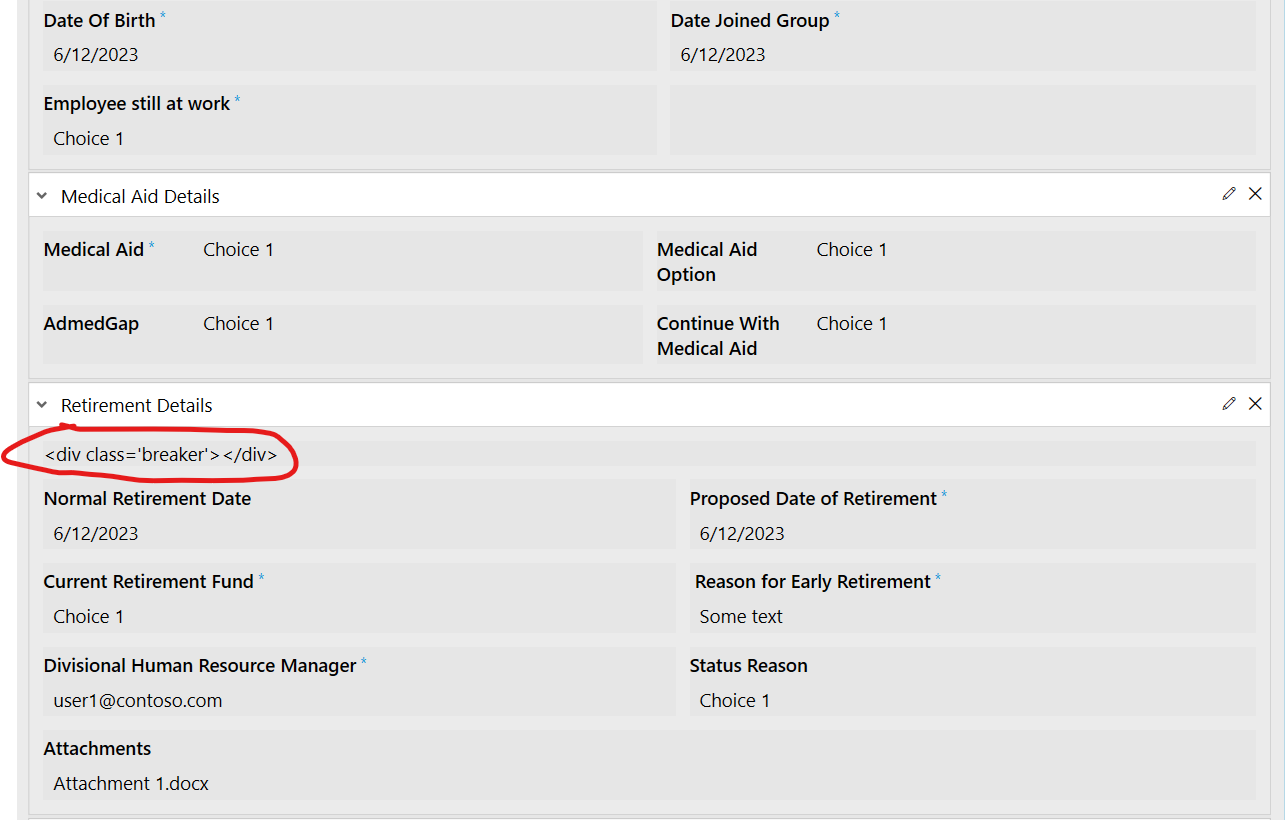
forcePageBreak: '.breaker',
};

})

On form (HTML)

And CSS:
.k-pdf-export .pdf-hide {
display: none !important;
}

/hide input borders/
.k-pdf-export span.k-dropdown-wrap.k-state-default,
.k-pdf-export .fd-form input.form-control {
border: none !important;
}

.page-template > * {
position: absolute;
left: 5px;
right: 5px;
font-size: 40%;
}

.page-template .header {
top: 0.5px;
border-bottom: 0.5px solid #000;
}

.page-template .footer {
bottom:0.5px;
border-top: 0.5px solid #000;
}

.k-pdf-export .fd-form .container-fluid {
padding-top: 2px;
padding-bottom: 2px;
}

.k-pdf-export .fd-form .col-form-label {
padding-top: calc(.200rem + 1px);
padding-bottom: calc(.200rem + 1px);
font-size: x-small;
line-height: 1;
}

.k-pdf-export .wizard-nav, .k-pdf-export .wizard-progress-bar, .k-pdf-export .wizard-header, .k-pdf-export .wizard-card-footer {
display: none !important;
}

.k-pdf-export .parent-grid {
width: 1080px !important;
}

.k-pdf-export .wizard {
width: 1080px !important;
}

Can you please help me?

Dear @Dina_Louw.
Can you export the form for us to test?

Hi @Nikita_Kurguzov

Please see attached exported Display form:

Item_POfficer_Display.xfds (24.4 KB)

Please note that we have not updated/upgraded our Plumsail as there were internal steps that need to take place first

Dear @Dina_Louw,
Seems like the form is simply too big to be displayed on two pages only - removing some of the fields makes the form fit into two pages only. It might also be possible to reduce font size/margins with CSS to reduce the form size.

Hi @Nikita_Kurguzov ,

If you look at my first message - you will see lots of empty space and I am trying to fill that first.
The second page can most definitely fit on the bottom of the first page. and the 4th page screenshot can also fit on the 3rd screenshot page

Dear @Dina_Louw,
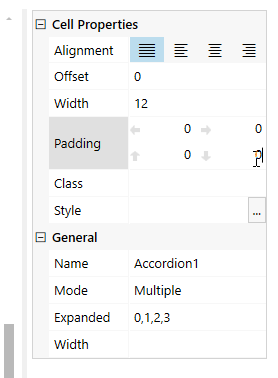
Just because it appears empty - doesn't mean it actually is empty, there are invisible margins and paddings between fields, controls and containers, which are likely taking up some space. For example, you can try to reduce the space taken by setting Accordion's cell padding to 0:
image

More results can be achieved by adjusting the CSS of the form.