Plumsail Documents wrong date-format in PDF

Hello Plumsail Team

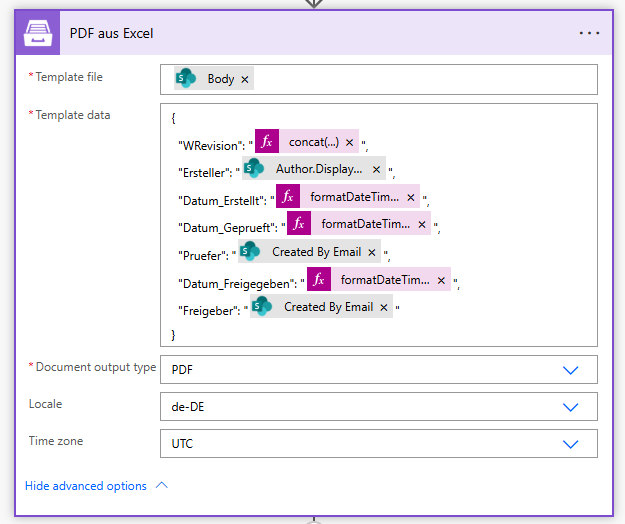
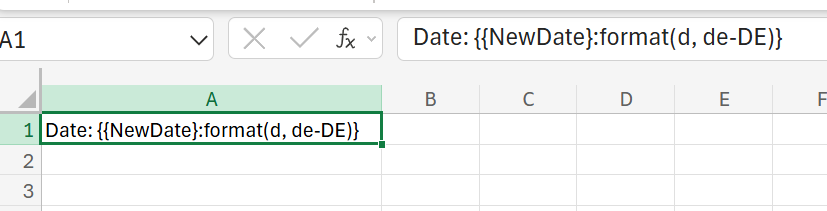
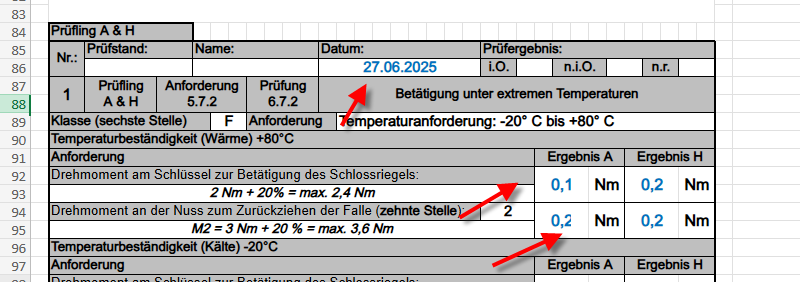
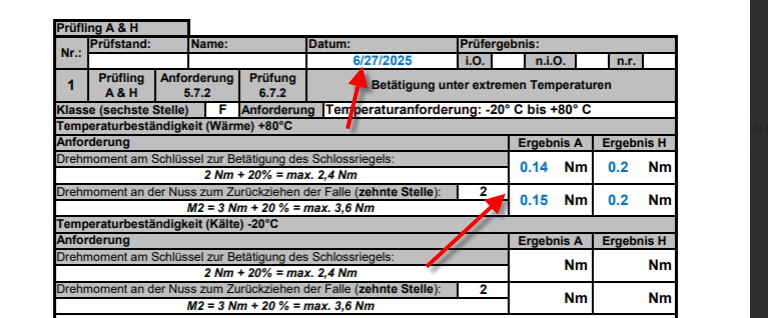
Our customer Wilka uses Plumsail Documents to generate PDF files with Microsoft PowerAutomate. It has now been discovered that the date and number formats are not being written correctly to the PDF. In the original file (Excel), the formats are in German, but in the PDF, they are in English. Here are some screenshots:

Original File

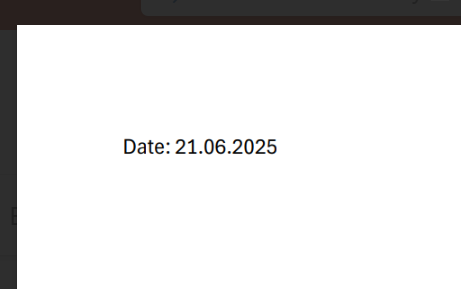
Created PDF

Configuration Flow-Action

Any idea what could be causing this?

Thanks and best regards

Dietmar

Hi @DietmarDeeg,

Could you try the format option with the date token?

Like this: Date: {{NewDate}:format(d, de-DE)}

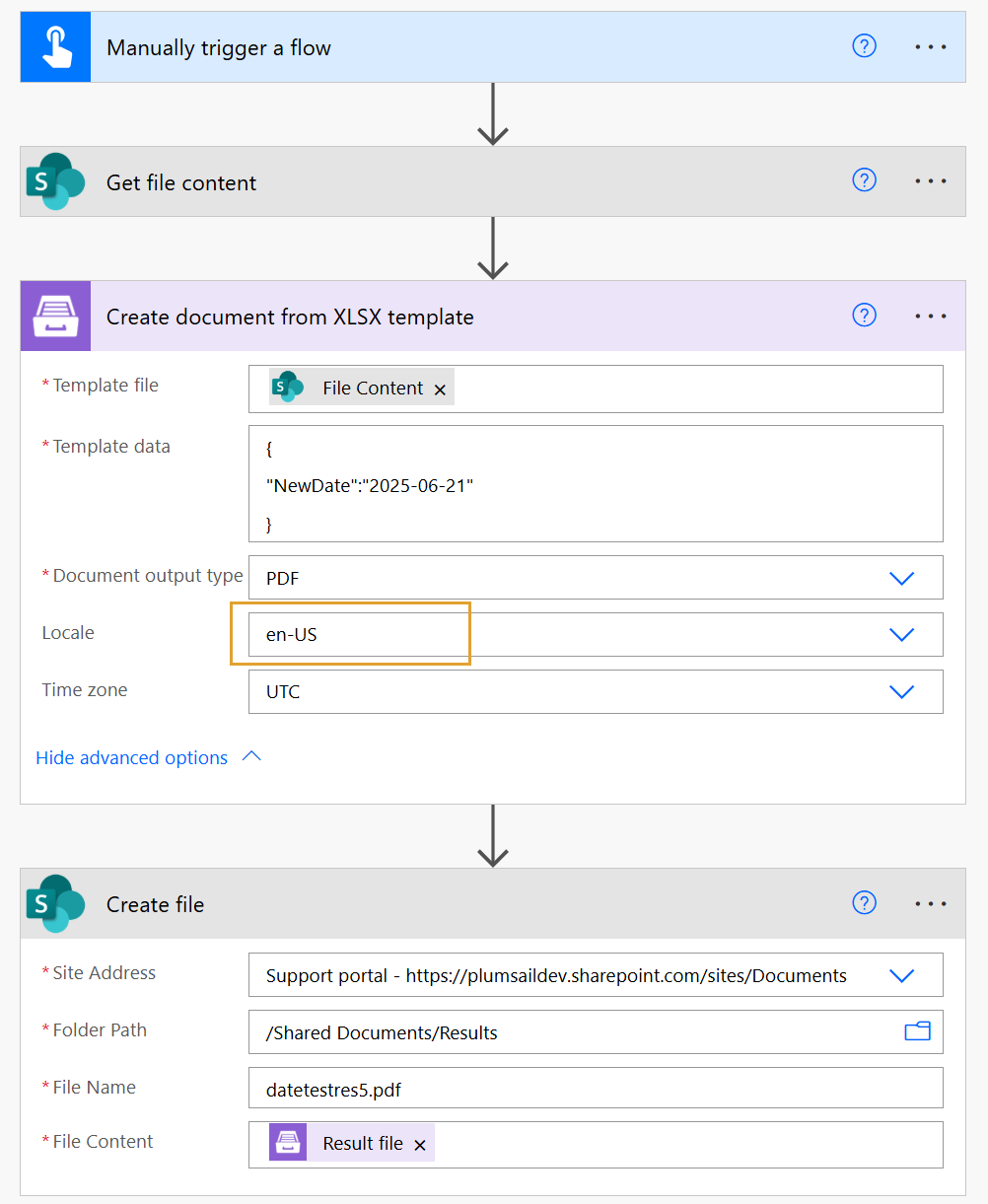
This is my example:

  1. Excel template

  1. Power Automate flow. I didn't change the Locale in the action settings; I kept it as en-US

  1. This is the result (in PDF)

Please give it a try and let us know the results.

If the issue persists, share your Excel template and the input data (specifically, the dates sent to the template) at support@plumsail.com with a reference to the thread.

Thank you!

Best regards,
Petr
Plumsail team

Hello Petr,

please excuse me for not responding for so long. The problem still persists. You wrote that I should provide you with the Excel file. Where can I upload it?
Hi @DietmarDeeg!

You can share your template and input data at support@plumsail.com with a reference to this thread.

Best regards,
Milagros
Plumsail team