I'm new to Plumsail and Forms for SharePoint. I've been searching and I cannot find any answers. Hoping someone can assist and answer the following questions. Note these are designer software related - the tool used, not the resulting forms.
Is there a way to prevent the desktop application from opening full screen every time it's opened?
Is there a way to zoom or change the font size in the JavaScript and CSS editors? (on 4K main screen, scaled at 100% the fonts are too small and normal zoom has no effect).
I have searched via Google, Bing (yes, even Bing) and still cannot find any answers. Searching the forums returns mostly about the products being produced, not the tool used. If these are answered elsewhere, please help me locate them.
Dear @chuckfloyd,
These are good questions! At the moment, this customization unfortunately doesn't exist - full screen is by design, this might change in future iterations.
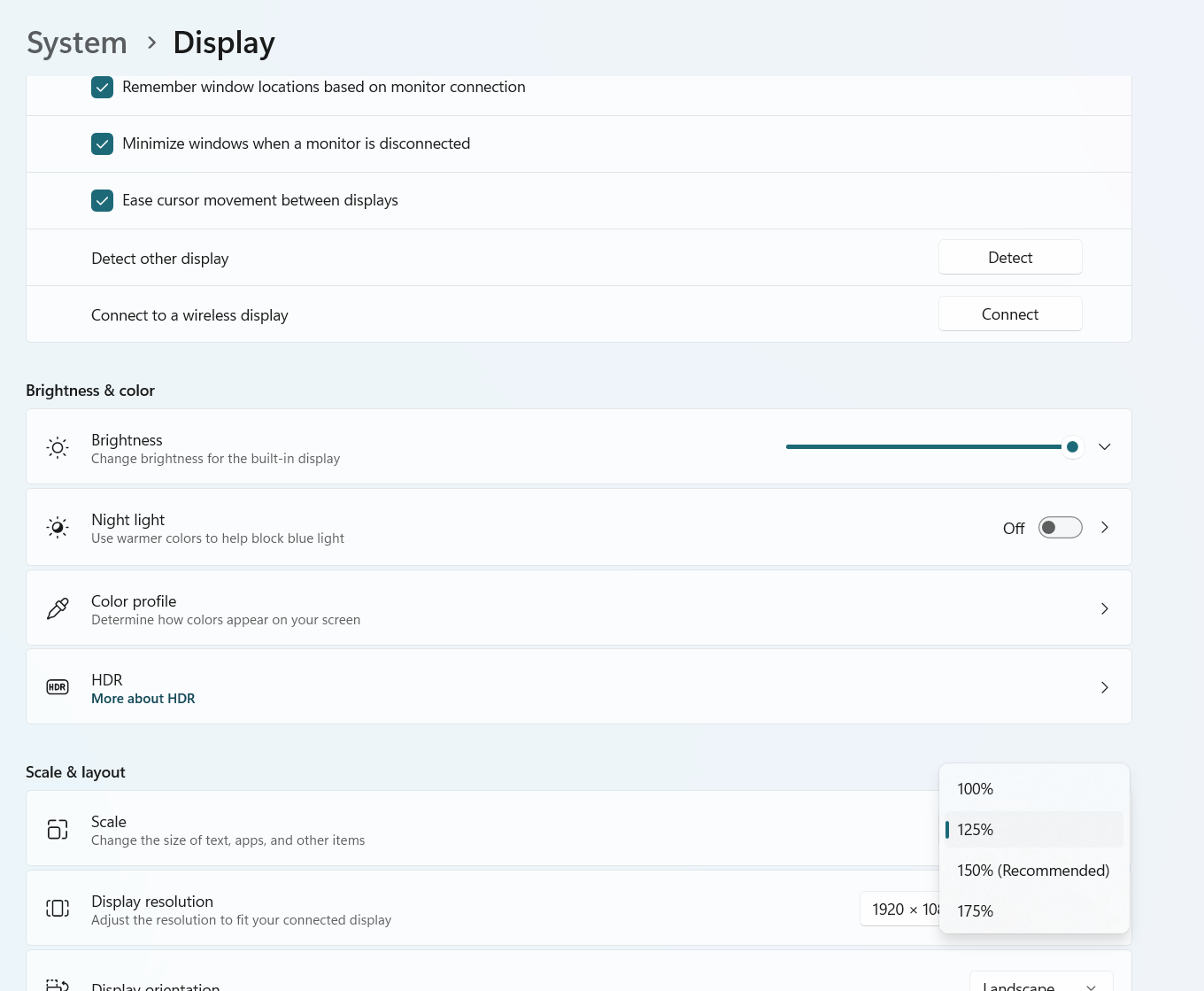
As for the font size inside the editor, it's influenced by system scaling settings which can be adjusted in Settings > System > Display:
Thank you. For the full screen on open, it is just an annoyance I can work around. It would be nice if it remembered the last size and restored to that instead of going full screen.
As I don't want to change the display settings scaling, I'll pull out an older monitor to use for this which is larger to help my old eyes a bit. (adding a 5th monitor makes my work desk look more like a fancy control center anyway )
Dear @chuckfloyd,
Still, thank you for the feedback! We'll look into adding more options in the future, if there's demand, it just wasn't our focus.
As for 5 monitors, I feel jealous working with a single monitor laptop Let us know if you find any other areas to improve - we want to make the app work for as many users as possible!
 )
) Let us know if you find any other areas to improve - we want to make the app work for as many users as possible!