I am trying to trigger a Power Automate flow on form submission, but it is failing because of a field type error.
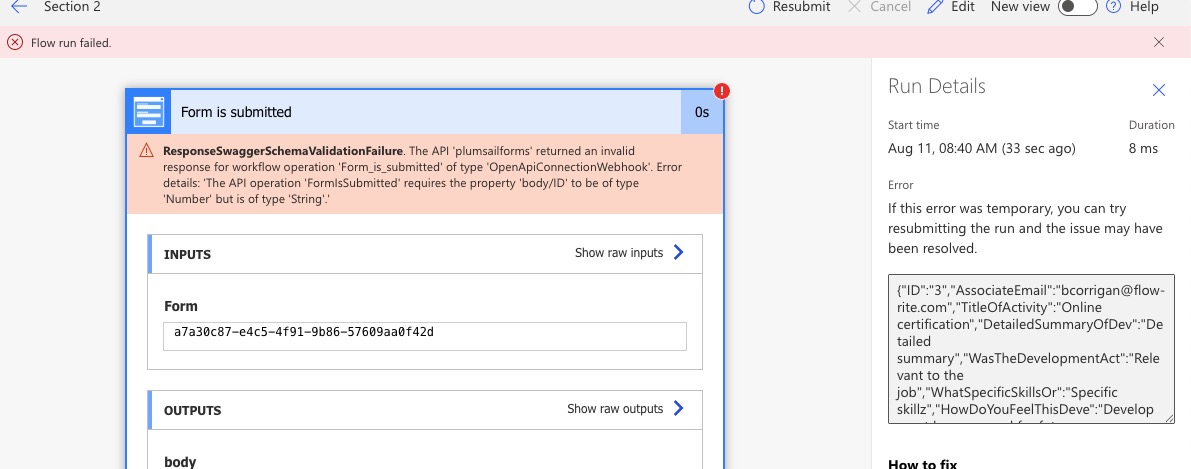
The API 'plumsailforms' returned an invalid response for workflow operation 'Form_is_submitted' of type 'OpenApiConnectionWebhook'. Error details: 'The API operation 'FormIsSubmitted' requires the property 'body/ID' to be of type 'Number' but is of type 'String'.'
The form actually submits successfully, but the flow fails because of that trigger error. I’ve tried to recast the field value like this:
fd.beforeSave(function () {
fd.field('ID').value = parseInt(fd.field('ID').value);
});
But it hasn’t made a difference. Is there another way to recast the value of the field before form submission for the PA trigger?
Dear @Bill_Corrigan,
That’s weird, are you connecting a SharePoint form to Power Automate? Or a public web form? And can you send us a screenshot of the error?
Screenshot attached.
Public form. I will be submitting the data to SharePoint eventually, but I want to use PA to capture approvals first. I’ve just discovered Plumsail, so I wasn’t clear if I could capture the data/form submission of the Sharepoint forms before the data got to Sharepoint or not.
Dear @Bill_Corrigan,
Something is not quite right here, can you try it with a different form? Try a simple form with just a couple of fields first. Also, please, send us a link to the form to support@plumsail.com, so we can analyze what goes wrong.
A new, simplified form triggered the workflow successfully. I’m in the process of creating the remainder of the fields in the new form and will test it again.
1 Like
Building out the new form with all of the fields still triggered the workflow successfully, but it was a very basic workflow. Just the trigger and a compose action. Once I added all of the other steps to the workflow (some approvals, sending emails, and an update list at the end), I am now getting the same error again which doesn’t make sense because the error is occurring at the trigger.
Dear @Bill_Corrigan,
According to the error, you have ID field which is supposed to be a numeric but in fact - string:
Check the field type on the form and tell us how you set it up.
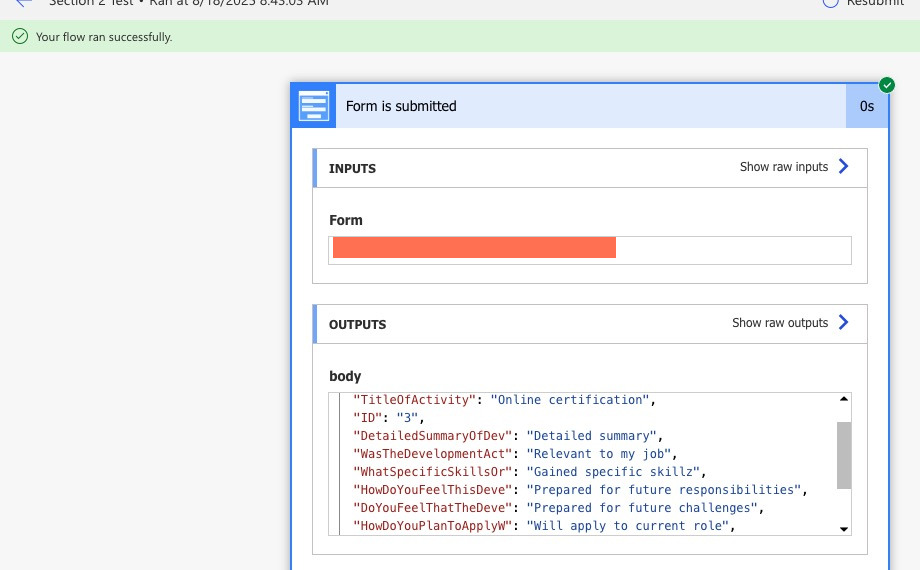
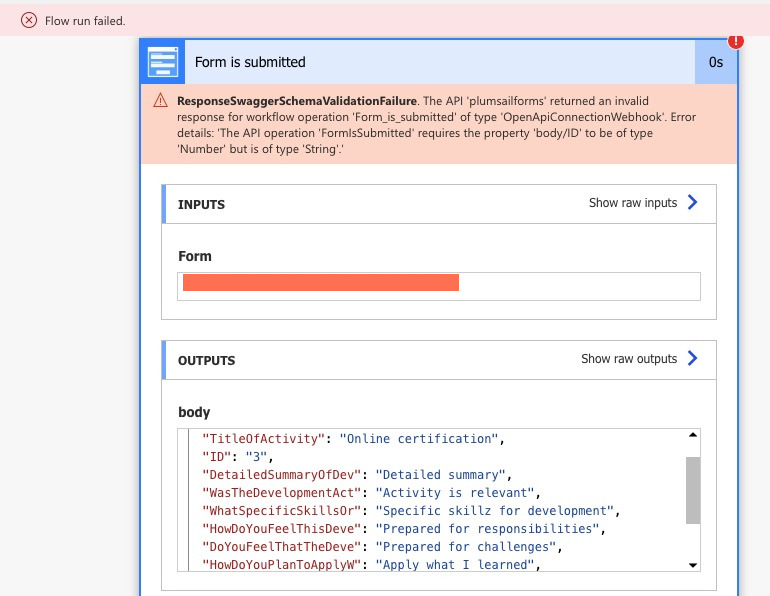
Yeah, I know, but I didn’t change anything with that field at the time. Attached are two screenshots of the workflow trigger data
, one successful, one failed.
I worked around this by changing the ID field from number to a text field. The workflow triggers successfully now, then I just recast the ID to an int when I submit to Sharepoint later in the workflow.
I don’t know why the trigger fails in the other scenario, but I need to move on.