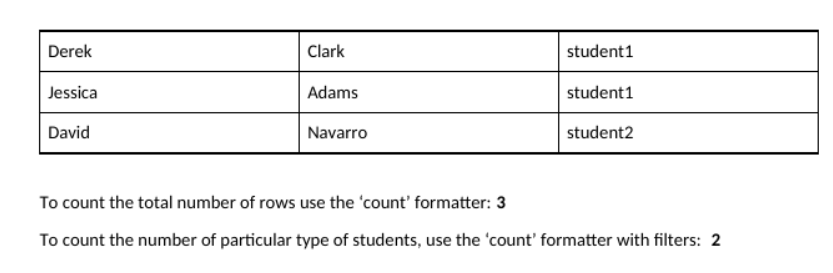
But as a result, I only get the first line, the rest are not displayed.
I also need to write the number of rows at the bottom of the results (it is dynamic for students) and also write the number of students of different types (one of the columns is a dropdown).
Also i need to display 3 different columns for each of 3 dropdown items.
Please help and thanks!!!
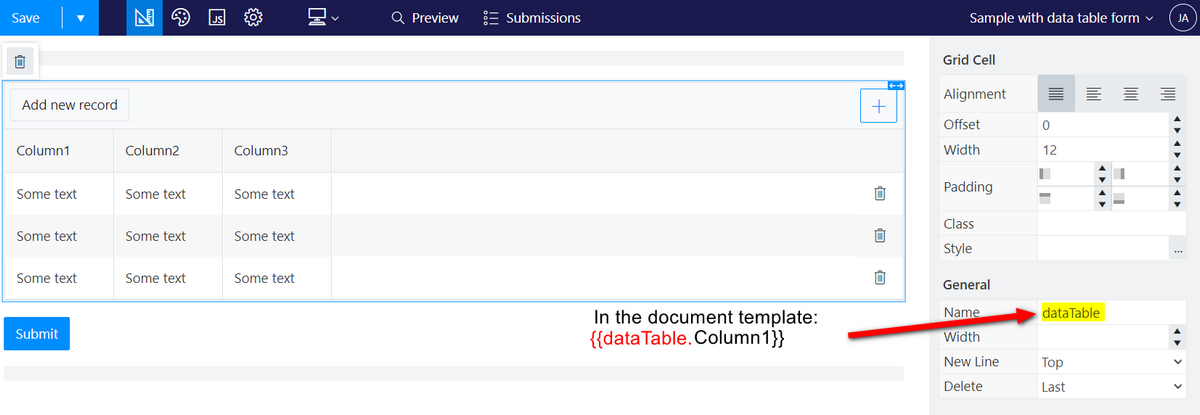
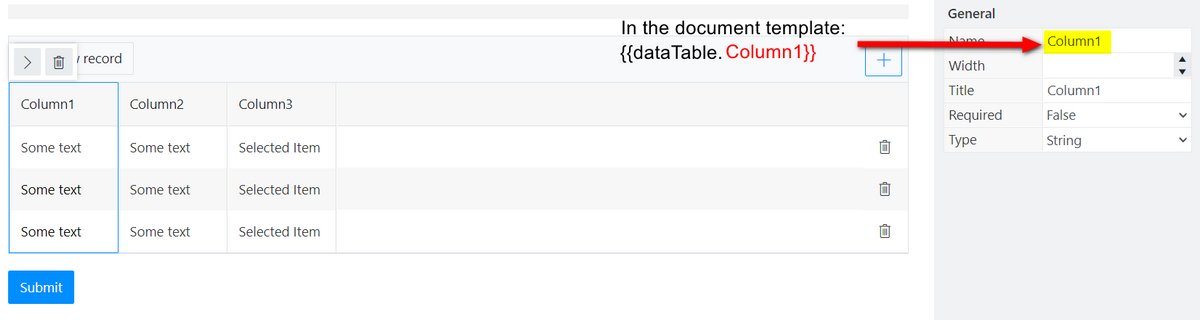
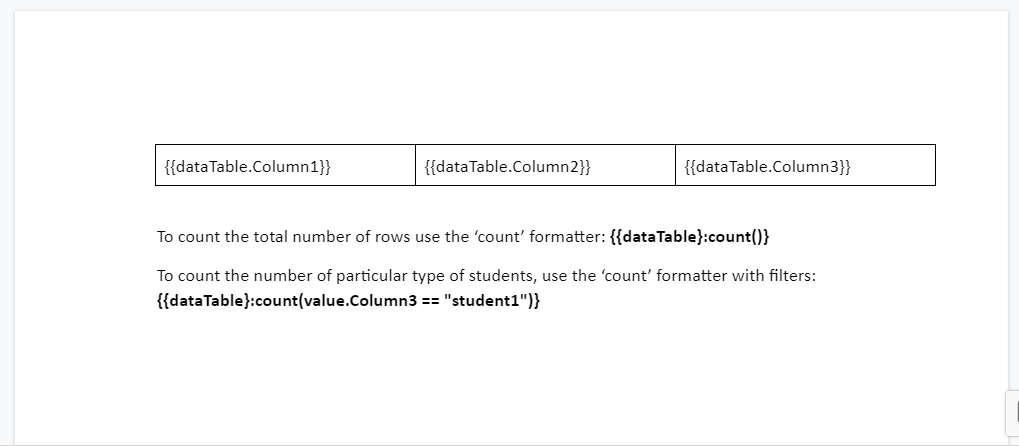
First, please, make sure, you wrap the placeholders in a table. Then, the name of the data table is the same as the first part of the nested token in the template table. Columns names in the form should be the same as the second part of the nested placeholders in the template. Like this:
Hi Angelika! Thanks for your explanation!
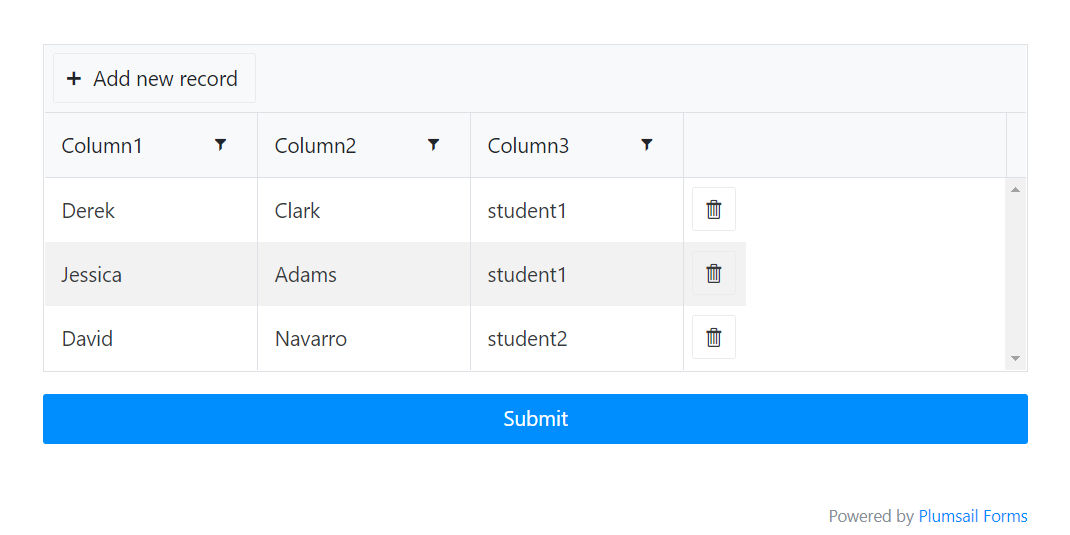
i mean i have 5 columns, one of them has dropdown items (three items to choose from). I need to show the total number of lines at the end of the document, and as well as separately the number of lines with each type of items from the dropdown. In the future number of items in the dropdown will increase to 10, so I need to change these results dynamically.
To show the total number of lines apply this syntax at the end of the document - {{dataTable}:count()}. It will count the total number of rows dynamically.
To separately show the number of lines of each type, apply this syntax for the each type: {{dataTable}:count(value.Column1 == "type")}. Where 'Column1' is the name of the column with the dropdown, and 'type' is the type from the dropdown. Apply this syntax for each of the types from the dropdown. Make sure, all the names in the table and in the template match.