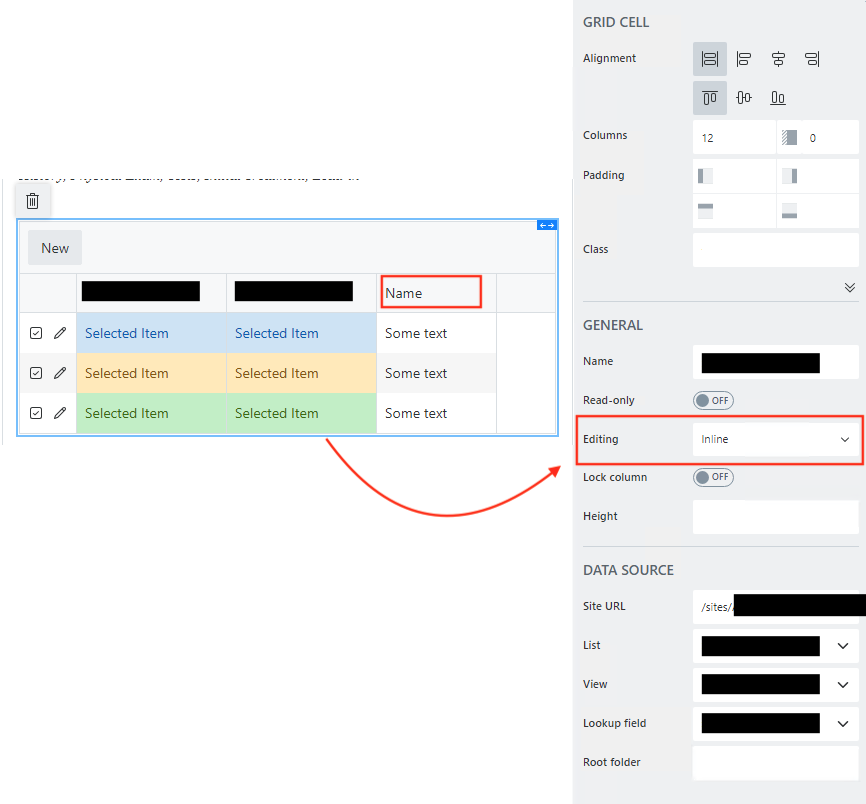
Is it possible to rename files and folders within a library control? Once a user creates a folder or uploads a file, there doesn't seem to be any way of renaming? Ideally this would be possible when editing inline.
If I switch to editing in a dialog box I can rename a file, but there is still no option to rename a folder. Id rather not have to force the user to delete a folder that has been named incorrectly.
These examples appear to be automated renaming, I’m wanting the flexibility of the user being able to rename files and folders at any time, is that not possible using Plumsail Forms?
Yes, currently you can only rename files and only in dialog mode. We can offer paid support to add the ability to rename folders and files in inline editing mode. For more details, please email us at support@plumsail.com.
Hello @Margo and @Jaydius - I am just reading this post again as I have been struggling to get my file rename code to work.
Do I understand correctly that when using a List or Library Control, the Inline editing method will not work in the How to update metadata of uploaded documents in List or Library control example? This certainly has been my experience, but I could be missing some important code that updates the FileLeafRef upon upload in Inline mode.
If my understanding is true, maybe a note on that documentation page calling out that limitation would be helpful. That page is referenced in several other community posts but is confusing when there is no explicit mention of Inline vs Dialog editing mode.
Maybe since this writing there has been an update to the feature. If so, I welcome any guidance. Otherwise, I will work on a Power Automate flow to rename the file on upload.