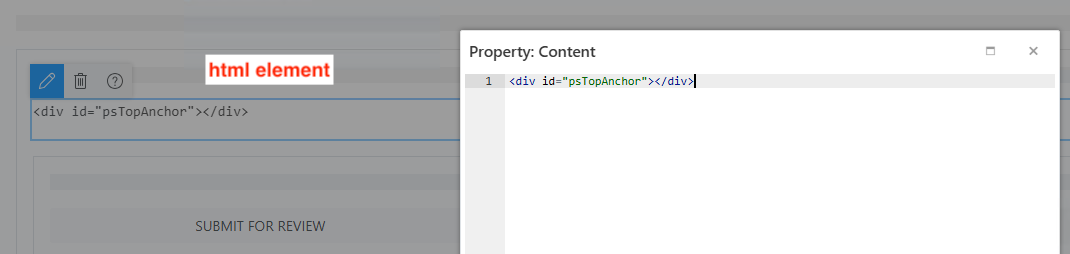
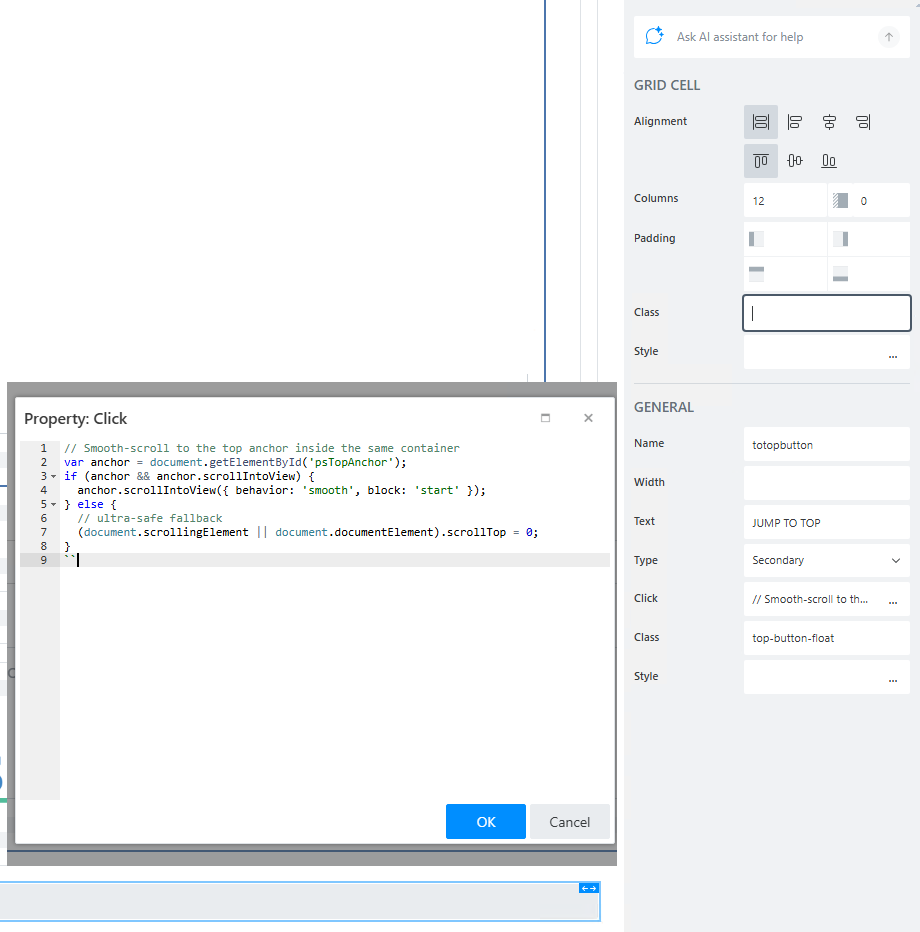
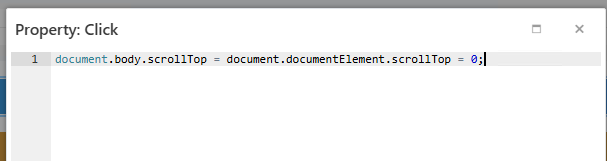
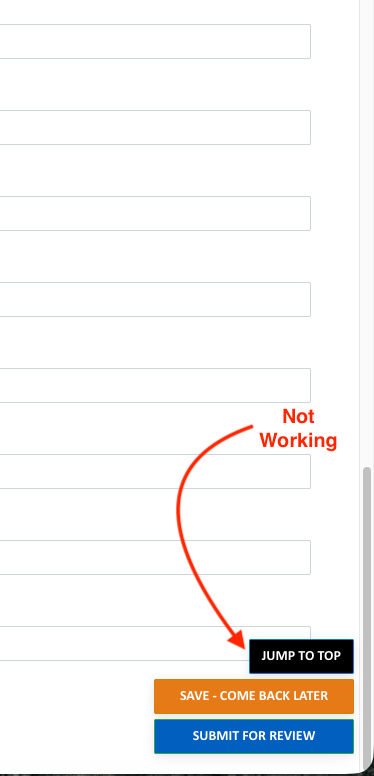
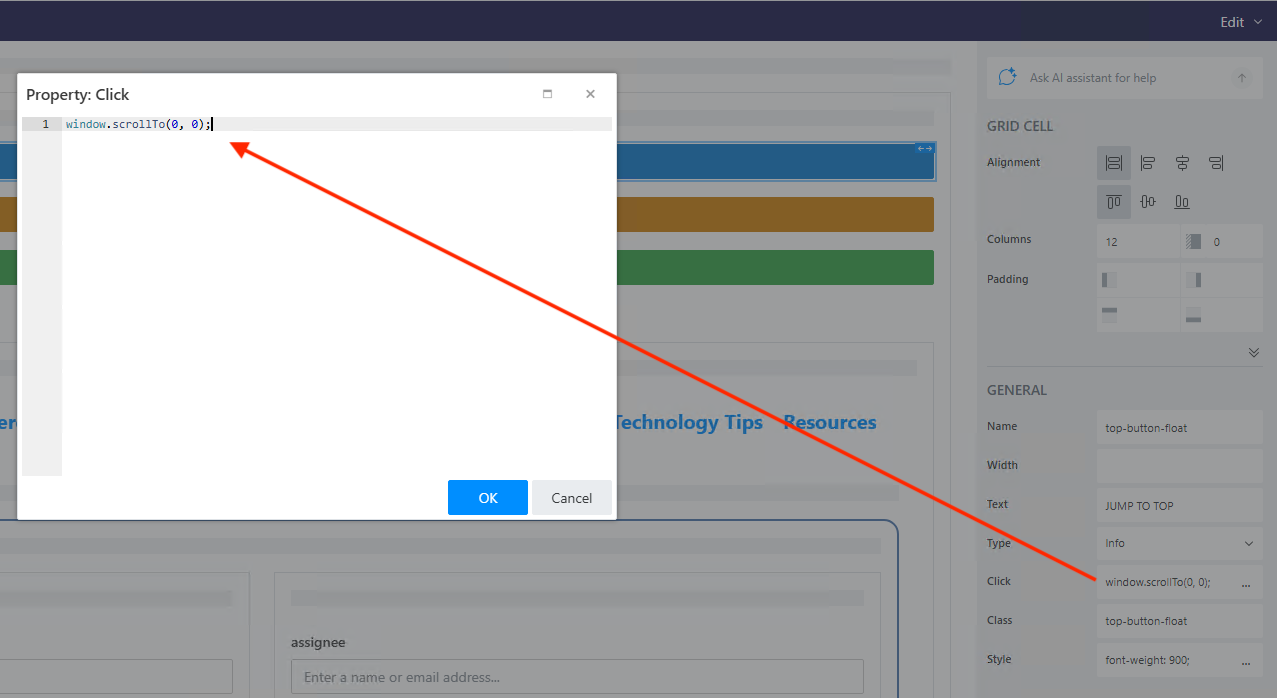
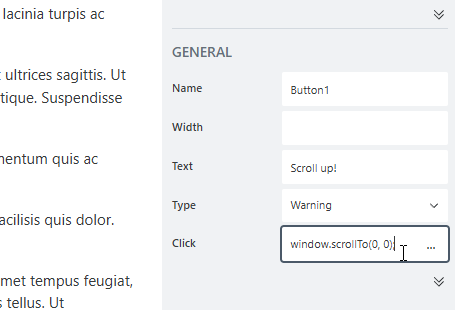
Reviewing other posts such as Scroll to error or top of page on submit and others, I have tried adding this onclick line to my button. The button is located where I want and looks good but it doesn’t scroll to the top of the page when clicked.
Anyone have a quick solution? I bet it is easy but I can’t find any direct match to my need in the the Community posts.
This should work in all modern browsers. Note that it won't work for a Public form preview since previews are rendered via iframes; this code is only for the form page.
@IliaLazarevskii - Sure! I am using Plumsail Forms 4.0.3 for SharePoint Online. I have many buttons on the page that are working as expected but the “Jump to Top” does not. Thank you for asking!
I still do not have a functional “JUMP TO TOP” button. I have tested this on latest versions of Chrome, Edge, and Firefox on both a MAC and Windows device.
I am also using TABS in my layout and have tried placing the button in one of the tabs and on the outside of the control (which is ideally where I want it), and nothing seems to work.
Dear @shedev,
It wouldn't help if the form works correctly on a shared page, but doesn't work on your site.
If the site is authenticated, then try to reproduce it in some section where it can be shared with us, and send us a link to test it with some temporary creds.
We need a way to reproduce it in your environment, or as close to it as possible. Can be a similar page on a freely accessible web site, as long as it has the same issue.
Understood, thank you @Nikita_Kurguzov . I am reviewing all code now from scratch to try to find the code. Our sites all require authentication so I can’t reproduce for you.
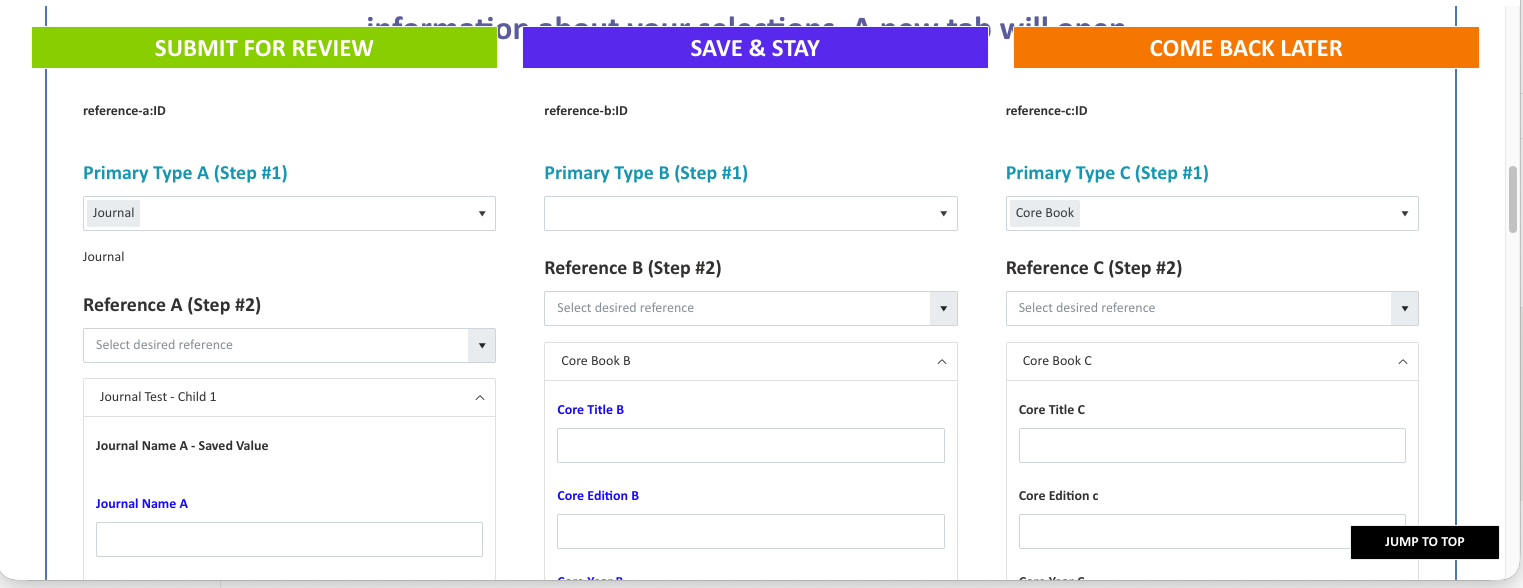
I have tried to create a new button (not shown in this illustration) and apply no CSS as I thought perhaps CSS was the problem but no success.
My form has four custom buttons on the main tab, then another in a subsequent tab. I wonder if there is conflicting behaviors of the various buttons.
The top three buttons float as the user scrolls down the page so the save actions can be quickly accessed from wherever they are on the form.
Another (maybe related?) issue occurring with buttons involves the top center button labeled “SAVE & STAY”. The user may choose to keep working on the form and submit or close’ I have been using auto save after 40 minutes but it closes the form and really pisses people off . On the other hand, if i didn’t have an auto save people forget to save and then get even more frustrated! When the “SAVE & STAY” button is clicked, a faded light green banner sort gets stuck behind the grid of buttons.
If the user then continues on editing, the other two buttons don’t work. The only thing that solves the problem is to reload the web page which can work but the risk of losing content exists of course.
I wonder if the CSS Z value is preventing that banner to clear, thus blocking the save action functionality on the other buttons, and maybe even messing with the JUMP TO TOP BUTTON.
// Smooth‑scroll to the top anchor inside the same container
var anchor = document.getElementById('psTopAnchor');
if (anchor && anchor.scrollIntoView) {
  anchor.scrollIntoView({ behavior: 'smooth', block: 'start' });
} else {
  // ultra‑safe fallback
  (document.scrollingElement || document.documentElement).scrollTop = 0;
}
Add JavaScript:
fd.spRendered(function () {
  var btnEl = document.querySelector('.top-button-float'); // your button's CSS class
  if (!btnEl) return;

  // Find the nearest scrollable ancestor of the anchor (works in all layouts)
  var anchor = document.getElementById('psTopAnchor');
  var sc = anchor ? anchor.parentElement : null;
  while (sc && sc.scrollHeight <= sc.clientHeight) sc = sc.parentElement;
  if (!sc) sc = document.scrollingElement || document.documentElement;

  var THRESHOLD = 300;
  function update() {
    if ((sc.scrollTop || 0) > THRESHOLD) {
      btnEl.classList.add('is-visible');
    } else {
      btnEl.classList.remove('is-visible');
    }
  }
  update();
  sc.addEventListener('scroll', update, { passive: true });
});
If you'd like the button to hide when idle, stow it away until scroll or mouse activity:
fd.spRendered(function () {
  // Find the Jump To Top button
  var topBtn = document.querySelector('.top-button-float');
  if (!topBtn) return;

  // Determine the same scroll container your form uses
  function getScroller() {
    var selectors = [
      '.fd-body', '.fd-form', '.ps-container',
      '.ms-Fabric', '.spPageChrome-app', '.CanvasZone'
    ];
    for (var i = 0; i < selectors.length; i++) {
      var el = document.querySelector(selectors[i]);
      if (el && el.scrollHeight > el.clientHeight) return el;
    }
    return document.scrollingElement || document.documentElement;
  }

  var scroller = getScroller();

  // Idle hide configuration
  var TOPBTN_HIDE_DELAY = 2000;  // 2 seconds
  var topBtnTimer = null;

  function showTopButton() {
    topBtn.classList.add('is-visible');
  }

  function hideTopButton() {
    // Don’t hide while the user is interacting with the button itself
    if (topBtn.matches(':hover') || topBtn.matches(':focus-within')) return;
    topBtn.classList.remove('is-visible');
  }

  function restartTopBtnIdleTimer() {
    showTopButton();
    if (topBtnTimer) clearTimeout(topBtnTimer);
    topBtnTimer = setTimeout(hideTopButton, TOPBTN_HIDE_DELAY);
  }

  // Show when the page is scrolled down
  scroller.addEventListener('scroll', restartTopBtnIdleTimer, { passive: true });
  window.addEventListener('mousemove', restartTopBtnIdleTimer, { passive: true });
  window.addEventListener('keydown', restartTopBtnIdleTimer, { passive: true });
  window.addEventListener('pointermove', restartTopBtnIdleTimer, { passive: true });

  // Hover should keep it visible
  topBtn.addEventListener('mouseenter', function () {
    if (topBtnTimer) clearTimeout(topBtnTimer);
    showTopButton();
  });

  topBtn.addEventListener('mouseleave', function () {
    if (topBtnTimer) clearTimeout(topBtnTimer);
    topBtnTimer = setTimeout(hideTopButton, 1000);
  });

  // Initial state
  // Don’t show the button until the user scrolls below threshold (optional)
  if (scroller.scrollTop > 300) {
    restartTopBtnIdleTimer();
  } else {
    hideTopButton();
  }
});

 . On the other hand, if i didn’t have an auto save people forget to save and then get even more frustrated!
  When the “SAVE & STAY” button is clicked, a faded light green banner sort gets stuck behind the grid of buttons.