Hello!
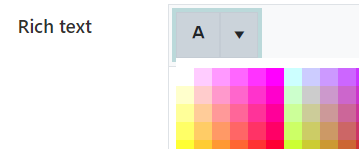
Is it possible to provide a color picker for enhanced rich text fields?
I am having a problem with PlumsSail Form rich text fields. My users have an error where they see white text on a white rich text field. My SharePoint theme is dark blue backgrounds with white text.
This doesn't happen except when users copy and paste text from other text editors. I think the problem is something related to copying from a dark themed OneNote or Outlook email.
The current workaround solution. Is having the user copy/paste text to a light theme editor, then paste it back into PlumSail. This creates a problem in the Display form. We get bars of white background added to the text.
If we can't add a color picker to change the text color, is there a good CSS solution?
Thank you very much for helping me!