Hello,
I have a SharePoint List for an accident report for my organization, I have Plumsail Forms Designer App 3.8.0 and I would like to
I am hoping to get advice on how to solve these scenarios
currently when a new form is created, the user has to navigate to the SharePoint site and select new form, I would like to
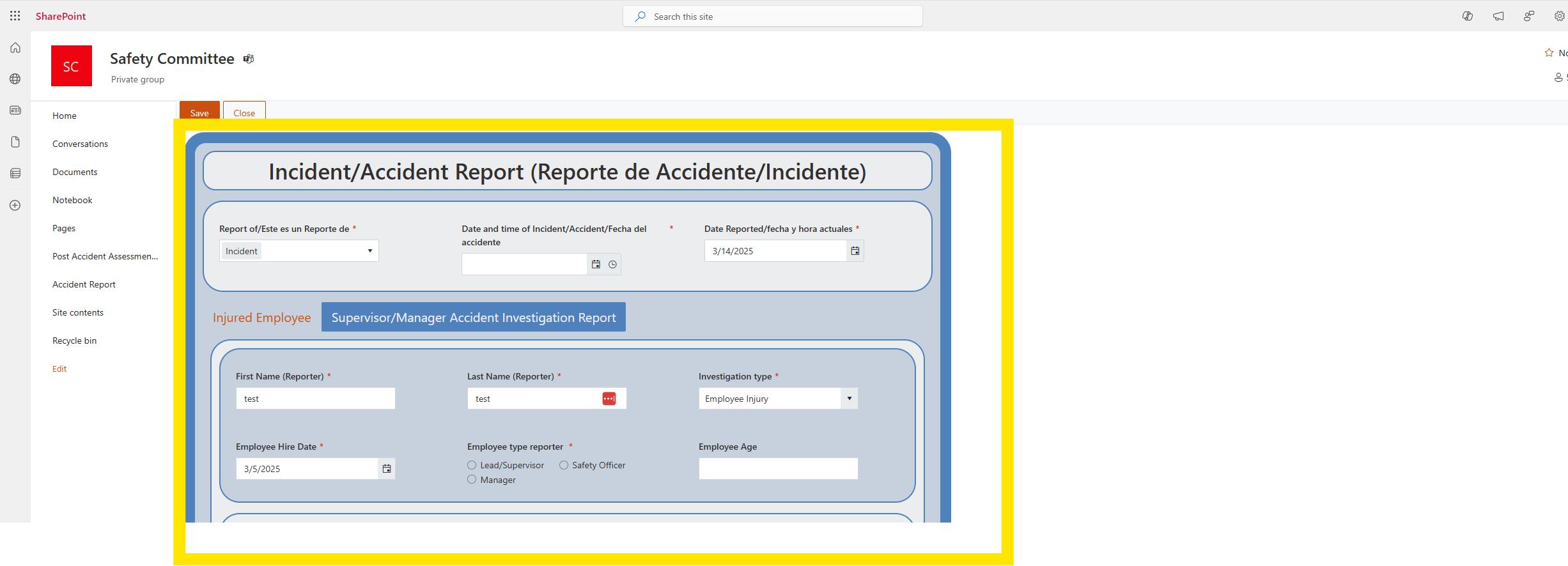
1.Create a URL or customize the form view so it only shows the form in the browser vs the navigation bar of SharePoint and the form.. see the screenshot below, i would like to only display what is in the highlighted yellow box instead of the site navigation pane.
The purpose of the URL will be used to create a bookmark for the user for a tablet, im not worried about sharepoint permissions as someone from our org will be logged into sharepoint to get to the site..
I would also like to
- redirect the user to the form view I want to create in the first step.
Is this possible with Plumsail Designer and if so how would you suggest i set this up?
Thank you in advance for your help!!