I really like the (newer) knowledge base functionality, but there's one thing that is missing in the content formatting tools that I think would be incredibly useful, which is the ability to create accordion sections within the article content to allow you to expand and collapse sections/content. For lengthier articles with a lot of content or a lengthy list of FAQs, it would be great if we could somehow collapse each of those FAQs and allow users to just expand them one at a time to see a particular question's answer/content.
Is there a customization I could perform to give us that capability?
If you mean the article body, it is not possible. The Plumsail Forms can customise different fields on the form but the article body is the content of just one field: of the 'Body' column in the 'Articles' list. It is a rich text stored there.
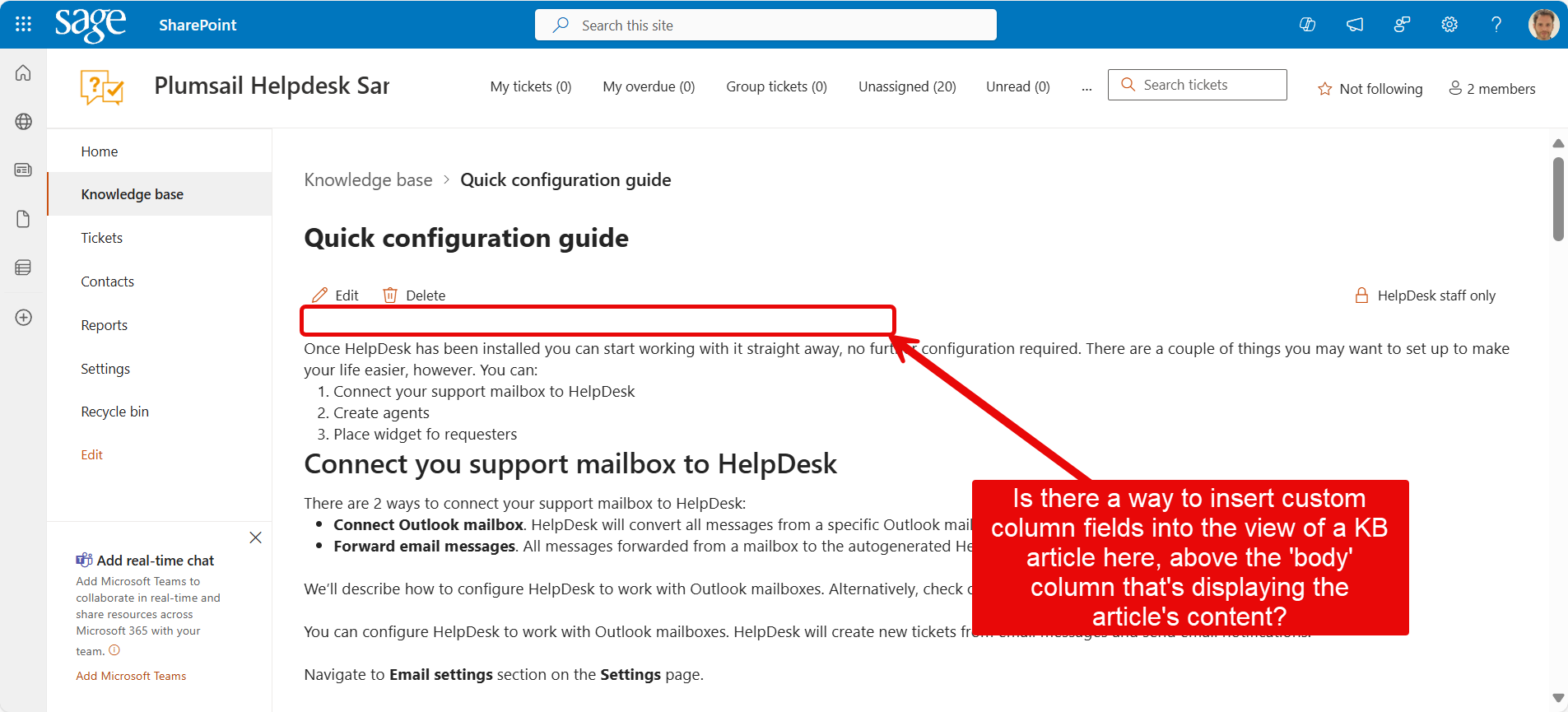
Hi! I was taking a look at this using Plumsail Forms, but it doesn't seem like a Plumsail Form view is used for displaying the Knowledge Base articles in the UI. I was looking for a way to insert a couple of custom column fields that I added to the 'Articles' list inside the view of a KB article (screenshot below).
The KB articles are not customizable at all. Could you describe your use case and the columns you would like to add? Perhaps, developers will consider adding them to the default layout.
My dream would be to have a "Related Articles" field showing above the article content. The ideal functionality would be such that you could select one or more related KB articles in that field and they would show links to them above the article content. In addition, this would be a bidirectional link, meaning that if you updated Article A's related item field to point to Article B, when you browse to Article B, you would see that its related item field showed Article A (without having to additionally update Article B's 'Related Articles' column to point back to Article A.)
This bidirectional linking I think could be accomplished with a power automate flow so that after you update Article A's 'Related article' column to point to Article B, the PA flow then updates Article B's 'Related article' column to point to Article A.
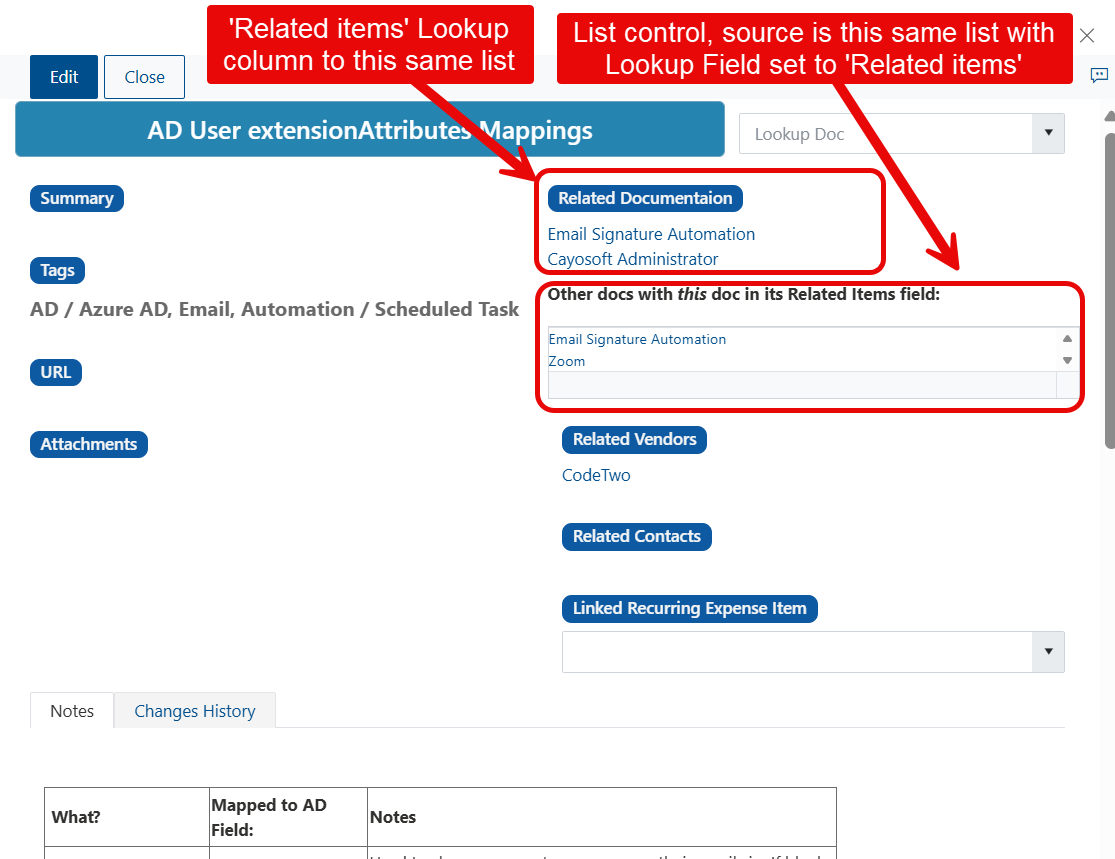
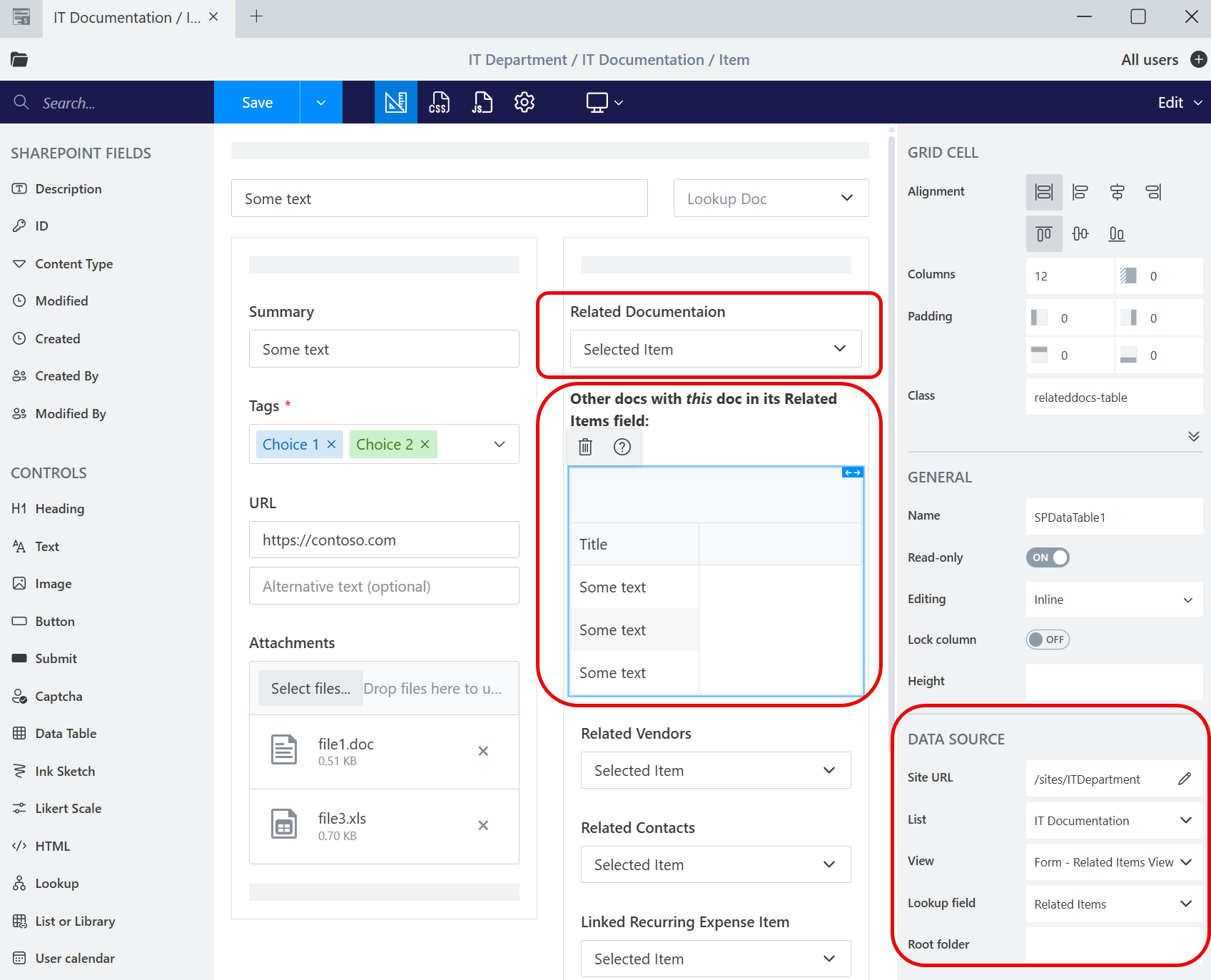
However, I had previously developed a little KB database using Plumsail Forms that had a hacked workaround to accomplish this bidirectional linking, using two controls on the form instead of one:
One control was simply for the 'Related articles' column value and a second control was a List control whose source was this same KB article List, filtered by the Lookup column of 'Related articles'. I titled that second control, "Other docs with this doc in its related articles field." (Screenshots below)
I had some other lookup fields in this KB i built with Plumsail Forms to things like a related Vendors List, a related Contacts list, related Expenses List, but I'm not so concerned about those. A bidirectional linking capability to other KB articles would be awesome, though.