Hi, we are looking to migrate from our current ticketing system, FreshService, over to Plumsail Helpdesk. I believe I can export all of our FreshService data to a .csv file. Is there any guidance you could provide on importing that data into Plumsail Helpdesk? If it turns out to be too big of a project to get the data imported, we may just start fresh and just keep that data separate for agents to manually browse, if needed. But if importing the data is doable without too crazy of an effort, I'd like to do that. Curious what your thoughts are on how I might go about this and whether there are any pitfalls I should watch out for.
If you have the same columns' structure and order in the 'Tickets' list, you can edit it in grid view and copy-paste the CSV records opened in Excel. The 'bottle neck' in this approach is saving comments. HelpDesk stores related comments in a separate 'Comments' list. It has a hidden system column 'TicketGuid' that stores values of related tickets. HelpDesk uses it to show the related comments when you open a ticket form. I do not know how this part is implemented in the Freshservice. If you share a sample of the CSV file, we can think on further steps together.
Do not modify or delete the default columns.
Automatic import
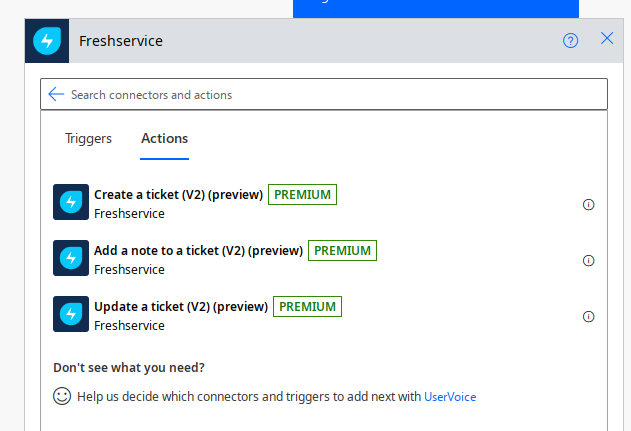
Using Power Automate flow could be another option, but I do not see actions for retrieving data from Freshservice and the connector requires a premium subscription.
If Freshservice has REST API that allows to retrieve all the required data, you can use it and then create tickets and comments in HelpDesk. For the second part, you can use the HelpDesk REST API. Or, use an HTTP action in Power Automate to retrieve data from Freshservice and pass the data to our connector to create tickets and comments. But sending the HTTP requests in Power Automate also requires the premium subscription.