Good Day,
I recently installed Plumsail HelpDesk into my company's Microsoft 365 tenant and have most things functional as new emails to helpdesk@company.com are automatically creating tickets but the respective responses that should go out confirming receipt of correspondence are not going out. Note that helpdesk@company.com is a shared mailbox we created specifically for helpdesk tickets.
Is there any quick troubleshooting that I can do to identify the issue? I have tried removing the office email account completely to have Plumsail use its own internal settings for sending mail but that does not work either.
I just added the admin email into plumsail as a test and got the following in the spam folder of the admins outlook mail...

This is part of the body of the above email in junk...
Remote server returned '550 5.7.708 Service unavailable. Access denied, traffic not accepted from this IP.
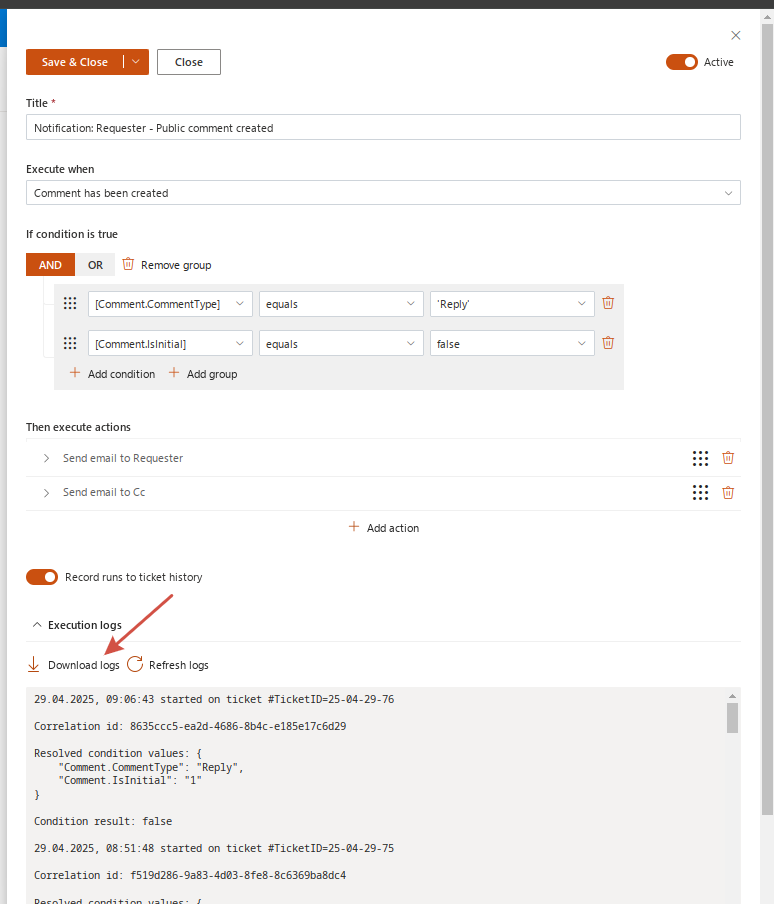
Hello Nigel! If the default HelpDesk mailbox does not send notifications too, there must be an issue with the notification triggers you have. Please find one that should send the notifications you need. Reproduce the issue with not-sending the notification and wait while a record about that ticket appears in trigger logs. Then download it and send to support@plumsail.com. Refer to this topic in the message and specify which record in the logs accords to the reproduced issue.