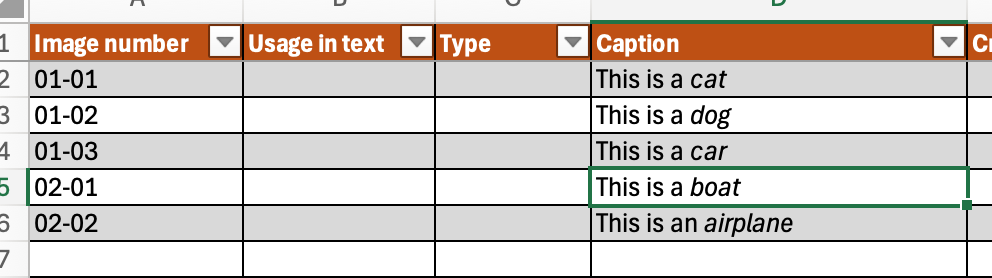
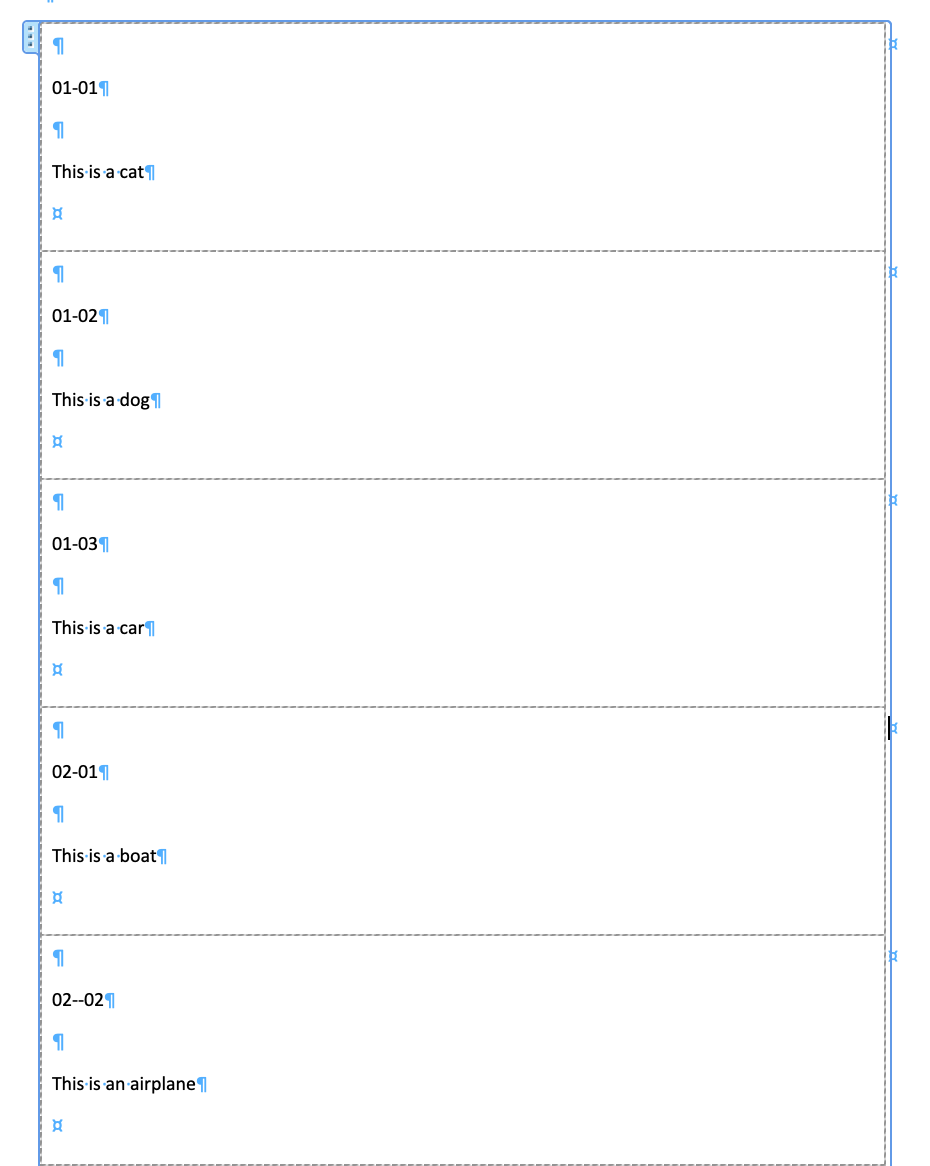
I’m new to Plumsail—trying to pull data from an excel file to populate a Docx template using Plumsail. It needs to have rich text.
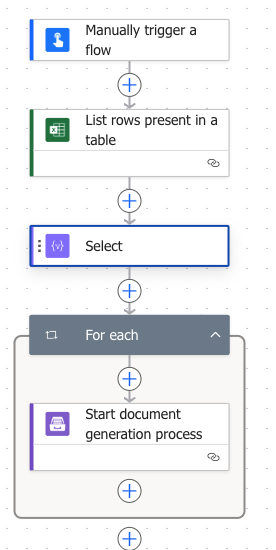
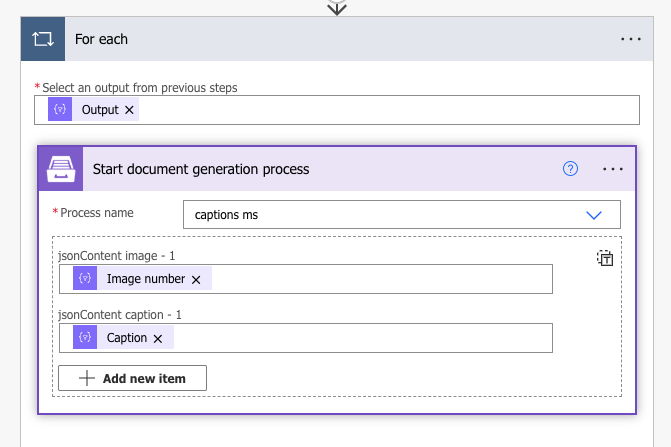
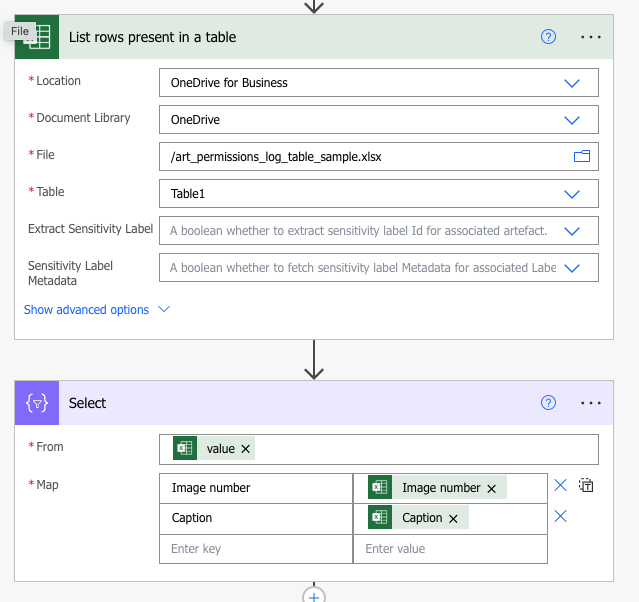
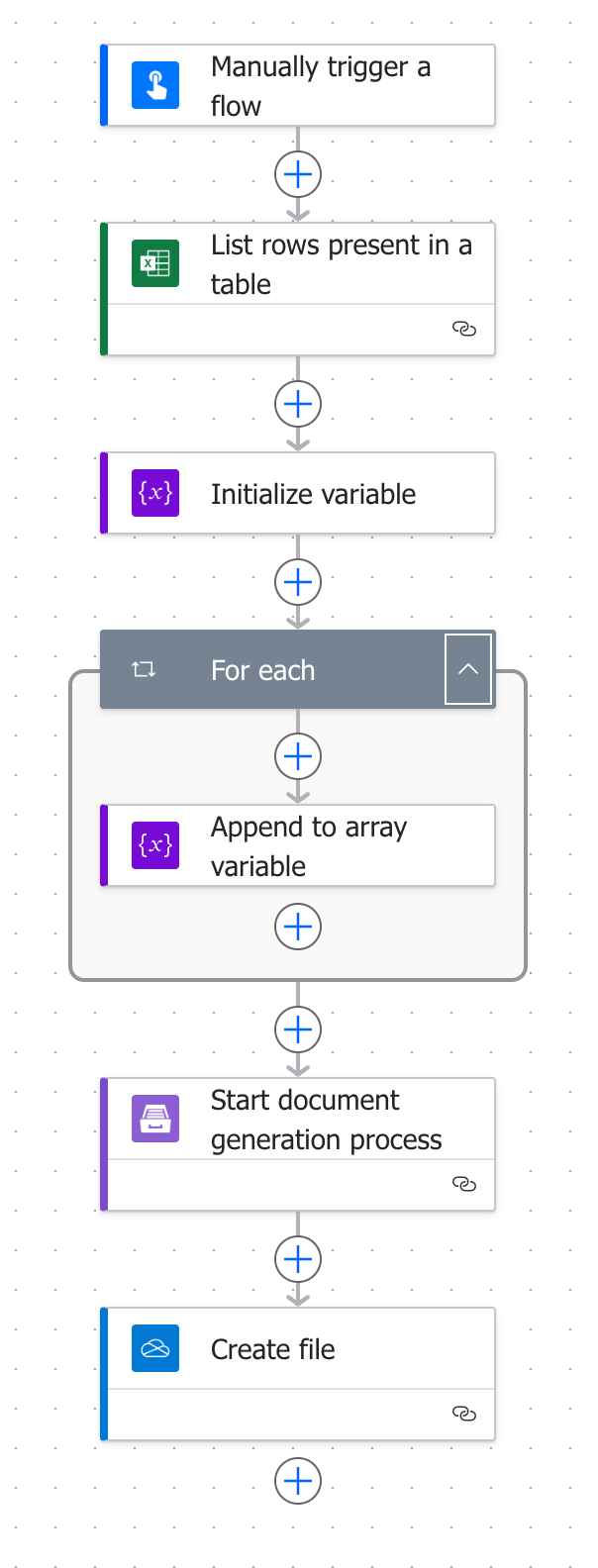
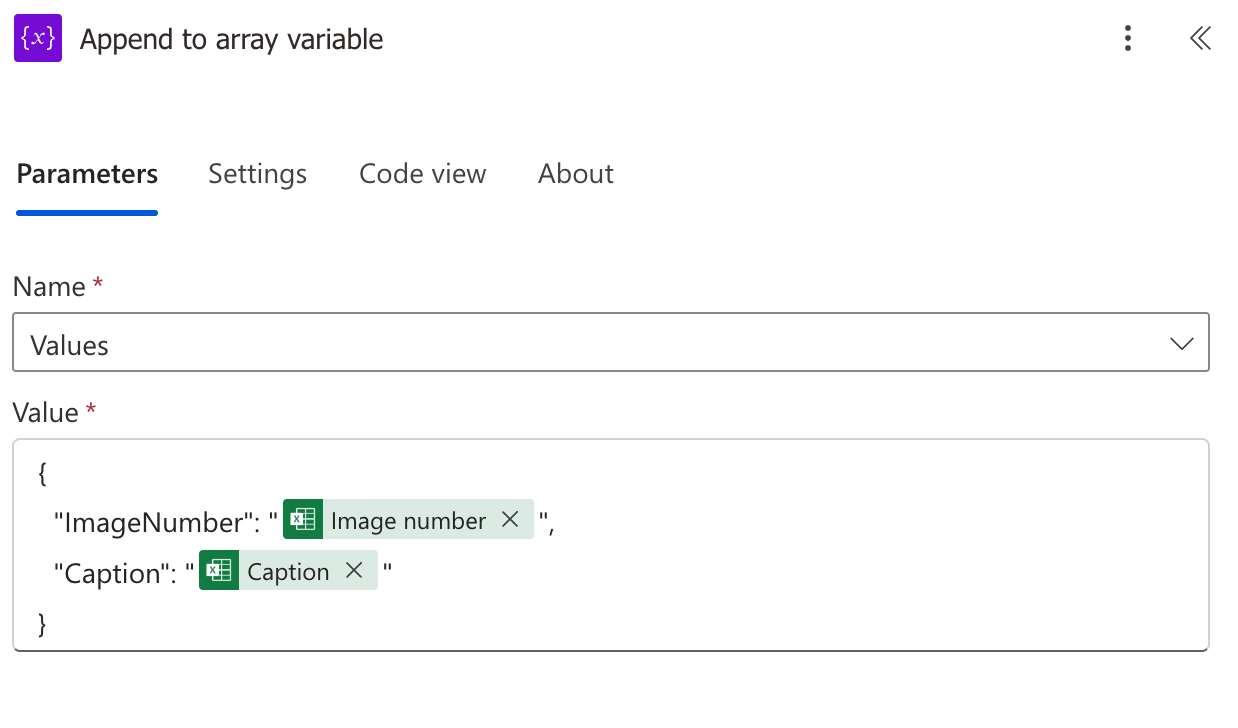
This is what my flow looks like, but the test flow just keeps running and doesn’t complete.
I’m new to Plumsail—trying to pull data from an excel file to populate a Docx template using Plumsail. It needs to have rich text.
This is what my flow looks like, but the test flow just keeps running and doesn’t complete.
Hello @ako ,
Could you please share a few more details about your flow?
This will help me better understand your needs and assist you accordingly.
Additionally, we have several useful articles and blog posts about document generation:
Best regards,
Aleksandra
Plumsail team
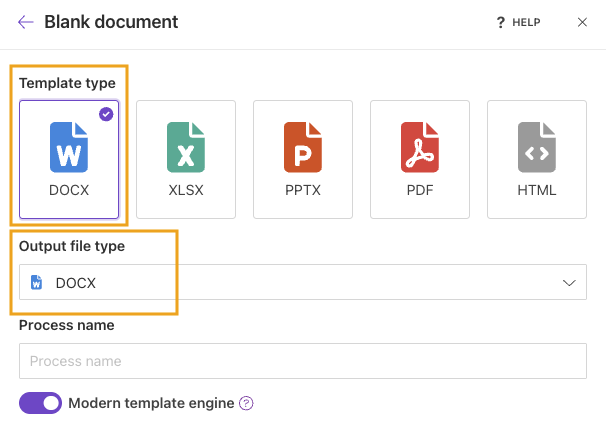
I want to create a Docx based on an existing Excel file, using the entire file. The excel file is stored in OneDrive. The Docx is the final form, it won’t be converted to PDF.
Hi @ako ,
Thank you for the details.
For your flow, please follow these steps:
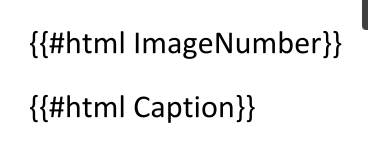
I also see you’ve already found this topic and asked about rich text - yes, you can add rich text to the template. For this, you need to use the HTML operator in your template:
To better understand the difference between engines, please refer to our article:
Modern vs. Classic DOCX engine.
Additionally, we have a very helpful post about HTML formatter:
Insert HTML and rich text into a Word Document with Power Automate
Please note that this post describes Classic engine syntax. For the Modern engine, please use:
{{#html text}}
Please let me know if you have additional questions, and how it goes on your side.
Best regards,
Aleksandra
Plumsail team
Hi @ako ,
Great to hear that your flow is working!
The HTML operator in Plumsail Documents is used when your data already contains formatted text (for example, HTML content). In that case, Plumsail can correctly render styles such as bold, italic, lists, etc. in the generated document.
However, when Power Automate reads data from an Excel file (for example, using the List rows present in a table action), it retrieves only the cell values, not the formatting. This means that text styles such as italic, bold, or other visual formatting from Excel are not passed to the flow.
You can read more about this in Microsoft documentation:
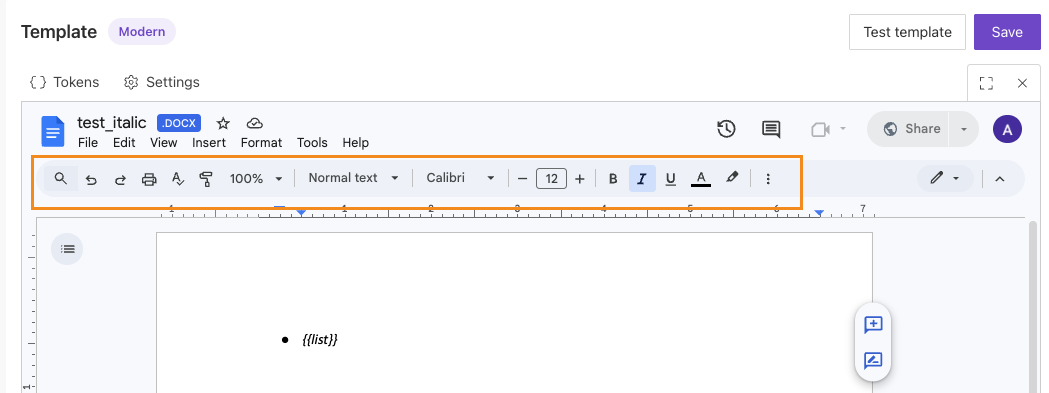
Instead, you can simply apply the required formatting directly in the Plumsail Documents editor. For example, you can set the text style (italic, bold, etc.) in the editor itself so that it is applied during document generation.
Best regards,
Aleksandra
Plumsail team