Is it possible to create multiple PowerPoint slides from an Excel source using looping? I know this can easily be done with JSON, but I was wondering if there was a way to use Excel as the source instead. Thanks.
The PowerPoint templater accepts dynamic contents from any third-party connector in Power Automate.
It could be a JSON as shown here
Or any other data source.
So, the point is to get the data from the data source using a third-party connector and then create slides using the data.
There is a Microsoft connector for Excel in Power Automate:
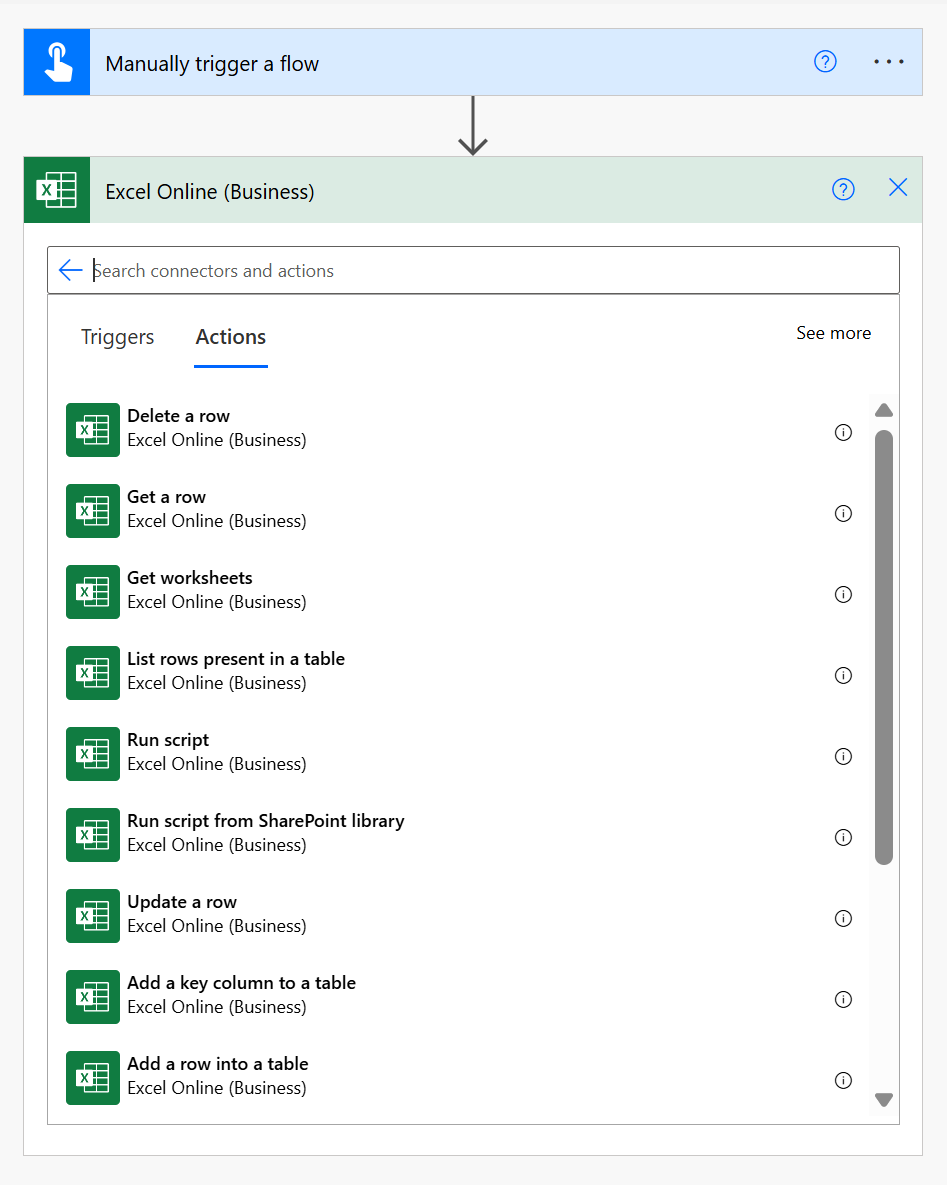
Please give it a try.
Best regards,
Petr
Plumsail team
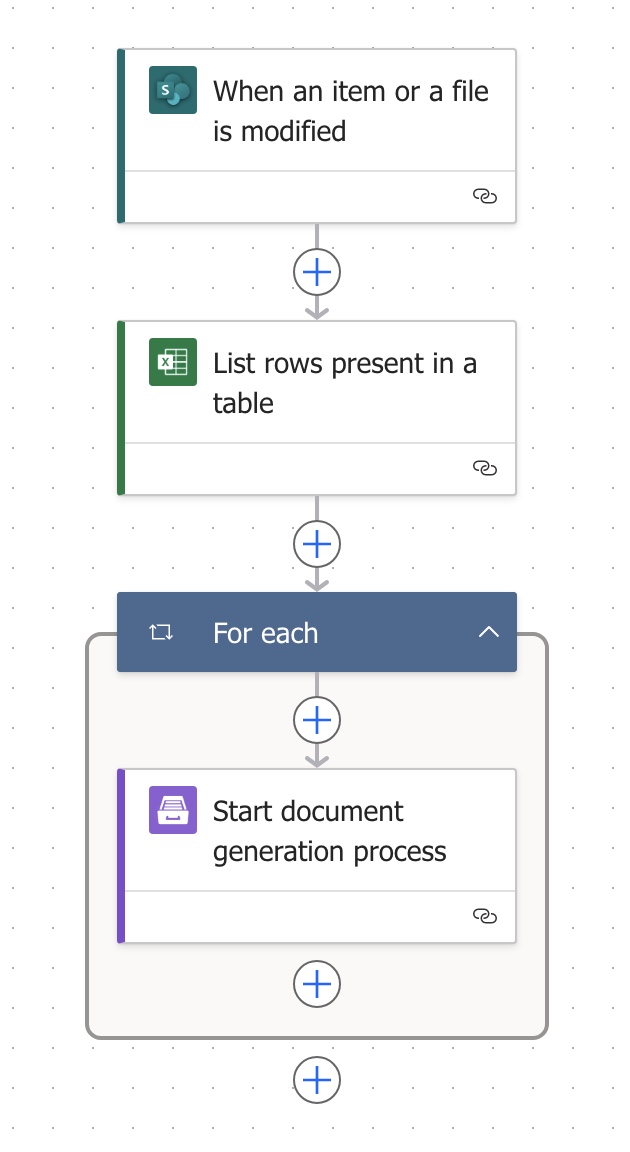
I've managed to put something together, however it is generating a new PPTX/process for each row in Excel. Not sure where I've got wrong with this flow.
Thanks.
Hello @forestcitytrivia,
This way the Start process action runs for each record from the Excel action List rows present in a table.
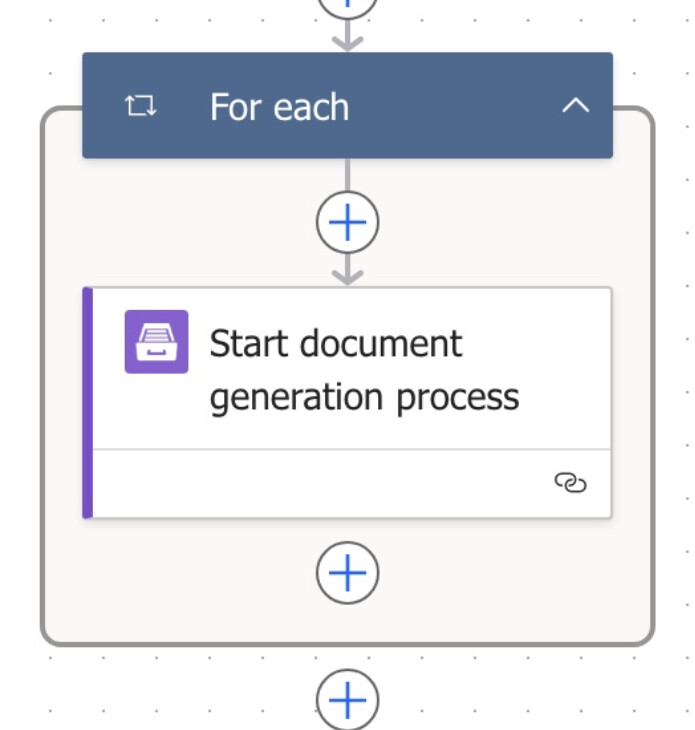
Please check out my example:
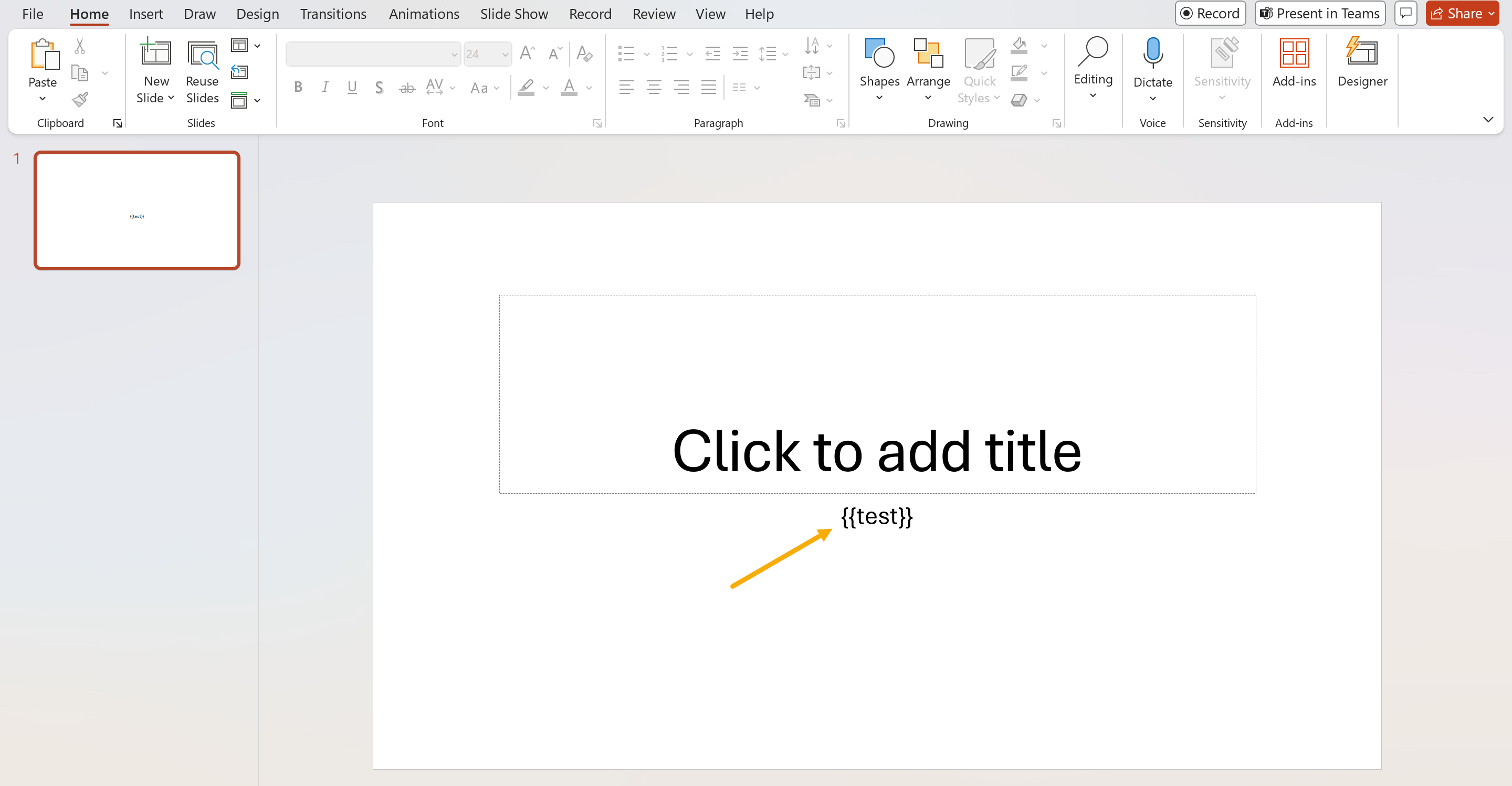
- The PowerPoint template. I added only one token
{{test}}
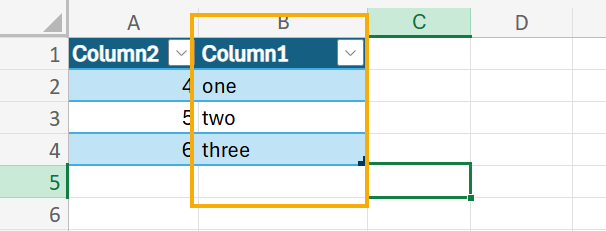
- This is my Excel file. Let's say I want to grab all values from Column1 and add each value to a new slide in my PowerPoint template.
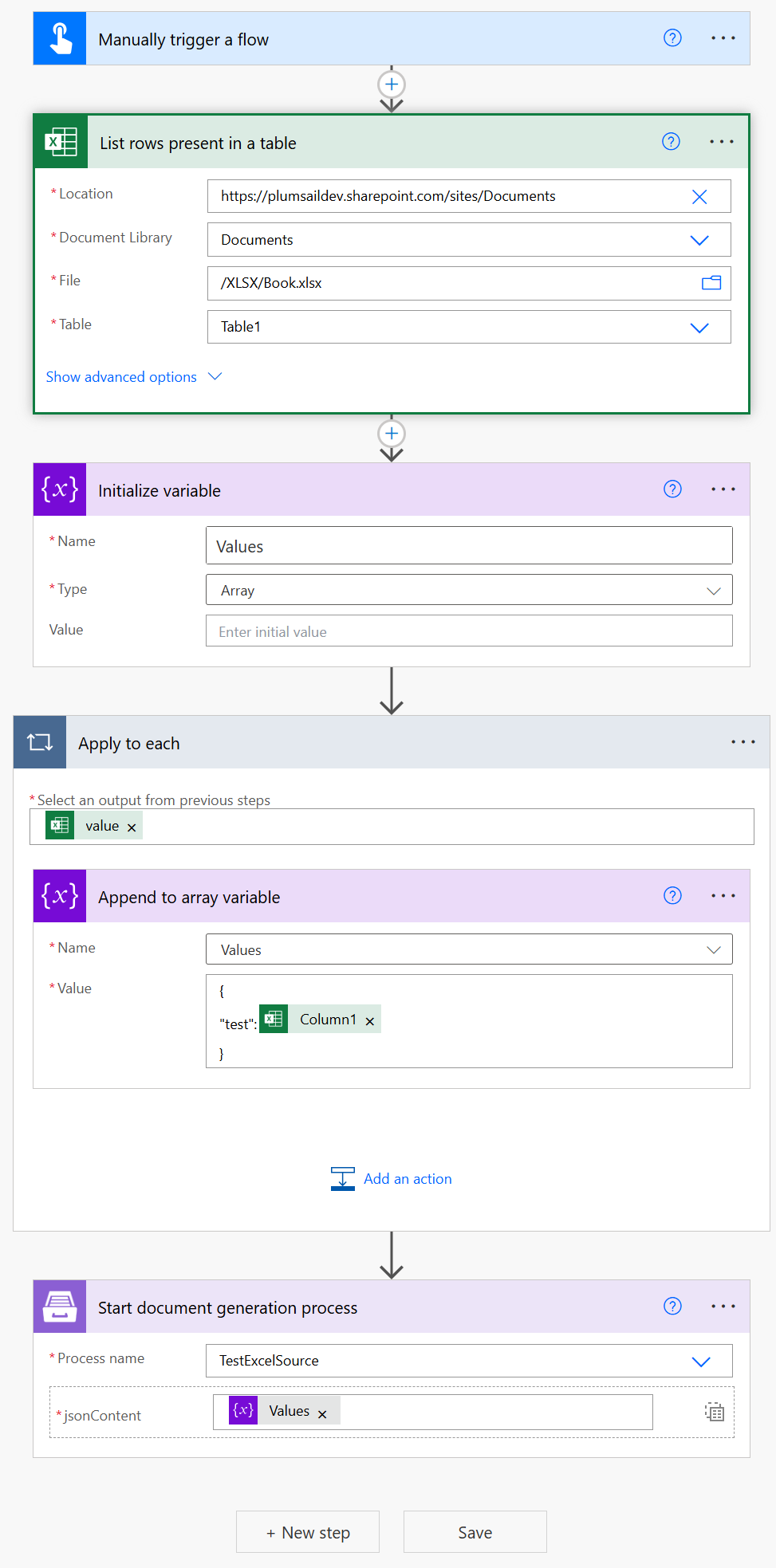
- To avoid running Start process action for each value I added a variable to my PowerAtuomate flow.
Then collect all values from the Excel book into the array and use the array as dynamic content in the Start process action.
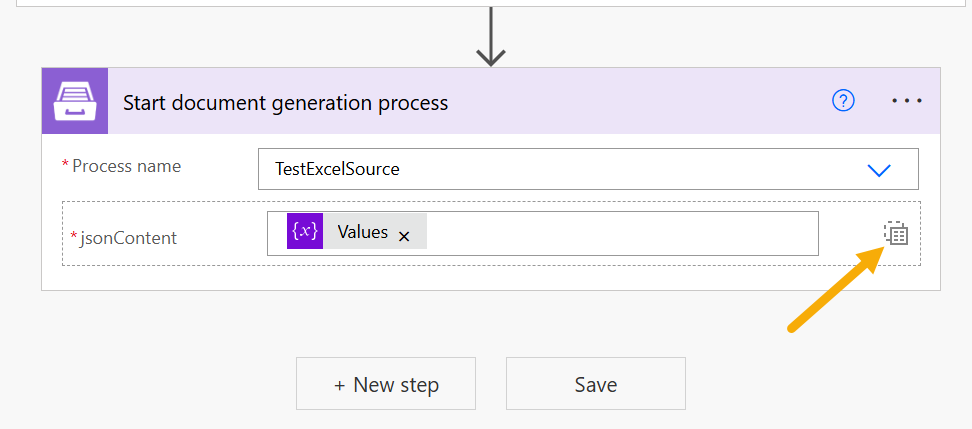
- To use the array of values, please switch the input in the Start process action
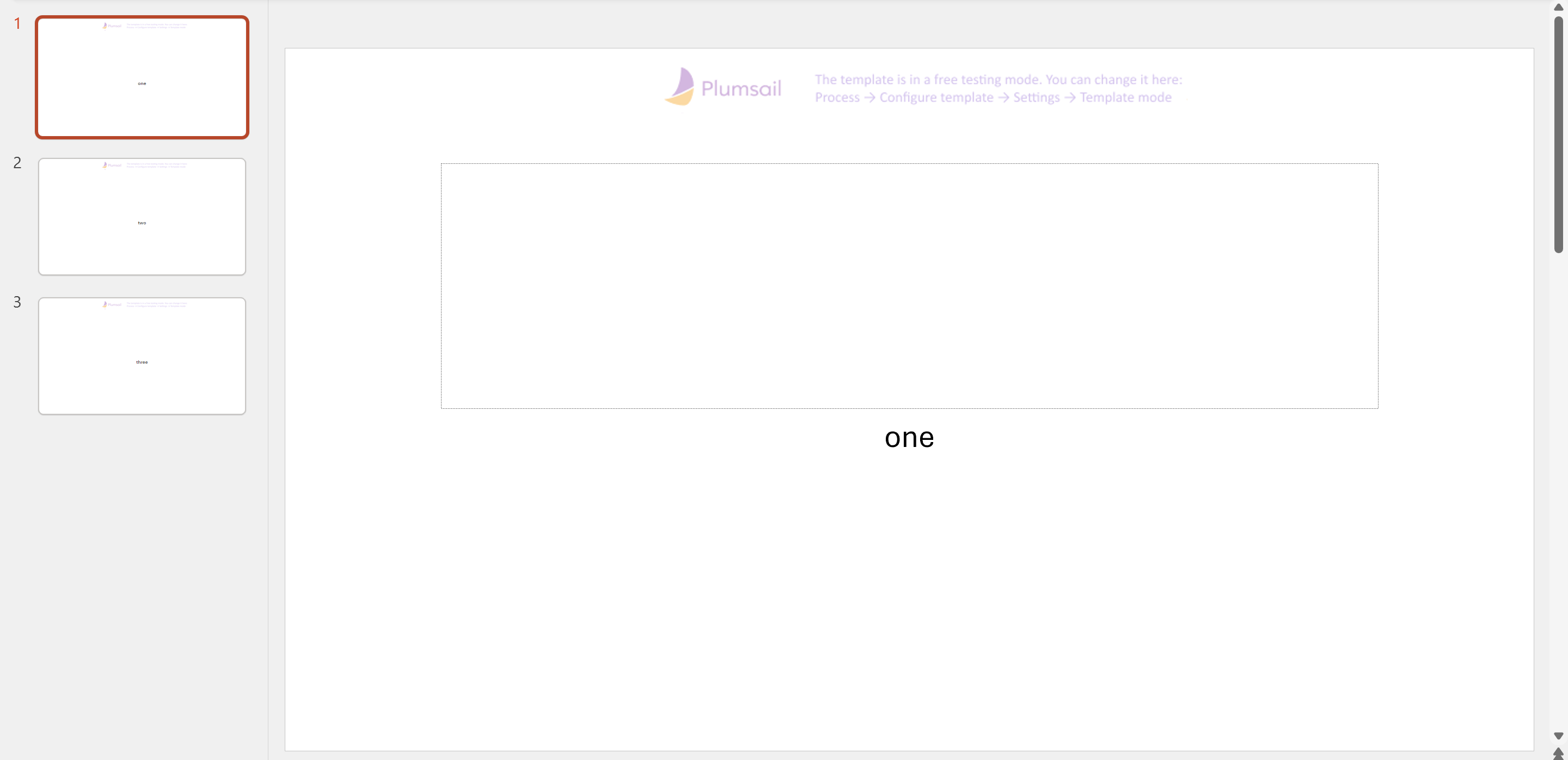
The result has 3 slides. Each slide has a value from the Excel book.
Best regards,
Petr
Plumsail team
Awesome, that got it, thanks!
1 Like
One more annoying question, if I wanted to include data separate from the array is that possible?
Basically, generate 10 slides with the data from the Table A and 3 slides with data from Table B.
I played around a bit but it didn't seem to like the end result data.
Firstly, you can generate both files separately, save both as PDFs, and then use the Merge PDF action to merge the results.
Will it work for you?
Best regards,
Petr
Plumsail team
I’m doing a version of this sourcing from Excel into a Word Do. Is there a way I can do this with rich text?
Hi @ako ,
We already have a topic regarding your flow there.
I’ve described how to work with rich text there as well, but I’ll duplicate it here for your convenience:
Yes, you can add rich text to the template. For this, you need to use the HTML operator in your template:
-
html (Modern) - preferred
To better understand the difference between engines, please refer to our article:
Modern vs. Classic DOCX engine.
Additionally, we have a very helpful post about HTML formatter:
Insert HTML and rich text into a Word Document with Power Automate
Please note that this post describes Classic engine syntax. For the Modern engine, please use:
{{#html text}}
Please let me know if you have additional questions.
Best regards,
Aleksandra
Plumsail team