Hi @ako ,
Thank you for the details.
For your flow, please follow these steps:
- Create a new process in your Plumsail account with your DOCX template (or create template online). You can select output file type, in your case, it should beDOCX:
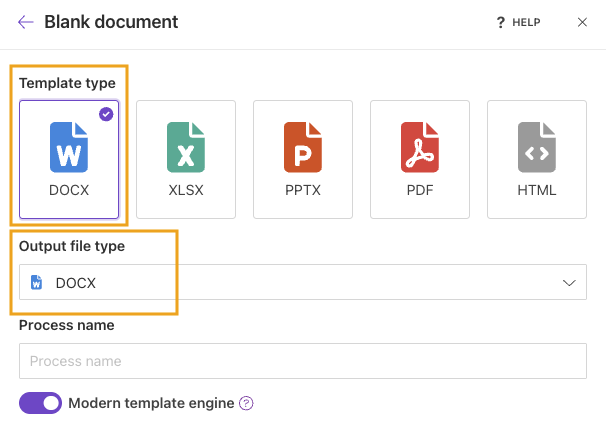
- You can collect data from your Excel file in Power Automate as described in this topic, and use it as jsonContent to populate your DOCX file.
I also see you’ve already found this topic and asked about rich text - yes, you can add rich text to the template. For this, you need to use the HTML operator in your template:
- html (Modern) - preferred
- html (Classic)
To better understand the difference between engines, please refer to our article:
Modern vs. Classic DOCX engine.
Additionally, we have a very helpful post about HTML formatter:
Insert HTML and rich text into a Word Document with Power Automate
Please note that this post describes Classic engine syntax. For the Modern engine, please use:
{{#html text}}
Please let me know if you have additional questions, and how it goes on your side.
Best regards,
Aleksandra
Plumsail team