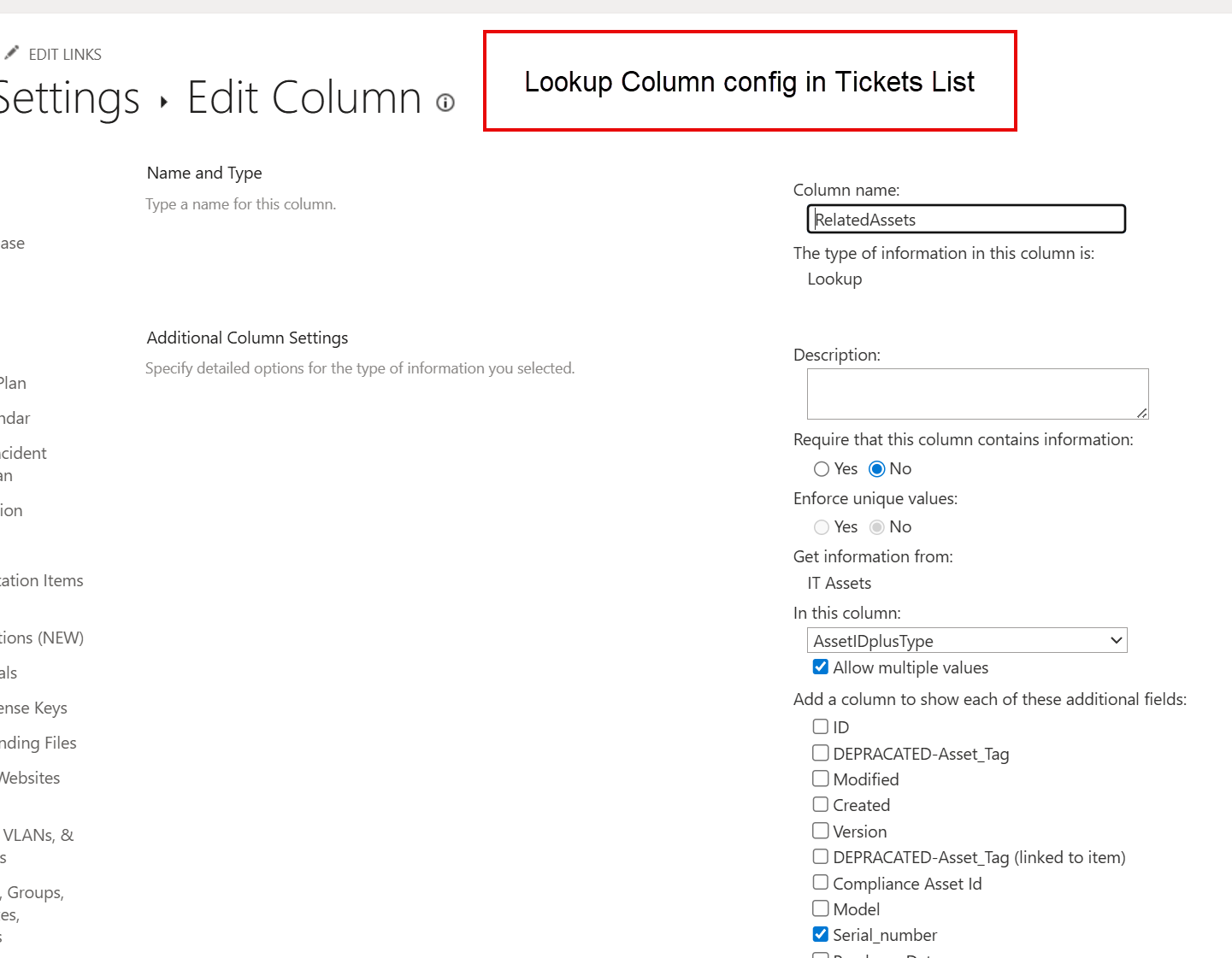
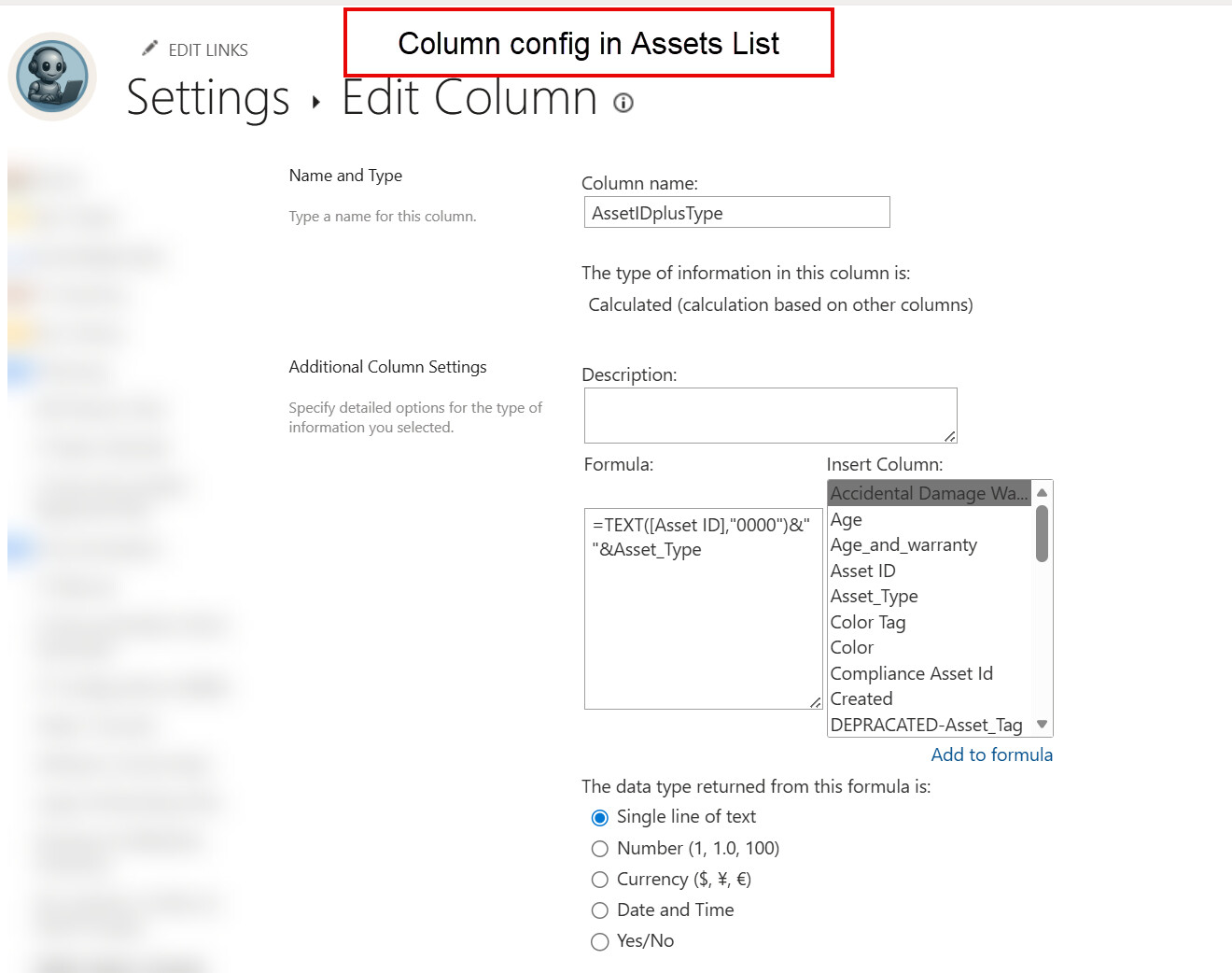
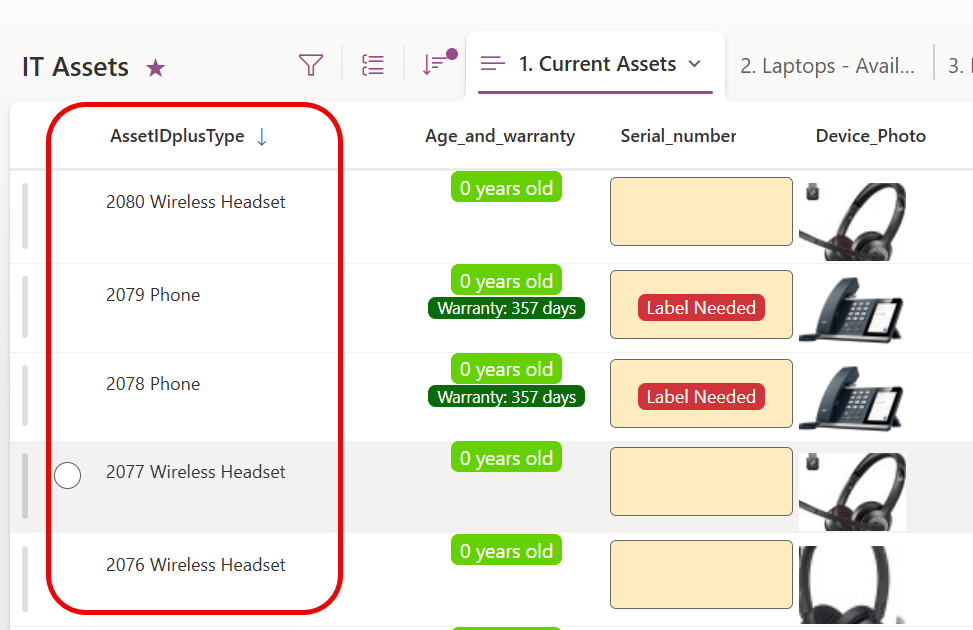
Hi, I’ve setup our Plumsail HelpDesk Tickets list with an additional lookup column to our Assets list with the goal of linking our IT Support tickets to asset in our IT Assets inventory (another list on the same SharePoint site). The lookup column i created is pointing to a calculated column in our Assets list, which is a concatenation of a unique Asset ID number plus the asset device type. My thinking was that I could more easily search for assets or see that I’m selecting the correct one by having this additional piece of information (the device type are things like “Laptop”, “Wireless headset”, etc.).
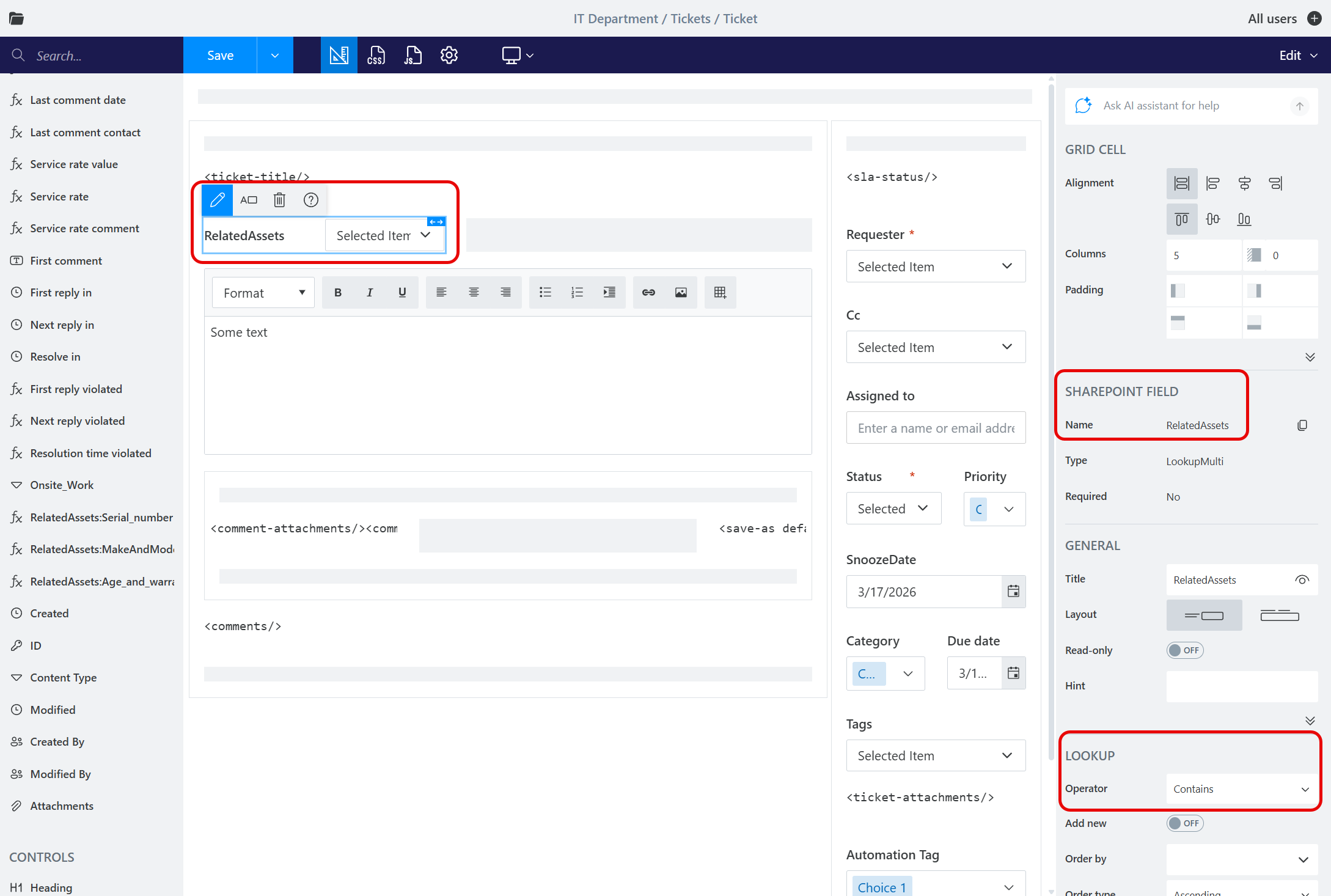
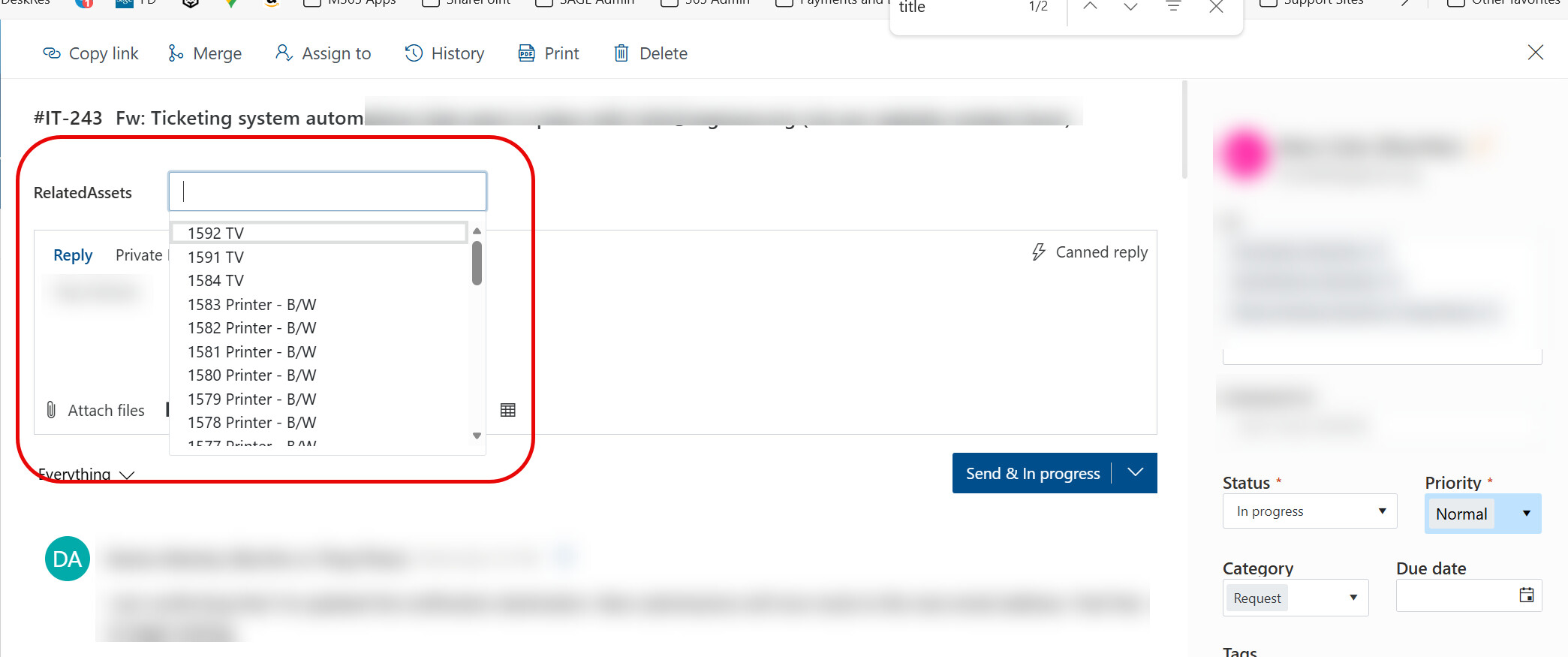
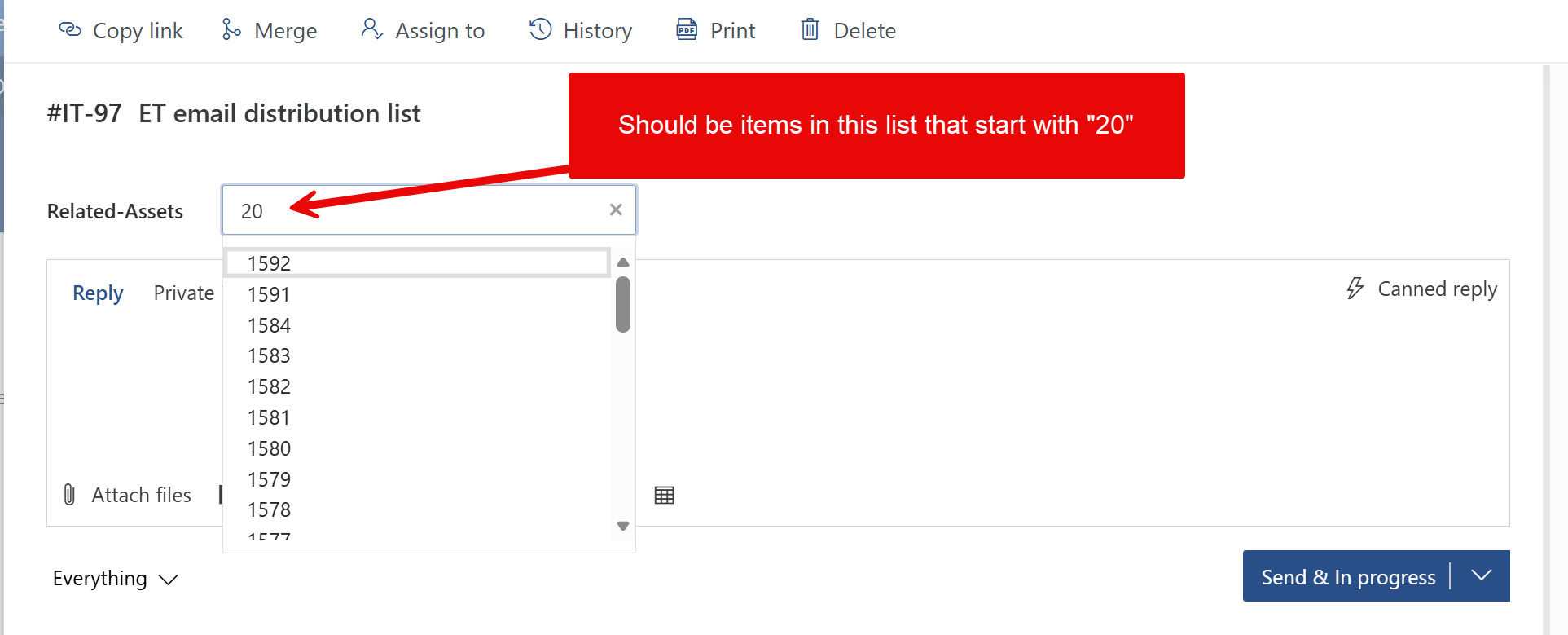
I’ve added this lookup field to our tickets form and it partially works. However, there’s an issue with the filtering mechanism. In the Plumsail Forms configuration for the field I selected to filter on ‘contains’ but no matter what i type into that box, it does not filter anything. In addition, it seems to show only assets from number 1592 and lower, but we have assets in that list counting up to 2080.
Below are screenshots of these configs. Any idea how I can get this fixed to have it properly filter when i start typing an asset ID number or a device type like “Laptop”? Thanks in advance for any help!
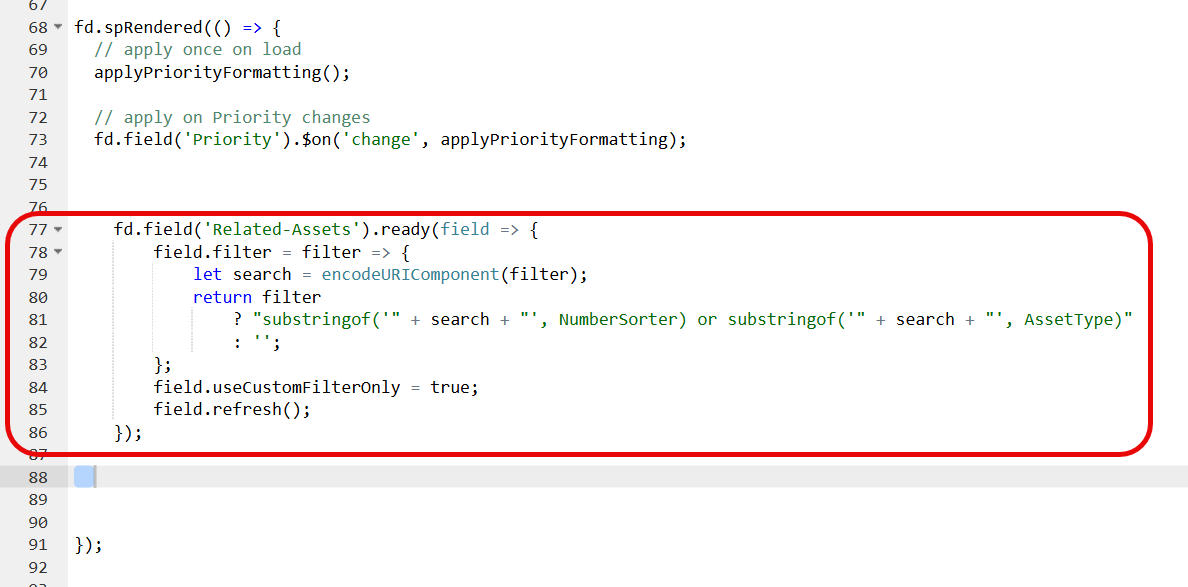
Hi, I’m still having trouble with this. I’ve tried to change the lookup column in the Tickets list that points to my assets list to be a lookup to a Number field instead of a calculated column (internal column name for this Asset ID number field is NumberSorter). This column contains our unique Asset ID number. I’m hoping to be able to search by the Asset Type field in addition to this Asset ID number (Asset Type is a choice field in my Assets list), so I followed the instructions on Plumsail’s KB for adding javascript to be able to filter on either both fields:
Oh okay, my NumberSorter column is a number column. In my initial post above, I was trying to use a calculated column instead (which I believe is a text column?) whose formula was a concatenation of our asset ID number (number column) and asset type (choice column) (you can see the formula in my screenshot from that post). It was suggested that a calculated column may not be supported though, so I was trying this other method of having the lookup column in my Tickets list point to this NumberSorter column.
As a side note, which is probably unrelated to this–I don't remember how exactly, but at some point in the past I was able to mess with indexing settings in SharePoint to get it to index this NumberSorter column so that I'm now able to search for one of these asset ID numbers and have the search result successfully display the asset I'm looking for in the native SharePoint list view (out of the box, I wasn't getting results because it's a number column).
Ultimately, my main goal is to be able to have this related assets field on the tickets form where we can type in an asset ID number (i.e., the number in my NumberSorter column) and link assets to tickets.
As a secondary goal, I'd love for it to somehow auto suggest assets that are assigned to the same user in my assets list as is the ticket requester (that assigned-to column in my assets list is a SharePoint user lookup column). But I don't want to make that a requirement and set a hard filter on which assets can be linked to a ticket, just suggest them. But this is getting ahead of myself–if there's any suggestions for how i can accomplish my main goal, please let me know. Thanks!
OData does not support filtering by calculated columns.
In your case you need to either convert the column type to Text or instead of substring use equal operator. Using the equal operator a user will need to paste the exact asset ID.
As a secondary goal, I'd love for it to somehow auto suggest assets that are assigned to the same user in my assets list as is the ticket requester
Got it, thanks. I will try to convert my asset ID number to be a text field and report back!
For the idea about showing suggestions of assets that are assigned to the ticket requester, I’m not sure how that might work exactly. Maybe I could have a tab in my tickets form that includes my Assets ID List as a data table that’s filtered by the ‘assigned to’ field matching the requester. That might quickly allow me to see which assets are assigned to the ticket requester and then manually punch in that asset ID number into the ‘Related Assets’ lookup column. However, for filtering that Asset List’s data table in my form, this wouldn’t be a lookup column that links the two Lists directly, it would be taking the ticket requester from the ticket and then trying to filter results from the Assets list to only those where the ‘assigned to’ field (Person lookup) matches– do you have any recommendations for how i could accomplish that?
You can modify control appearance to add a button that will populate the lookup field with the designer Asset ID. You can find an example with the code sample here: Customize view of columns in List or Library
Update: I got both the related tickets field and my assets list filtered to just the ones currently assigned to the ticket requester up and running on my ticket form. Thanks for the help!