See below. Whenever we attempt to open any tickets, we receive this error.
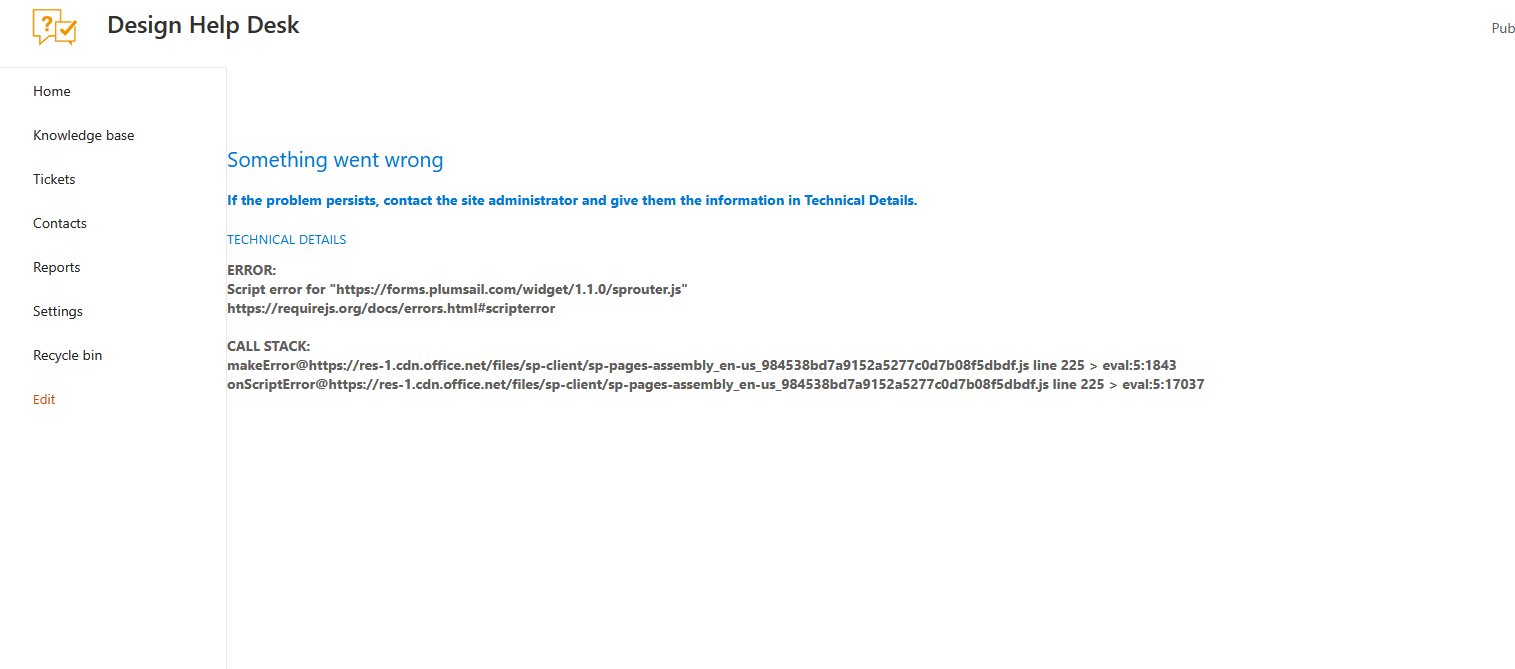
We experience the exact same problem.
Did you find a work around? We We used the forms tool to resave the forms, but the issue continues. We also updated the version and when we were finally able to get into settings and that didn’t work either.
Sorry, no solutions here either.  I’ve filed a support ticket but no response so far…
How did you manage to update without getting to the settings page (not working here either)? 
So, when this started for us, there were still a few people that could get in. Our IT director was one of them (he could get in from his work computer, but not his home computer). After refreshing a few times, he was able to update, but it didn’t change anything. Today, he can’t open any tickets with the work computer, either. I opened a ticket on Friday, but didn’t hear back until Monday morning at about 3AM eastern/US. The response was that it maybe it was temporary and to try again now. Issue is still occurring and I’m guessing they are on a different timeline, so it may be a while for another response.
Ah, I see. We also started to experience this problem on Friday… I suspect it is due to some changes Microsoft started to roll out on SharePoint from 1st of March.
Hello! I am sorry for the troubles you encountered. Indeed, on March 1, Microsoft enforced CSP which blocked custom scripts HelpDesk used. Please download the latest HelpDesk wizard here, repair your HelpDesk site with it and update the site to the latest version. Then clear the browser cache and check whether the issue persists.
Hi again,
Yes, that solved the problem! Thank you.
Interesting. I’ll keep this information in the back pocket. I had opened a ticket and sent over the log and har files. What ultimately worked was that we had to go to sharepoint admin center > advanced > script sources > add source. Then created two new sources https://.spform.com and https://*.plumsail.com. After that I refreshed the page and the tickets now work. I wonder if it’s 2 different approaches to the same solution.
It is a workaround we advised our customers before releasing the new version of the wizard. Now, it is not required to add our domain to the trusted sources manually.